
ROBOTIC
-
A robotic total station allows to work with one single operator with a total station, thanks to prism searching and tracking.
-
The software has dedicated commands for working with robotic total stations.
Basic steps with a robotic total station
-
A robotic total station allows a single operator to work independently, utilizing automatic prism search and prism aiming and tracking.
-
The software has dedicated commands to search the prism.
-
When inside a software application while connected to a robotic total station, the software shows the Robotic control panel on the right side of the screen.
-
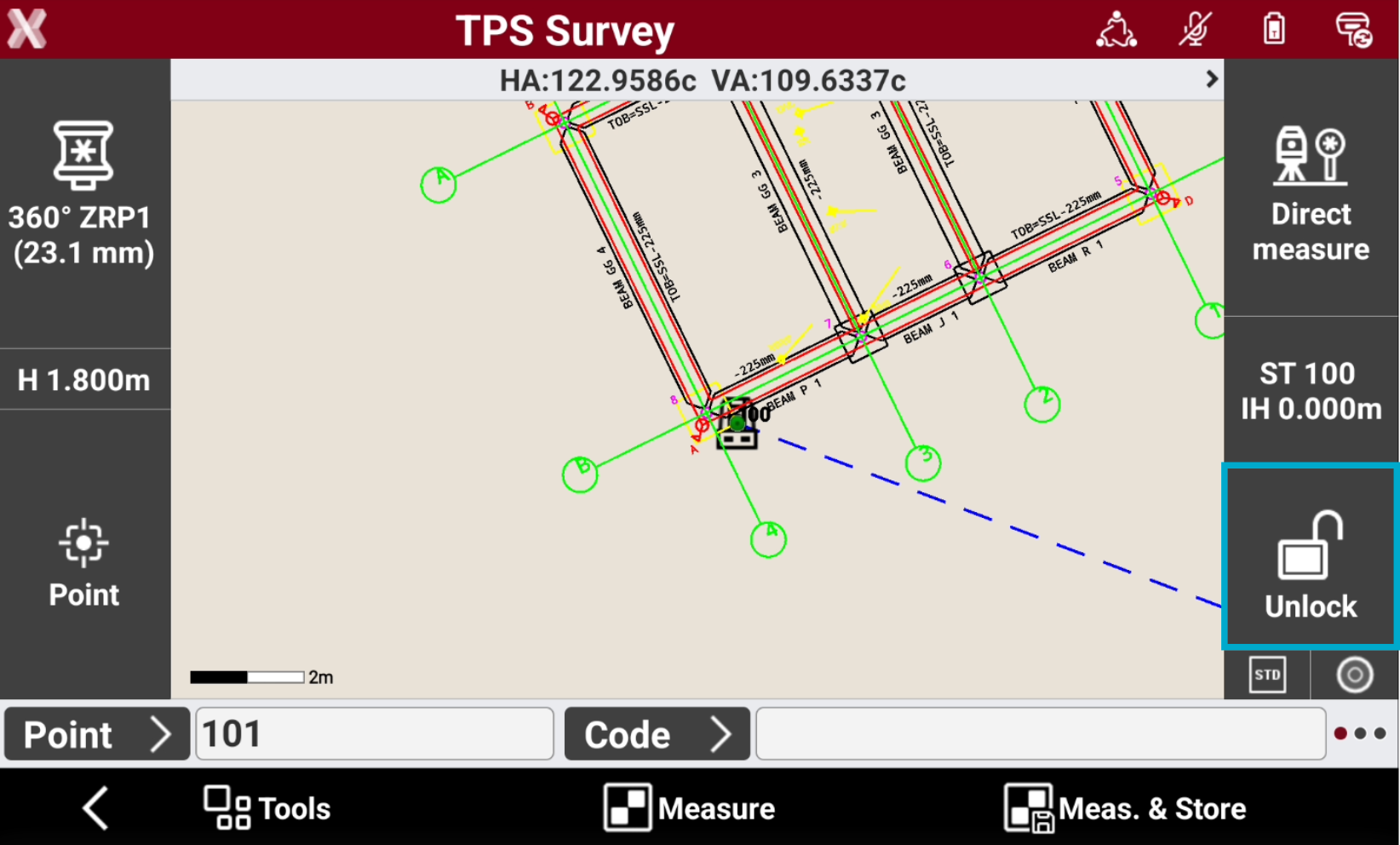
If the prism is not locked, the software shows the status Unlock.
-
Tap on the icon to open the Robotic control panel.
-
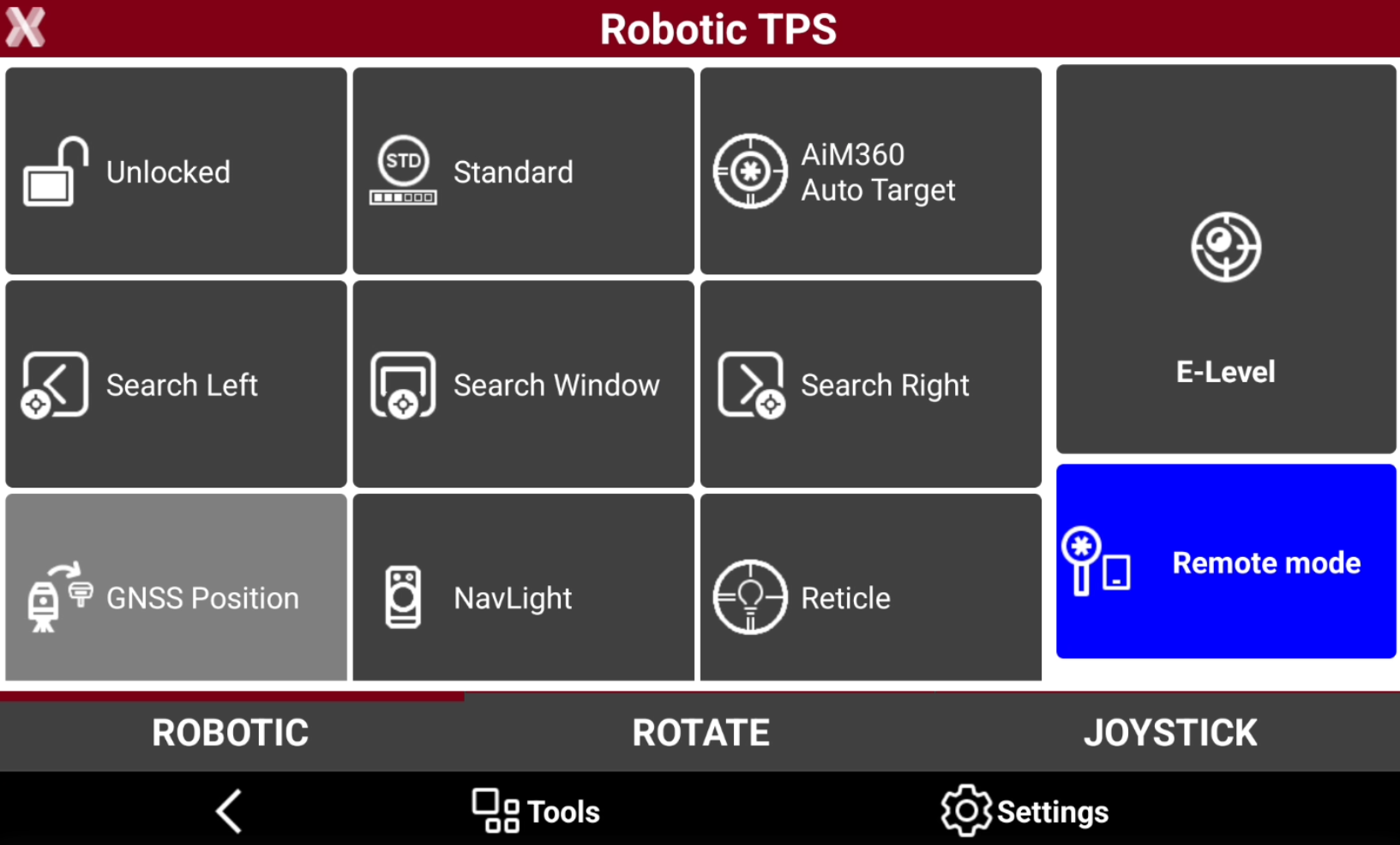
Select Unlocked to perform a prism search.
-
Or select one of the other search function:
-
Search Left: to search a prism on the left.
-
Search Right: to search a prism on the right.
-
Search Window: to search a prism within the search window. Requires to define a search window.
-
GNSS Position: to search a prism using the GNSS position, for example in an X-POLE configuration.
-
-
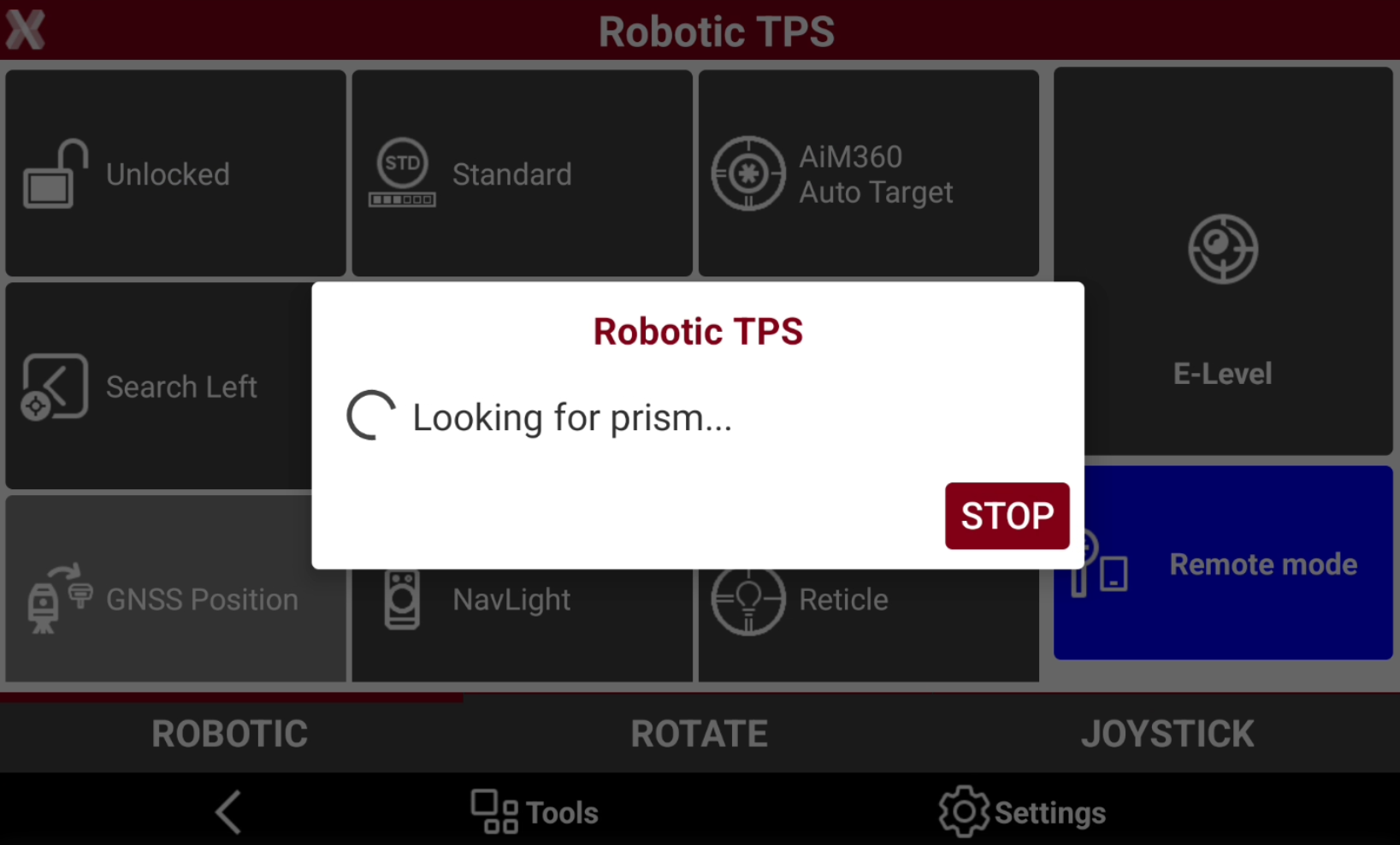
The instrument rotates and lock the prism.
-
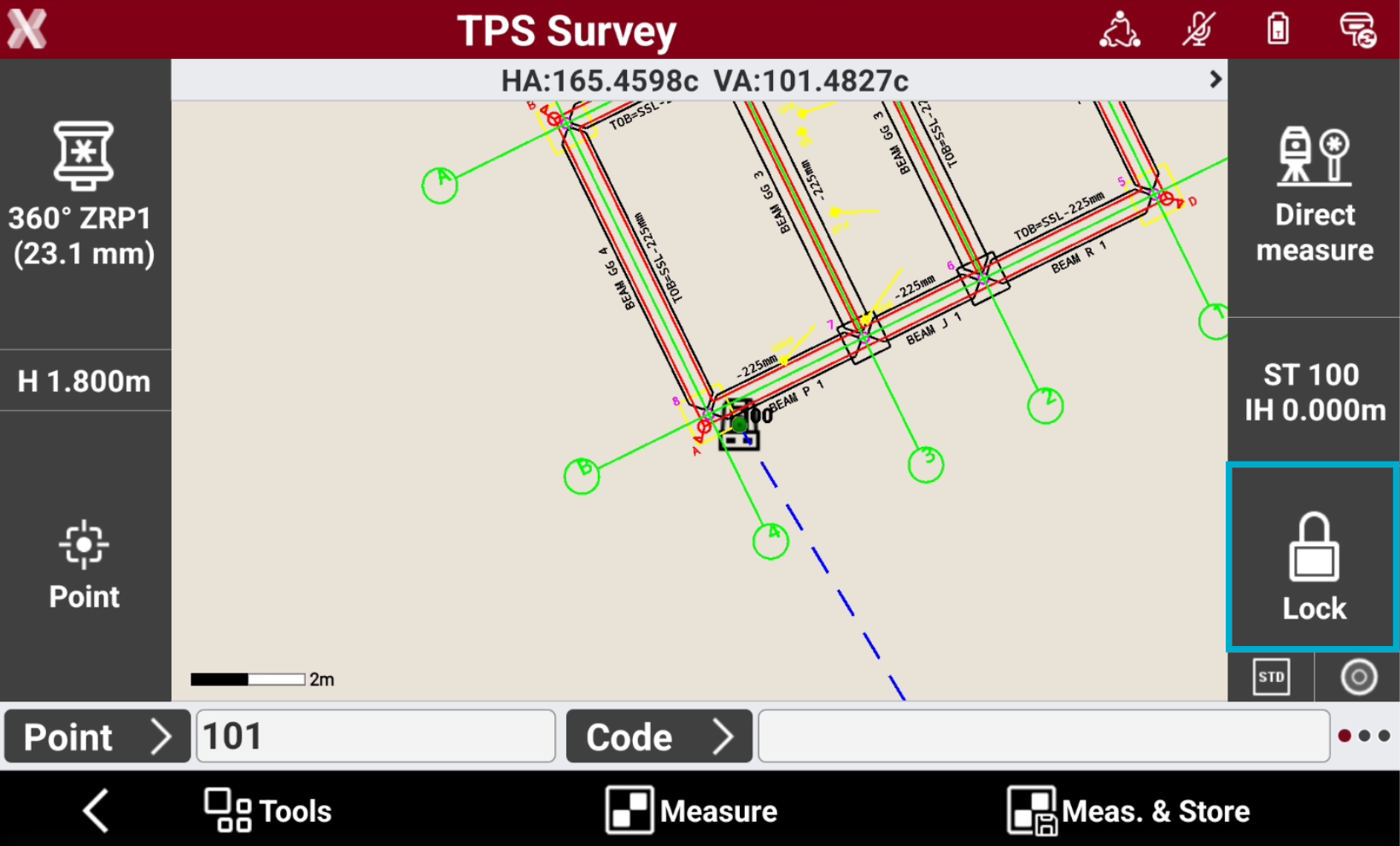
When prism is located, the instrument enters in tracking mode following the prism. The icon is now Lock.
-
Now it is possible to measure.
When working with a robotic total station from pole side, the Remote mode has to be turned on.
Prism search area
-
The software allows to define an area where search for the prism.
-
Open Robotic TPS page.
-
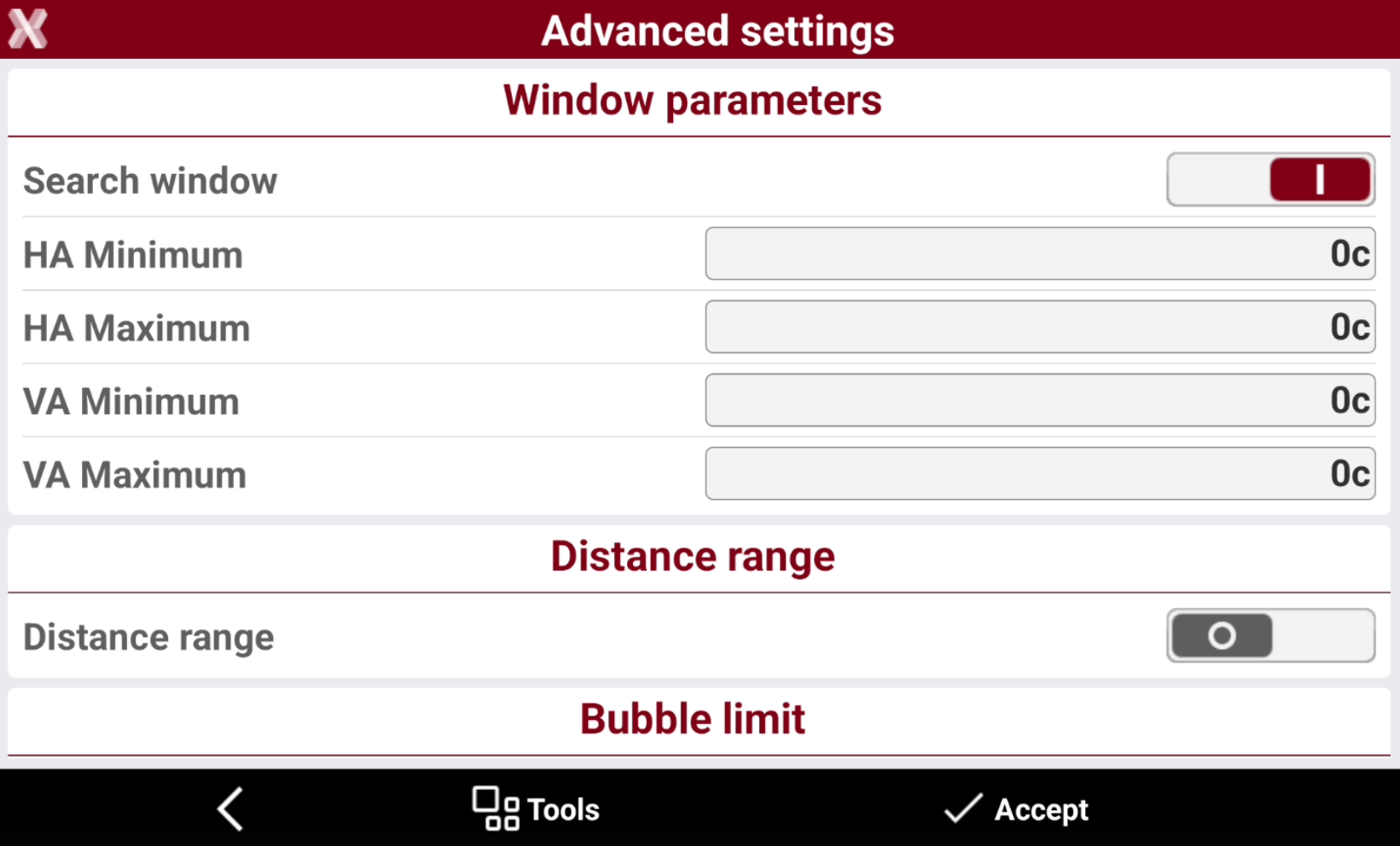
Tap in Settings to open the Advanced settings page.
-
It is possible to define the search window manually or measuring with the instrument the search limits.
Search window manual definition
-
It is possible to define the search window manually entering the angles.
-
Search window: activates to allow the prism search only inside the defined window.
-
HA Minimum: horizontal angle defining the left limit of the search zone .
-
HA Maximum: horizontal angle defining the right limit of search zone.
-
VA Minimum: vertical angle defining the lower limit of search zone.
-
VA Maximum: vertical angle defining the upper limit of search zone.
-
-
Define the distance limits:
-
Distance range: activate to limit the search inside distance limits.
-
Dist. Minimum: minimum distance of the search.
-
Dist. Maximum: maximum distance of the search.
-
Search window definition with instrument
-
Select Tools to open the window search tools:
-
Define window: aim to the lower left of the search window and then to the upper right. Then the search window angles are automatically defined.
-
Show window: check the defined search window.
-
New center: specify a new center for the search window.
-
GeoTRAil
-
The GeoTRAil function is used to search the prism using the GNSS position of the field controller.
The function requires a field controller with GNSS capabilities.
The GeoTRAil function, utilized with a Servo total station, allows to search the prism in all directions with a single click.
-
The first step is to active the localization on the controller. Be sure that the controller has the localization enabled.
-
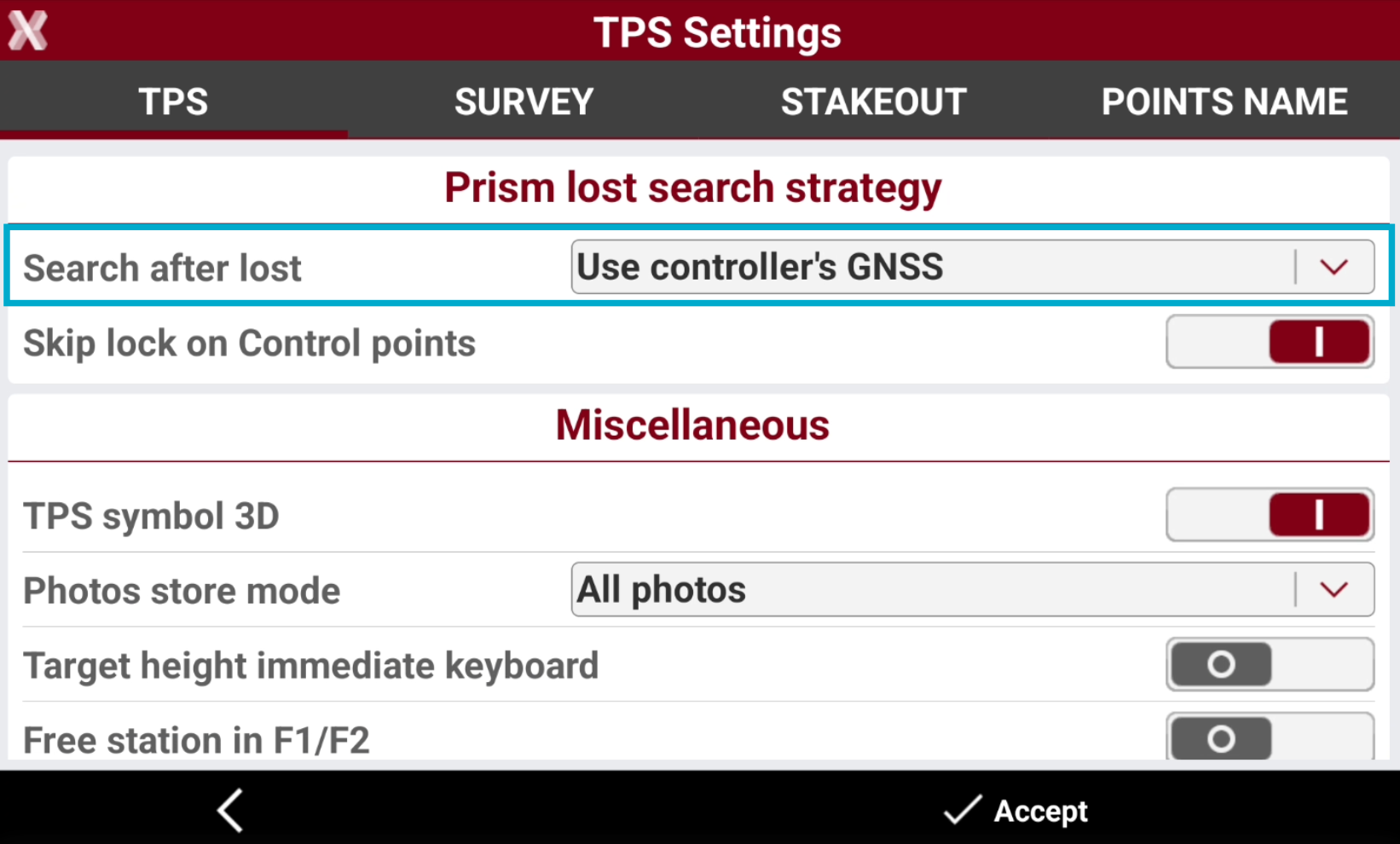
Open the TPS Settings and configure Use controller’s GNSS as Search after lost method.
-
The system requires some measured points, in order to have the GeoTRAil ready to be used. This is because each time a total station point is measured, the GNSS position from the controller is measured as well. As soon as there are enough pairs to calculate the transformation between local system and GNSS system, the GeoTRAil system is ready.
-

-

-
-
When the GeoTRAil system is ready, and the prism is lost, click GNSS Position to search the prism using the GNSS position of the controller.
Since the GNSS position of the controller is not very accurate, only the 2D position is used when searching for the prism.
Search fixed targets
-
This options is used to search and map fixed targets visible from the total station.
-
Fixed targets are ignored from the total station when searching the prism on the pole.
-
Open Robotic TPS page.
-
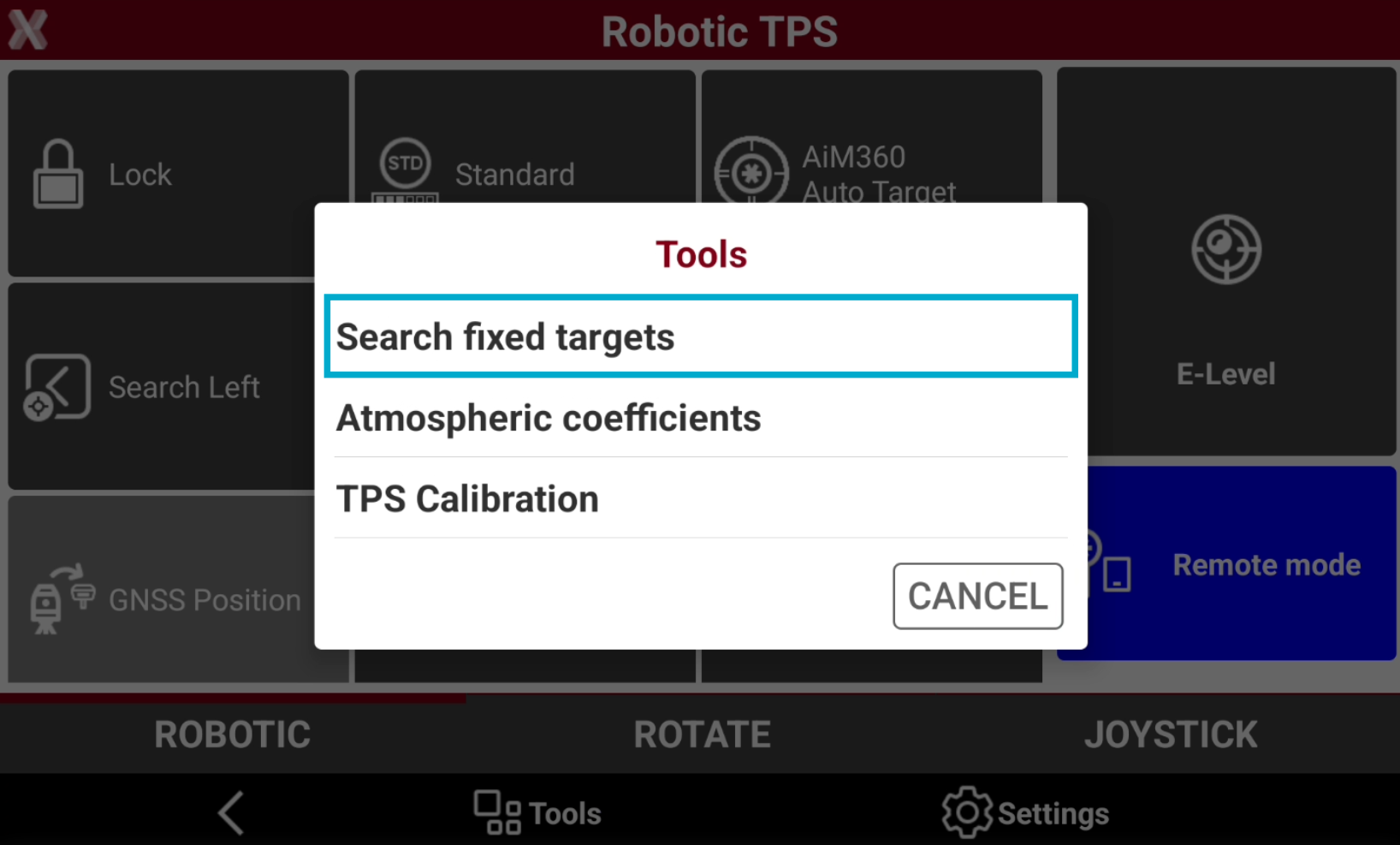
Select Tools.
-
Select Search fixed targets.
-
The software searches and maps the visible fixed targets.
-
Now, when total station rotates and recognizes a prism, skips the prism if his coordinate is inside the fixed targets list.
-
From Tools it is possible to reset a defined list.