
-
The software operations are subjected to a series of parameters and options that are fully customizable.
-
All settings can be saved:
-
As default settings for all new jobs.
-
With a custom name, to be loaded later for a specific job.
-
-
To open the Settings page select Settings in the bottom toolbar.
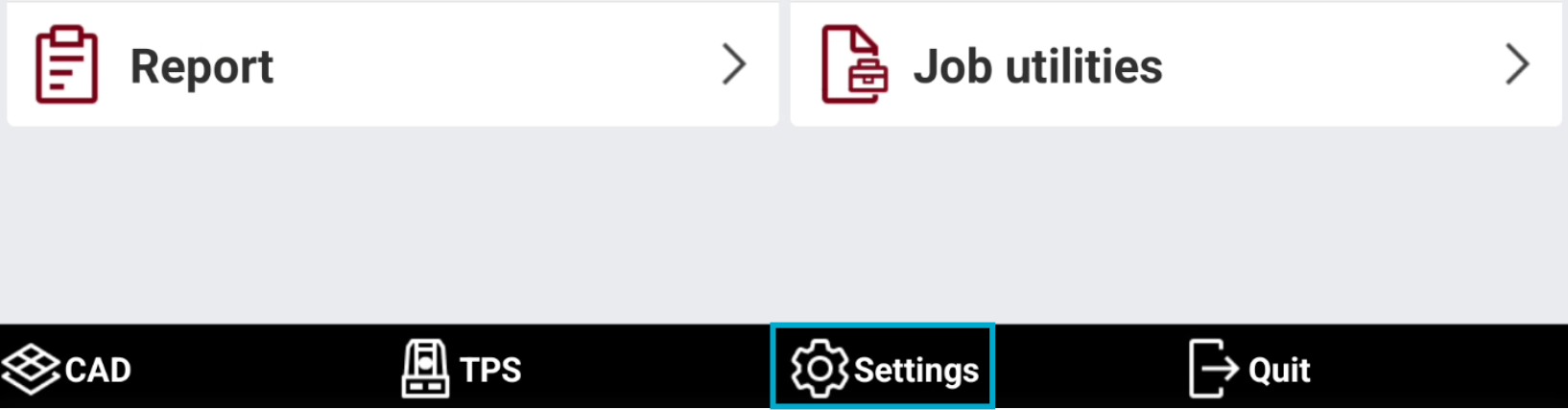
-
This operation opens the Settings page.
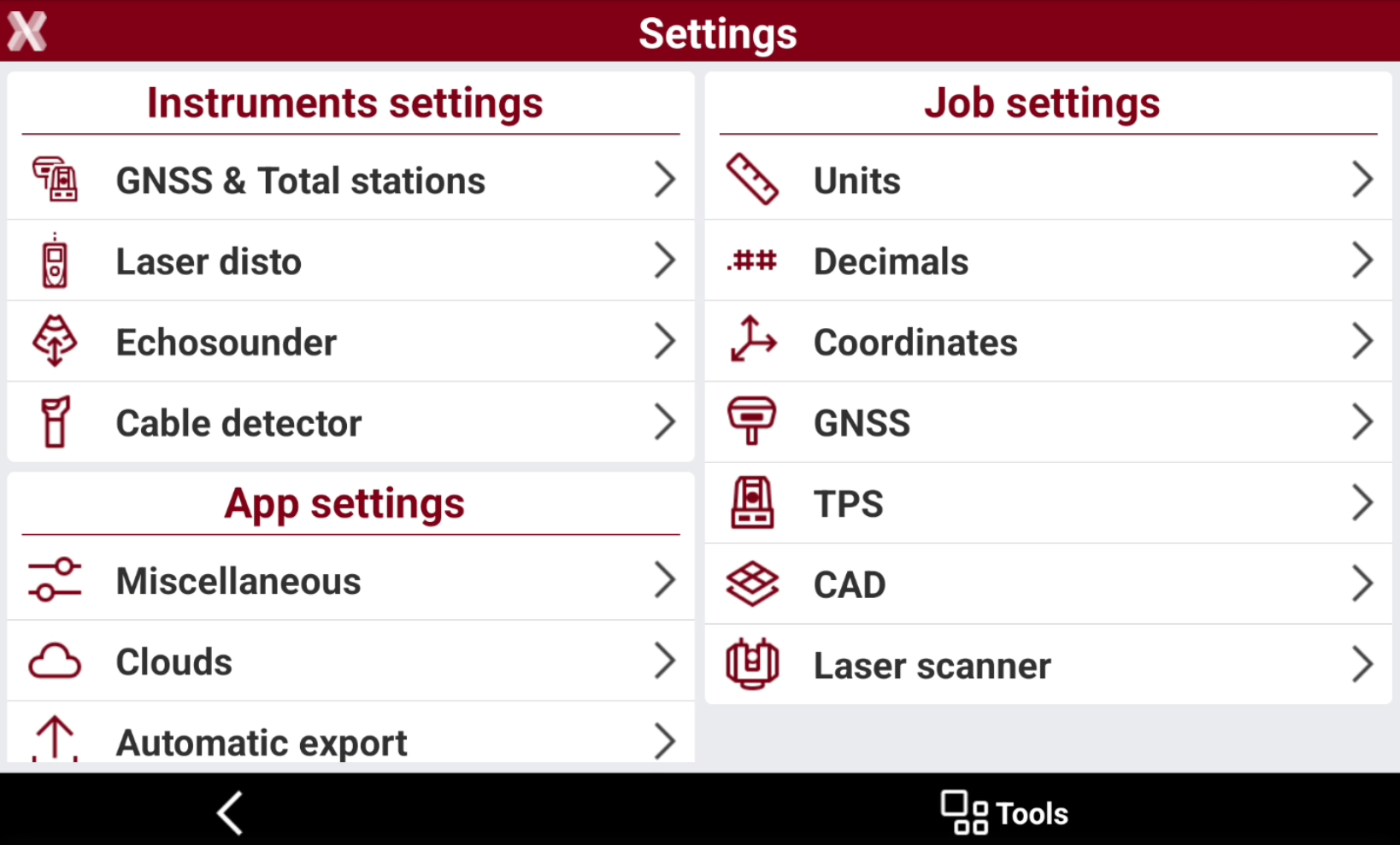
-
Saving and loading settings: how to save and load predefined settings.
-
Units: how to change unit settings.
-
Decimals: how to change decimal settings.
-
Coordinates: how to change coordinate settings.
-
GNSS settings: specific settings when working with GNSS instruments.
-
TPS settings: specific settings when working with TPS instruments.
-
Function keys: how to customize function keys in supported field controllers.
-
CAD settings: how to change the CAD settings.
-
Laser scanner settings: settings related to working with a terrestrial laser scanner.
-
Miscellaneous: how to change the language, download country package and other app settings.
-
Cloud settings: allows to select the cloud services to use and perform the login.
-
Automatic export: configuration for automatic export functionalities.
-
Voice commands: configuration for the vocal commands.
-
Command manager: how to configure the command manager to hide/show specific functions and protect them with a password.
-
Flic button: how to configure and use the Bluetooth Flic button.
-
Report settings: how to customize header and logo for the software reports.