
-
The Laser Scanner Settings page allows you to enable the laser scanner zone, helping you define scan and target positions when working with a terrestrial laser scanner.
-
Select Settings.
-
Select Laser Scanner.
-
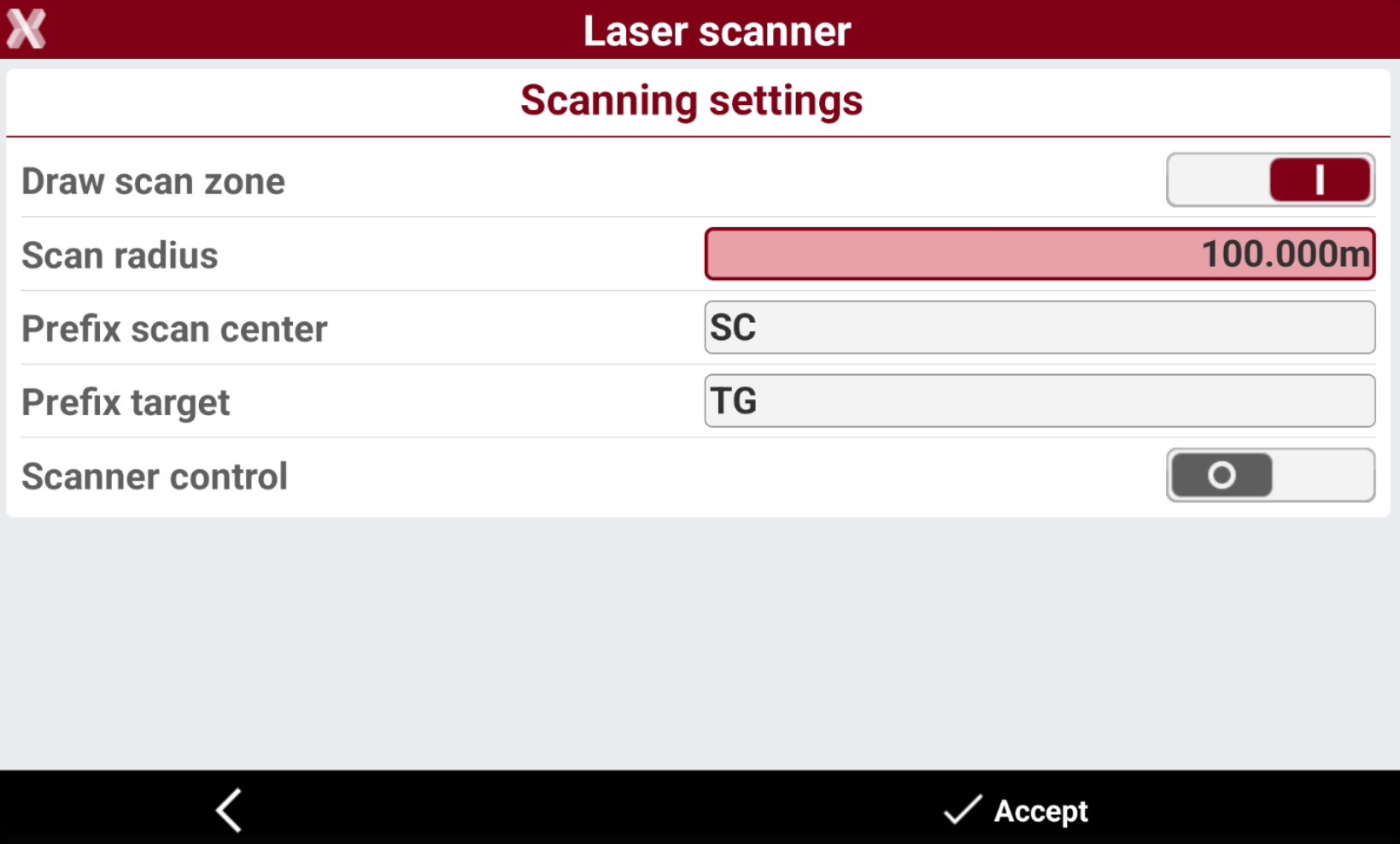
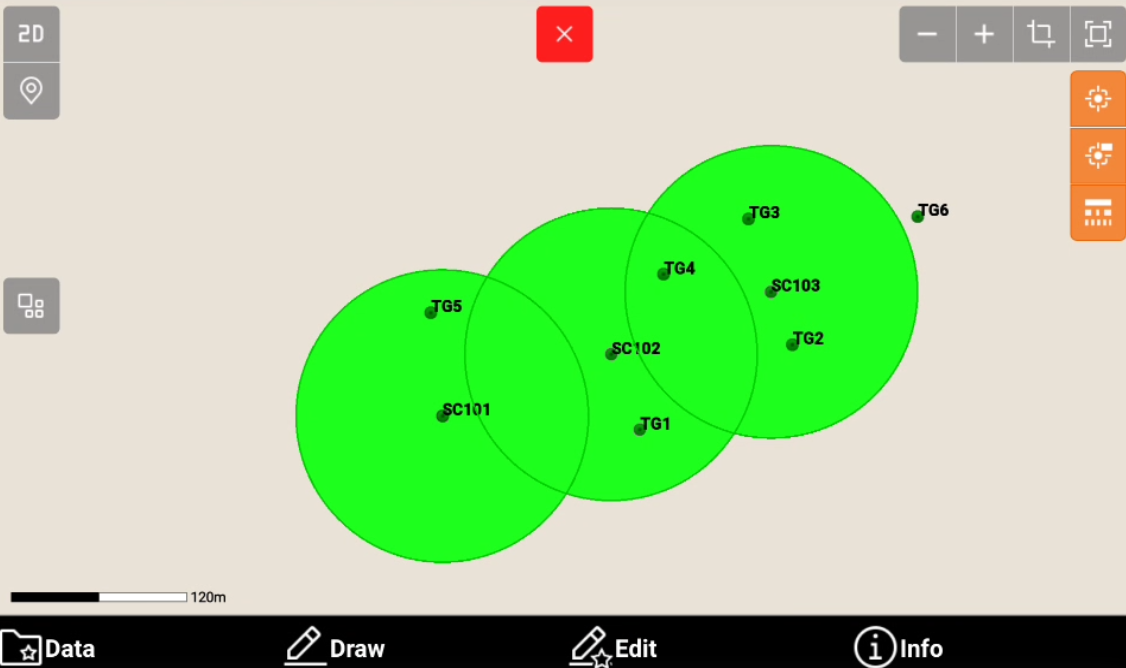
Draw scan zone: enables the drawing of the scanning zone. The drawing consists in a circle having the centre in the scan points.
-
Scan radius: radius to use for the drawing of the scan area. Corresponds to the average range of the scanner.
-
Prefix scan center: prefix with which the scan centres have to be identified. The scan zones are drawn in relation to the scan centres.
-
Prefix target: prefix used to indicate the target points.
-