
-
Topographic points are all stored positions characterized by a name and extra features.
-
Topographic points can come from:
-
Direct measurement.
-
Manual input.
-
Calculations.
-
Importing of external files.
-
-
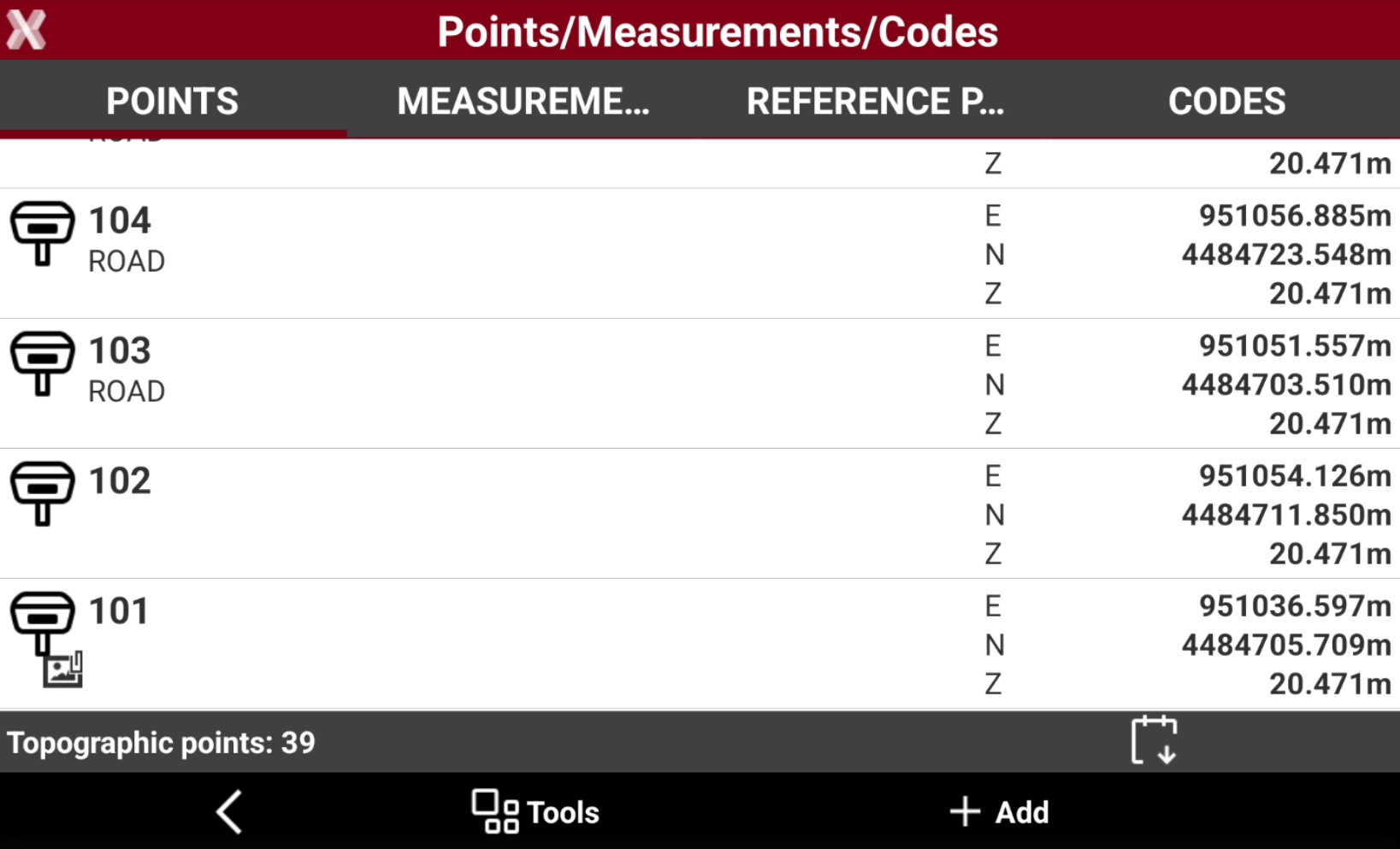
A table shows the list of all topographic points present in the job. Points are listed according to inserting order, so at first place you find the last point inserted. An icon represents the origin of the point, the name, the code and the coordinates. Select a point for specific operations.
-
To open the Points page from the Job page select Points/Measurements/Codes.
-
Open the Points tab.
-
This chapter covers the following topics:
-
Topographic points list: learn how to view, search, filter, sort, and manage all topographic points stored in the current job.
-
Create/edit a point: learn how to create new topographic points and modify existing point information.
-
Import and transfer topographic points: learn how to import points from external files and transfer point data between jobs.
-
Points selection rule: understand the selection methods used to select points for editing and other operations.
-