
-
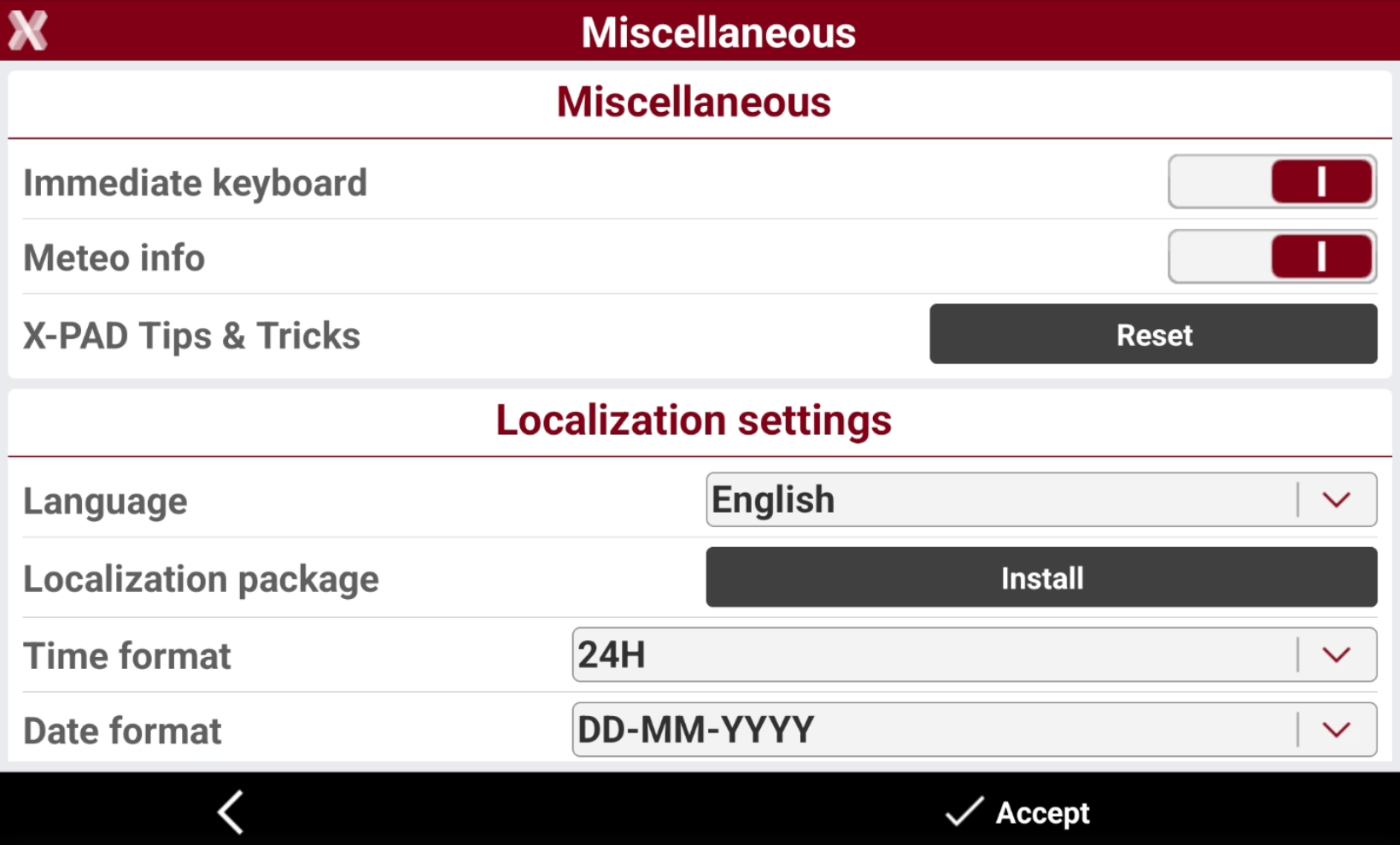
This page allows to change general settings related to the X-PAD application and define regional settings.
-
From Settings page select Miscellaneous.
-
Miscellaneous
-
Immediate keyboard: when activated, the virtual keyboard appears when you click activating an input field. When deactivated, to see the keyboard, it is necessary to click in an input field and then to click again on the same field.
-
Meteo info: when this option is enabled, the software periodically queries the server to retrieve updated weather information.
-
X-PAD Tips & Tricks: reset he messages for trips and tricks that appear the very first time a command is selected.
-
-
Localization settings
-
Language: language used by the software. For a correct operation, it is necessary to restart the software after modifying the language.
-
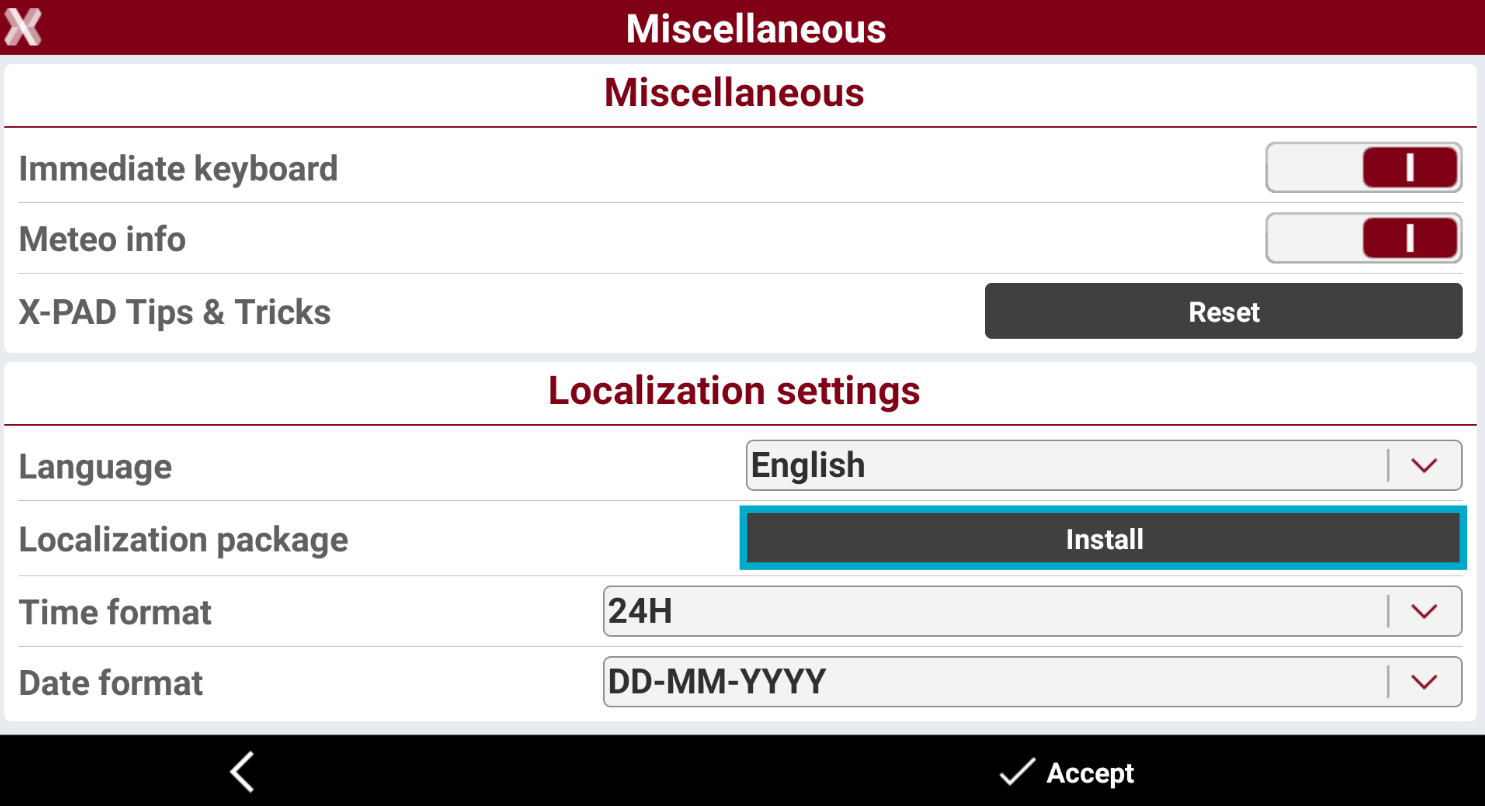
Localization package: allows installing the localization packages available for the different countries. A localization package include files and settings specific for single countries.
-
Time format: allows you to select either the 24-hour or AM/PM format.
-
Date format: allows you to set the preferred date format.
-
-
Install the localization package
-
Localisation packages install system files required to use the product in a particular country or with a particular language.
-
Localisation packages can contain:
-
Voice messages in the corresponding language.
-
Coordinates correction models .
-
Geoid models .
-
Other settings (like predefined APN settings, NTRIP services, WMS and WFS).
-
-
To download and install a localization from Miscellaneous press Install.
-
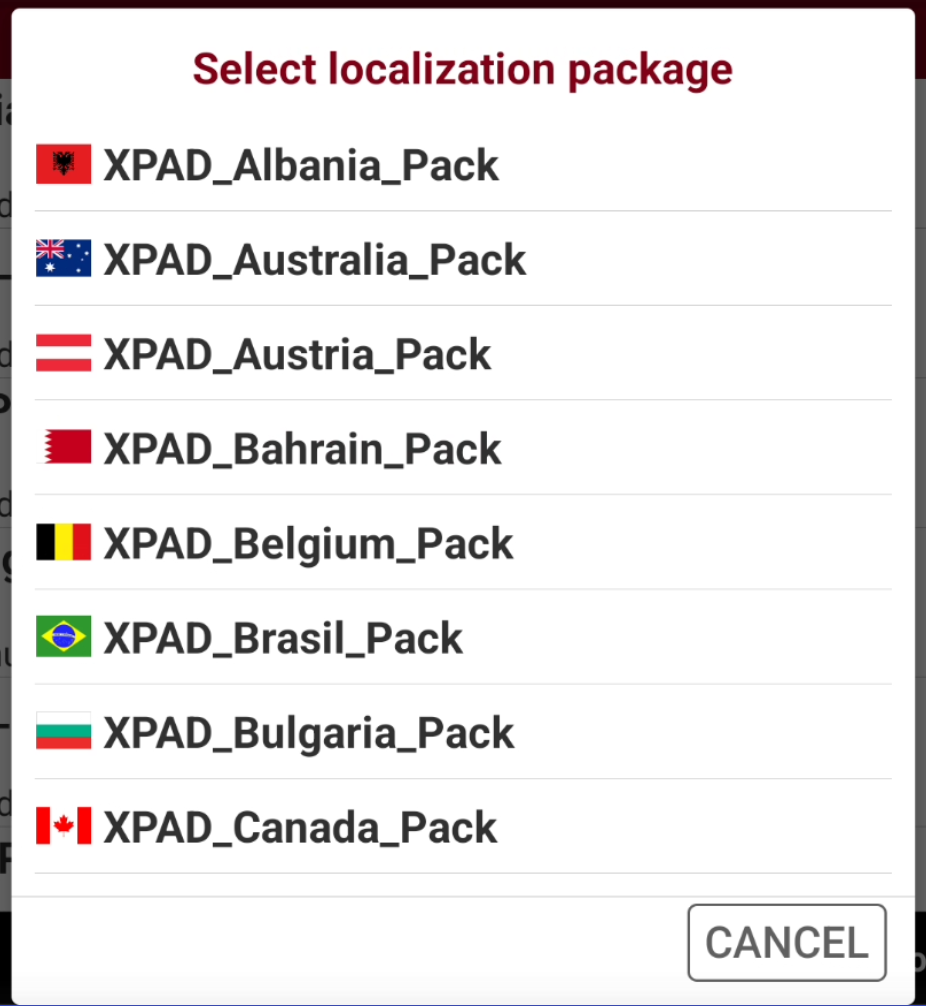
This page shows the already downloaded packages. Select Download to download a new package.
-
Select the country from the list to download the related data.
-
The software downloads the selected localization package.
-
Select YES to install the selected package.
-
Select YES to delete the downloaded country package file from controller memory, select NO to keep the file in the memory.
-
In case geoid files, grid files or other settings for your country are missing, please contact the technical suppoort.