
-
To work accurately with a total station is critical to define correctly the prism and the EDM mode.
Set the target type
-
Using the right target is critical to get the correct result when measuring with a total station.
-
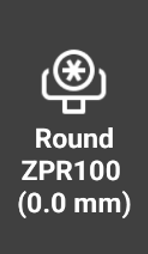
While in survey or stakeout applications, tap on the prism icon to open the Select target page.
-
This page allows to change the target and change the EDM settings.
-
The six boxes in the upper part of the window contain six prism types. Tap on a target to select it as current target type.
-
It is possible to customize the boxes with the favorite targets available in the target manager.
-
To customize the boxes select Customize, then tap on one of the available buttons to select the target.
Reflectorless measurements
-
The total stations offer the possibility to measure targets with reflectorless mode, without a prism.
-
To measure a surface with reflectorless mode, the target type has to be Reflectorless.
-
While in a survey or stakeout function tap on the target icon to open the Select target page.
-
Select Reflectorless to activate the reflectorless mode.
-
Tap on Laser Pointer to activate the total station red laser pointer.
EDM mode
-
While measuring with total station it is possible to define the EDM mode.
-
The EDM mode defines how the instrument perform a measurement with prism or reflectorless.
-
There are three modes selectable:
-
Standard: a single measurement is performed with focus on accuracy and not on time.
-
Fast: a single measurement is performed with focus on time, accuracy not as high as for Standard.
-
Tracking: the instrument performs continuos measurements with focus on fast measurements. Press REC to store the measurements.
-
-
It is possible to change the EDM mode from different software pages.
-
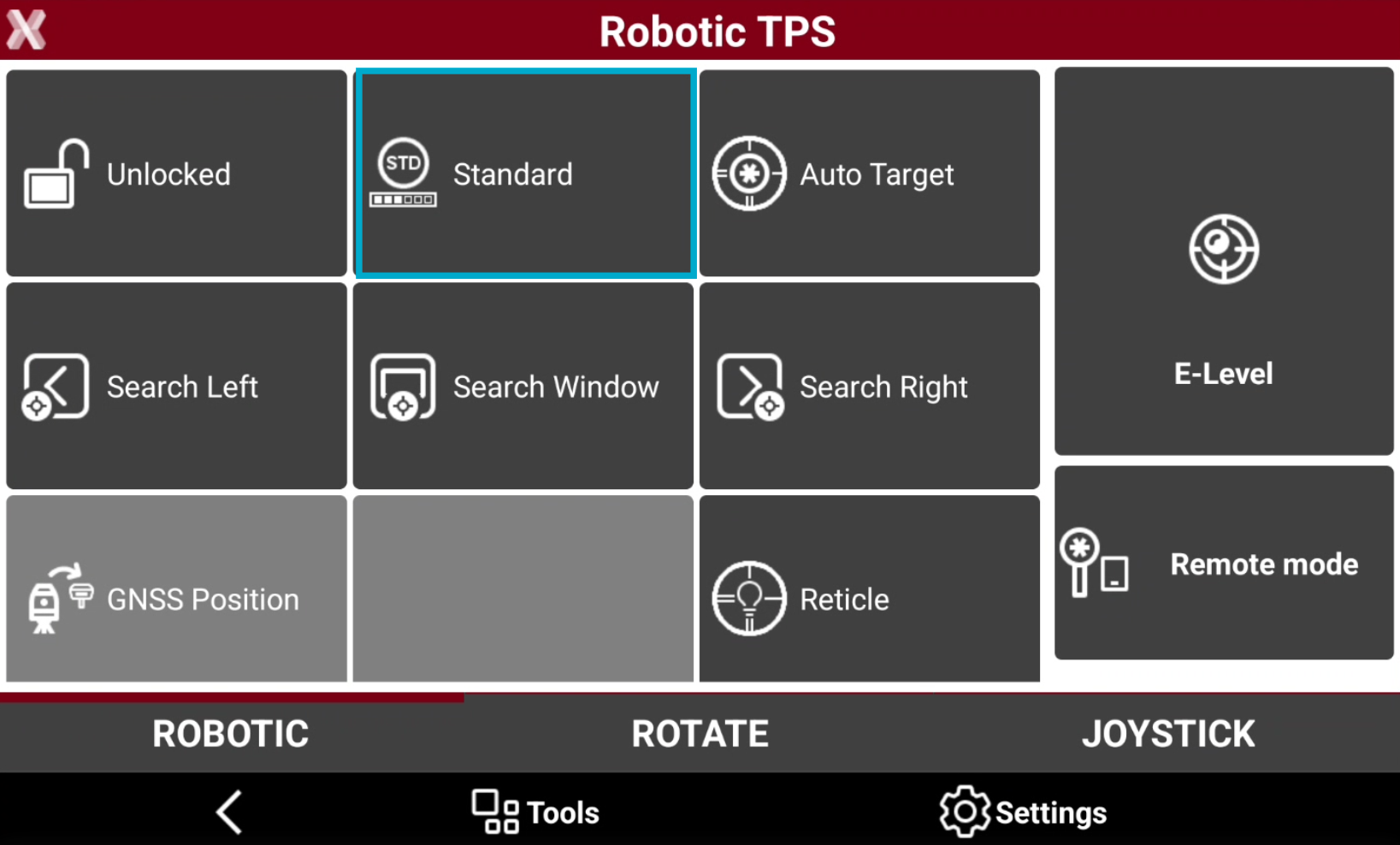
While in Robotic TPS page, click on the top box to change the EDM mode.
-
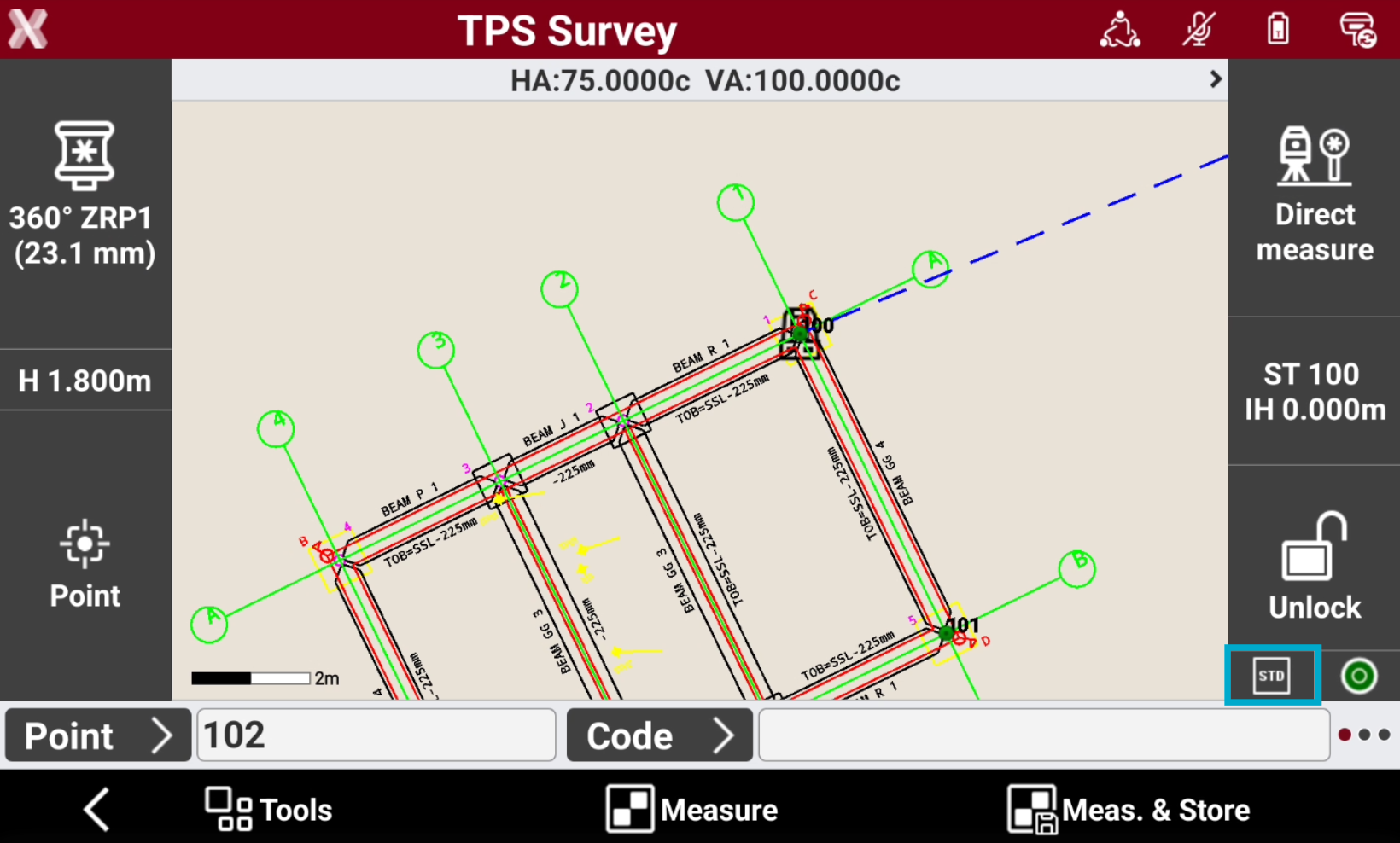
While in survey or stakeout applications, tap on the right side panel to change the EDM mode.
Target manager
-
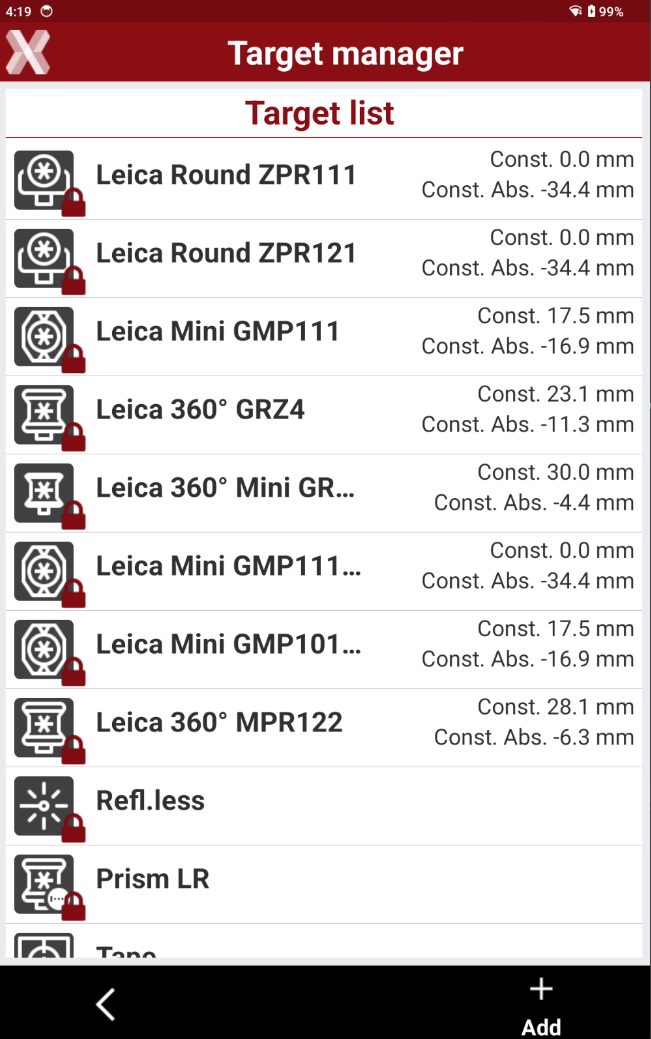
The software has a list of predefined prisms.
-
It is possible to create custom prisms.
-
While in survey or stakeout applications, tap on the prism icon to open the Select target page.
-
Tap on Target manager.
-
The Target manager page lists the predefined targets and allows to create customized targets.
-
Targets with

-
Select a target to check its parameters.
-
Target name: the name of the target.
-
Reflector type: the type of reflector.
-
Constant (mm): constant of the prism.
-
Constant absolute (mm): absolute constant of the prism.
-
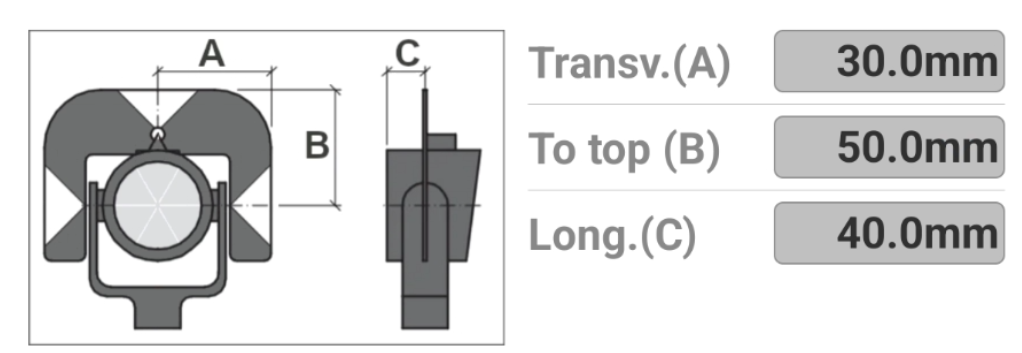
Prism offsets: the traversal, on top and longitudinal offset. These offsets are used when measuring with prism offset.
-
-
Click Add to create a custom target.
-
Target name: the name of the customized target.
-
Reflector type: the type of reflector; the options in this page changes depending on the selected reflector type.
-
Constant (mm): constant of the prism.
-
Constant absolute (mm): absolute constant of the prism.
-
Target height offset (mm):specify an additional height offset for each target to ensure that the final height of the prism is correct. To use the GNSS pole and adapt it to be used with the prism. With an adapter, the same pole can be used for GNSS and TPS measurements.
-
Prism offsets: the traversal, on top and longitudinal offset. These offsets are used when measuring with prism offset.
-
Target icon: changes the icon for the target.
-
-
The prism constant is an important characteristic of the reflector.
-
This constant, always given in [mm], is specific to the model and physically represents the constant difference between the measured value and the "exact" value.
-
This difference will be cancelled during the measurements by entering an "additive constant" in the total station.
-
There are two types of constants:
-
Prism constant: for Leica prisms (usually in positive values).
-
Absolute constant: for prisms of other manufacturers (usually in negative values).
-
-
The additive constants, of non Leica prisms, are often given in the true zero prism system. Whereas the Leica prisms are given in the Hexagon TPS prism system.
-
In order to switch from a system to another, we can use the following formula, that links these two constants:
-
Leica prism constant = Absolute prism constante + 34.4mm
-
Absolute prism constant = Leica prism constant – 34.4mm
-