
-
The atmospheric coefficients page allows to define the values that must be considered for the calculation of the distances measured.
-
For standard application programs the distance is corrected on account of atmospheric influences. Heights are reduced with the standard refraction coefficient.
-
It is possible to access the coefficients page from different pages:
-
In the station setup page select Atmospheric coefficient.
-
With robotic total stations open the Robotic TPS page, select Tools and select Atmospheric coefficients.
-
With mechanical total stations open the TPS Settings page and select Coefficients.
-
-
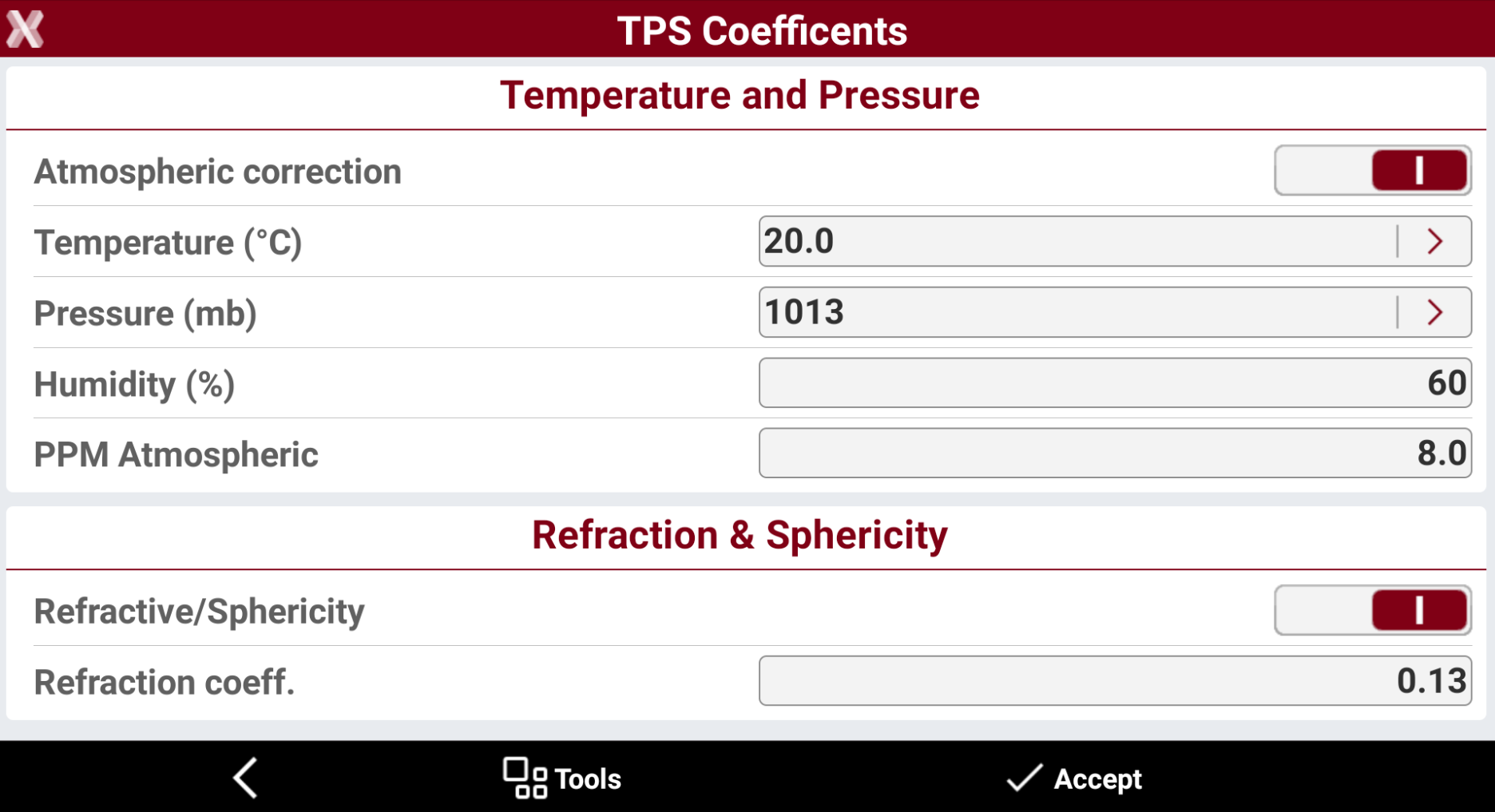
The page allows to define atmospheric corrections and refraction.
-
Atmospheric correction: atmospheric correction is applied to measurements.
-
Temperature (°C): value for the temperature in degrees Celcius. Tap on the orange arrow to change the temperature unit from Celsius to Fahrenheit.
-
Pressure (mb): value for the pressure in millibar. Tap on the orange arrow to calculate the pressure from altitude and pressure at sea level or from altitude.
-
Humidity (%): value for humidity in percent.
-
Atmospheric PPM: the calculated PPM considering all parameters is displayed.
-
Refraction/Sphericity: refraction correction is applied to measurements.
-
Refraction coeff.: refraction coefficient to be used for calculation.
-
It is possible to load information from the weather information selecting Tools and selecting Load info from weather.