
-
The E-Level page allows to check the electronic level of the total station.
Accessing the electronic level page
-
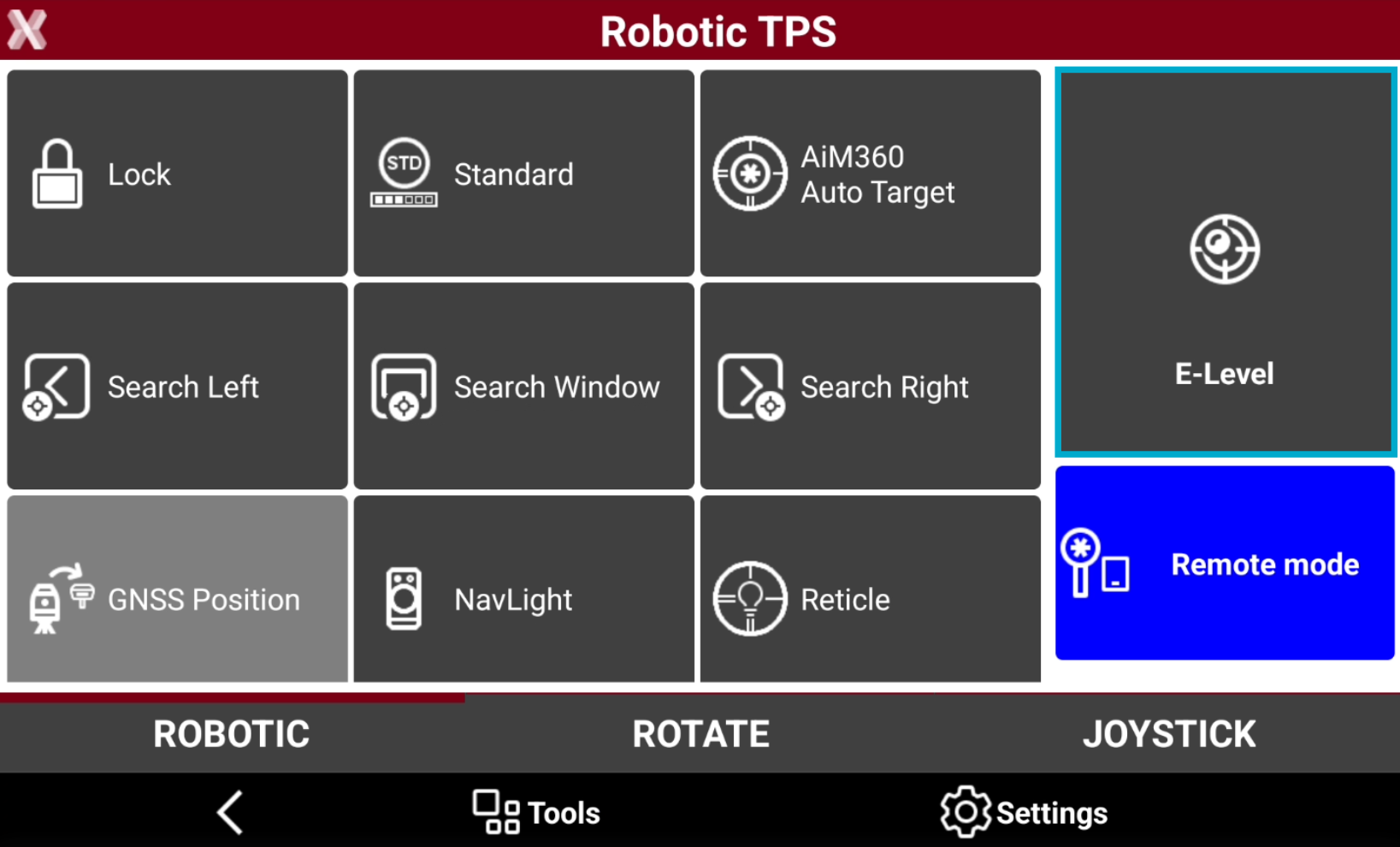
It is possible to access the electronic level page opening the total station control panel for mechanical or robotic total station and selecting E-Level.
-
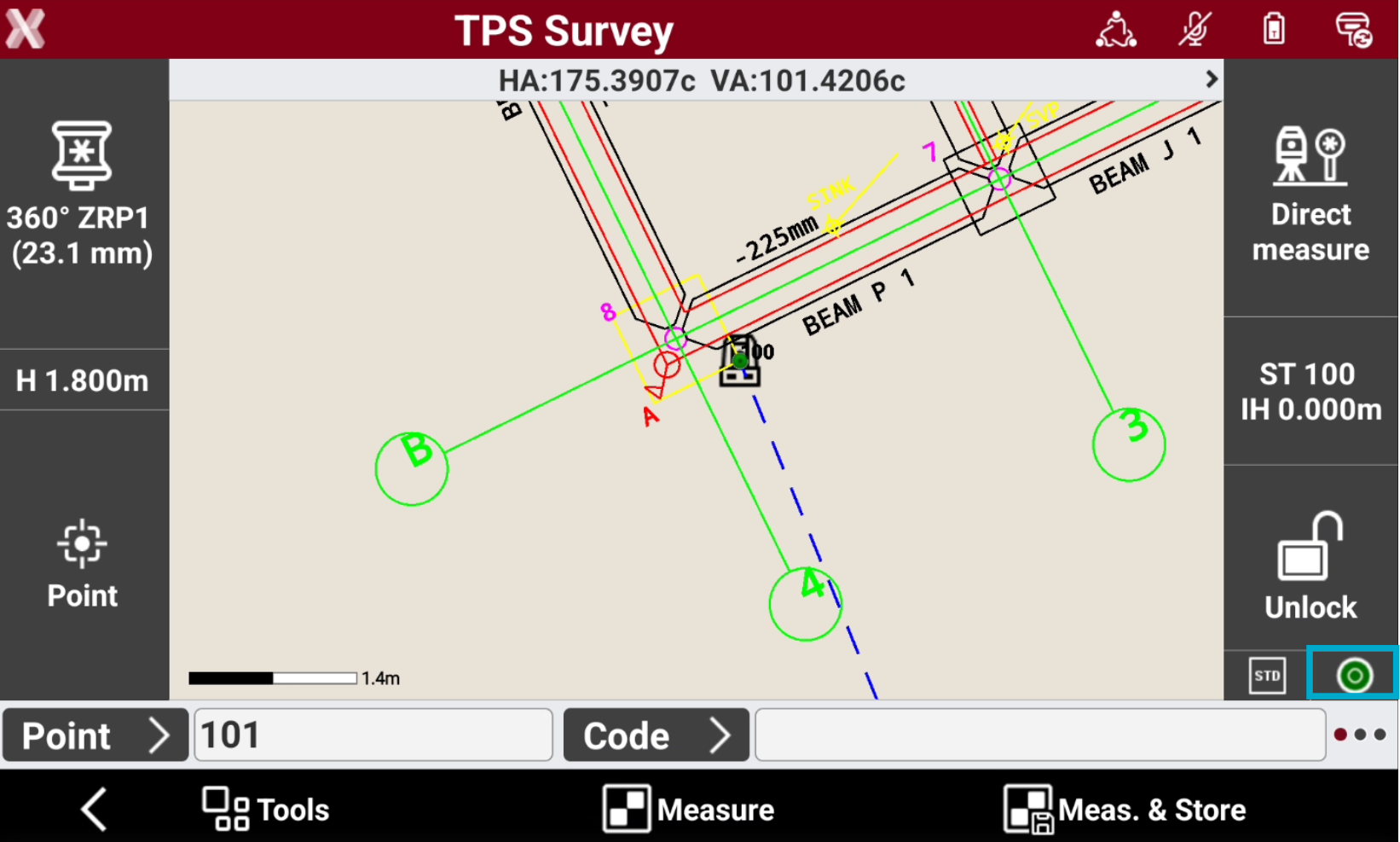
Or directly during survey or stakeout applications selecting the icon.
-
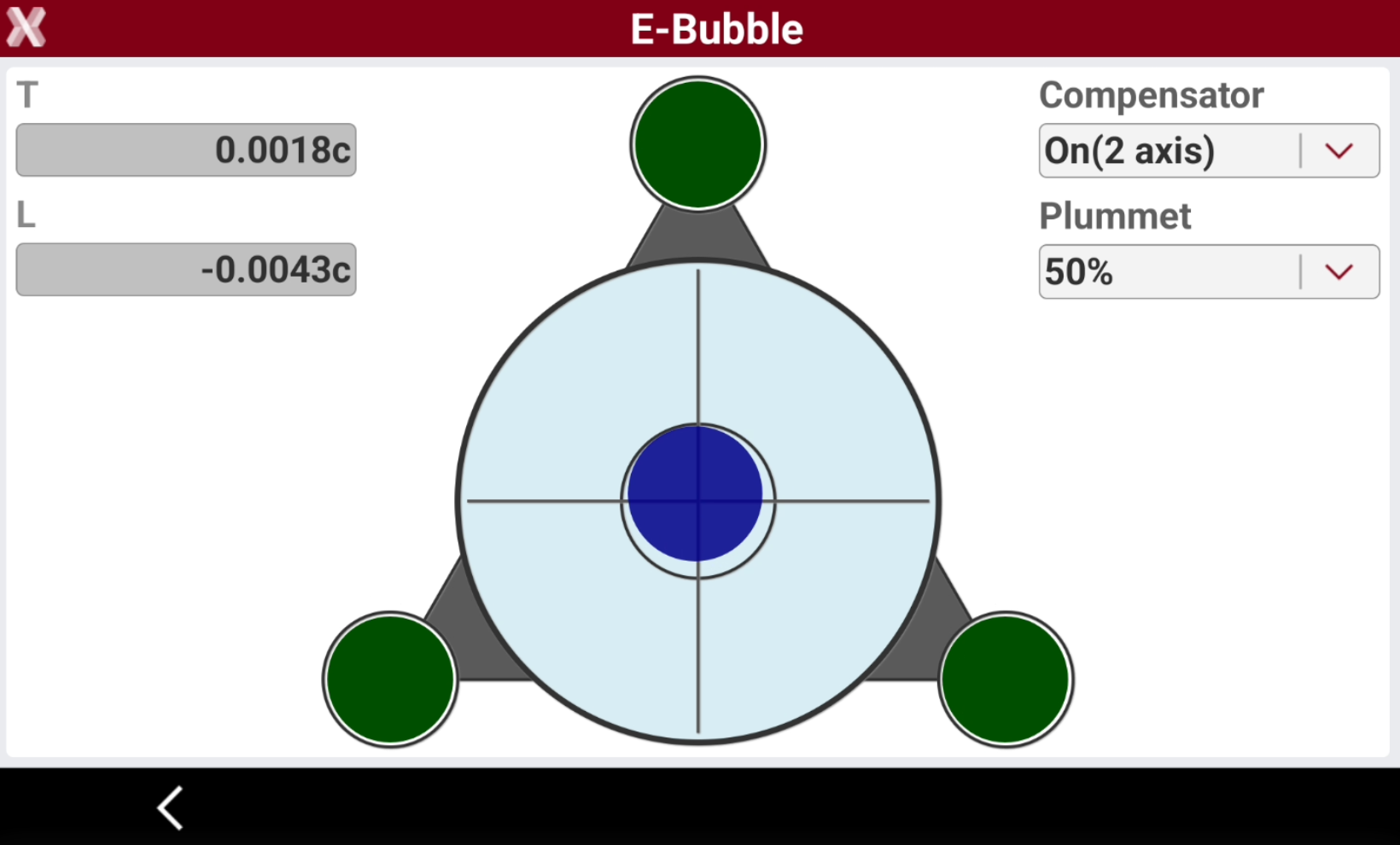
The page shows the status of the instrument electronic level.
-
T/L: the electronic compensator transversal and longitudinal values.
-
Compensator: allows to turn on or off the instrument compensator.
-
On(2 axis): compensator is enabled.
-
Off: compensator is disabled.
-
-
Plummet: defines the intensity of the laser plummet.
-
Electronic level status
-
The electronic level in total station side bar has different status:
-
Green

-
Red

-
Grey

-