
-
The quick distance (inverse) function allows to quickly calculate the distance and other information between two points.
-
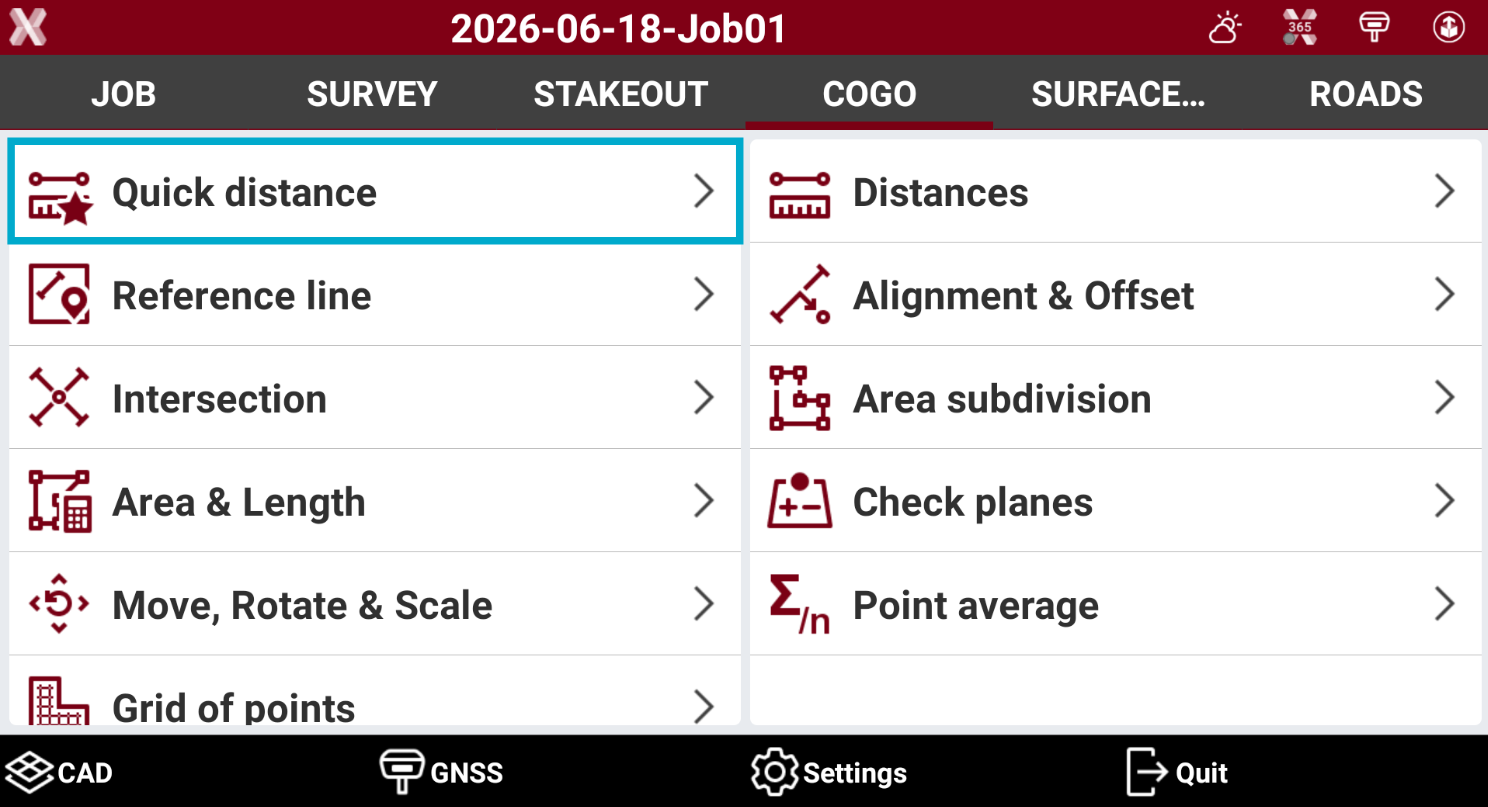
Open the COGO page.
-
Select Quick distance.
-
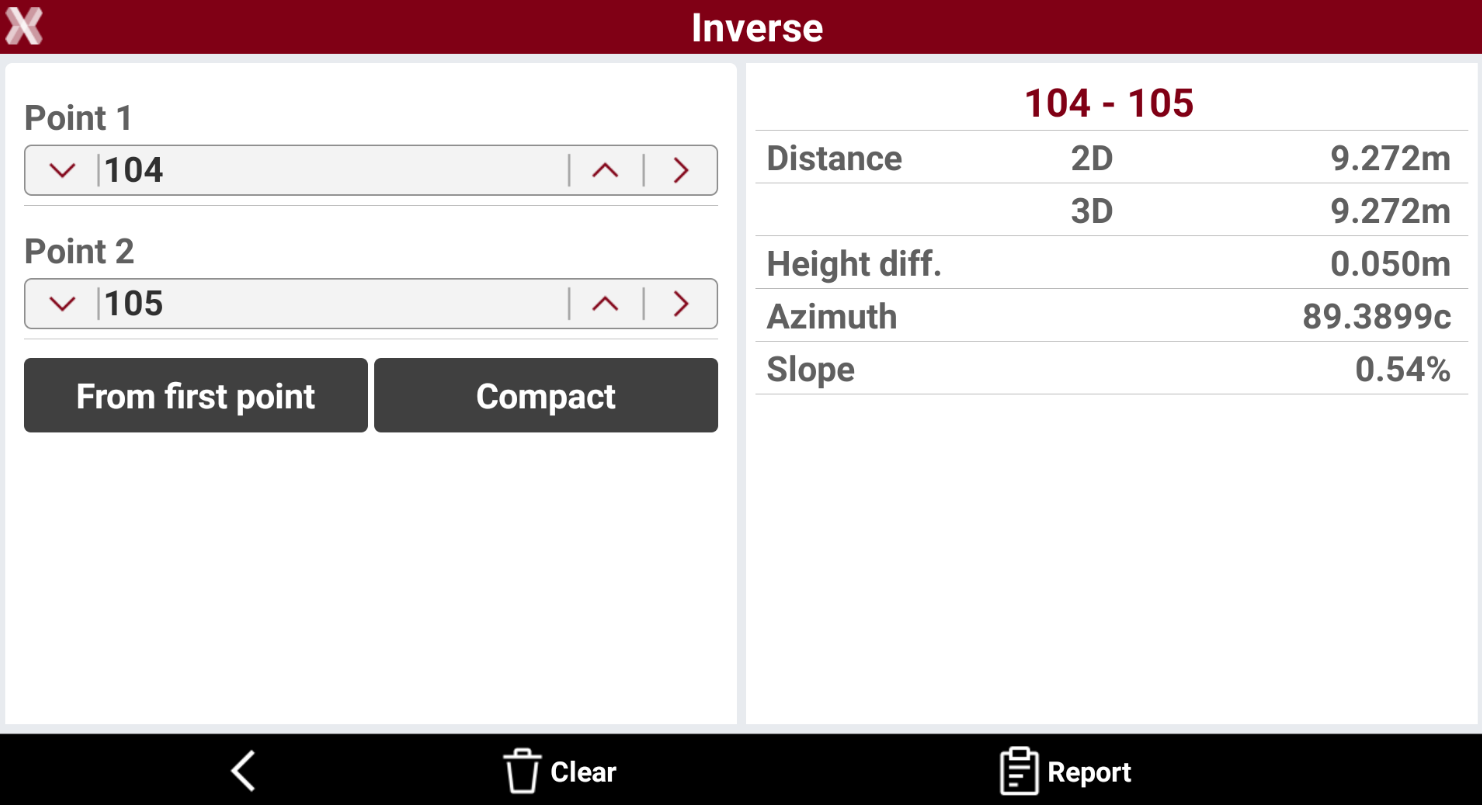
In the next page it is required to select Point 1 as starting point and Point 2 as ending point.
-
Tap on > icon to select the point from CAD, from the list of points in the job, or to measure a new point with the current instrument.
-
After the two points have been measured or selected, the result is visible in the right panel.
-
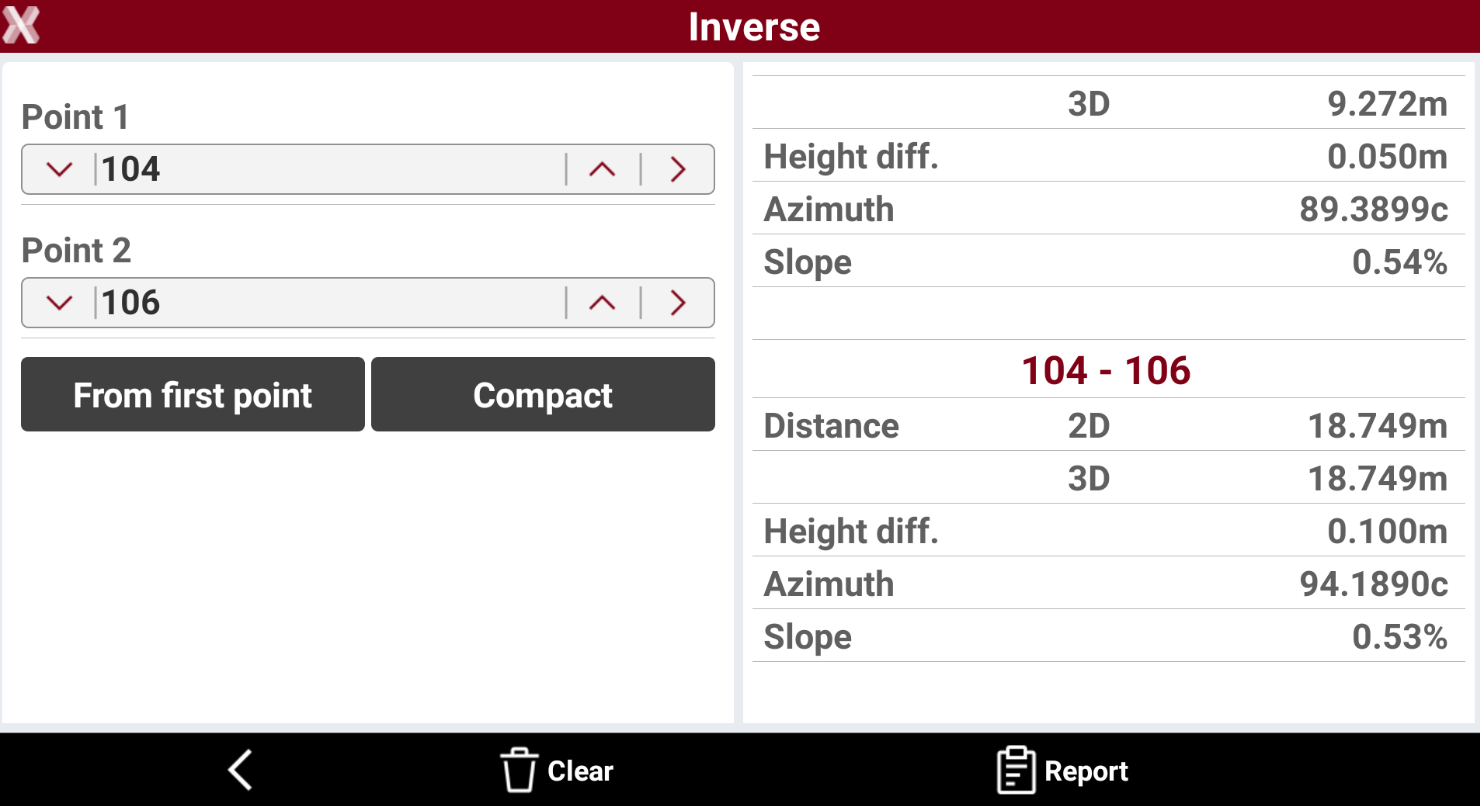
It is possible to measure additional distances selecting different points, or pressing


-
Press Compact or Extended to show reduced or full information in the right panel.
-
Press Clear to clear the result panel.
-
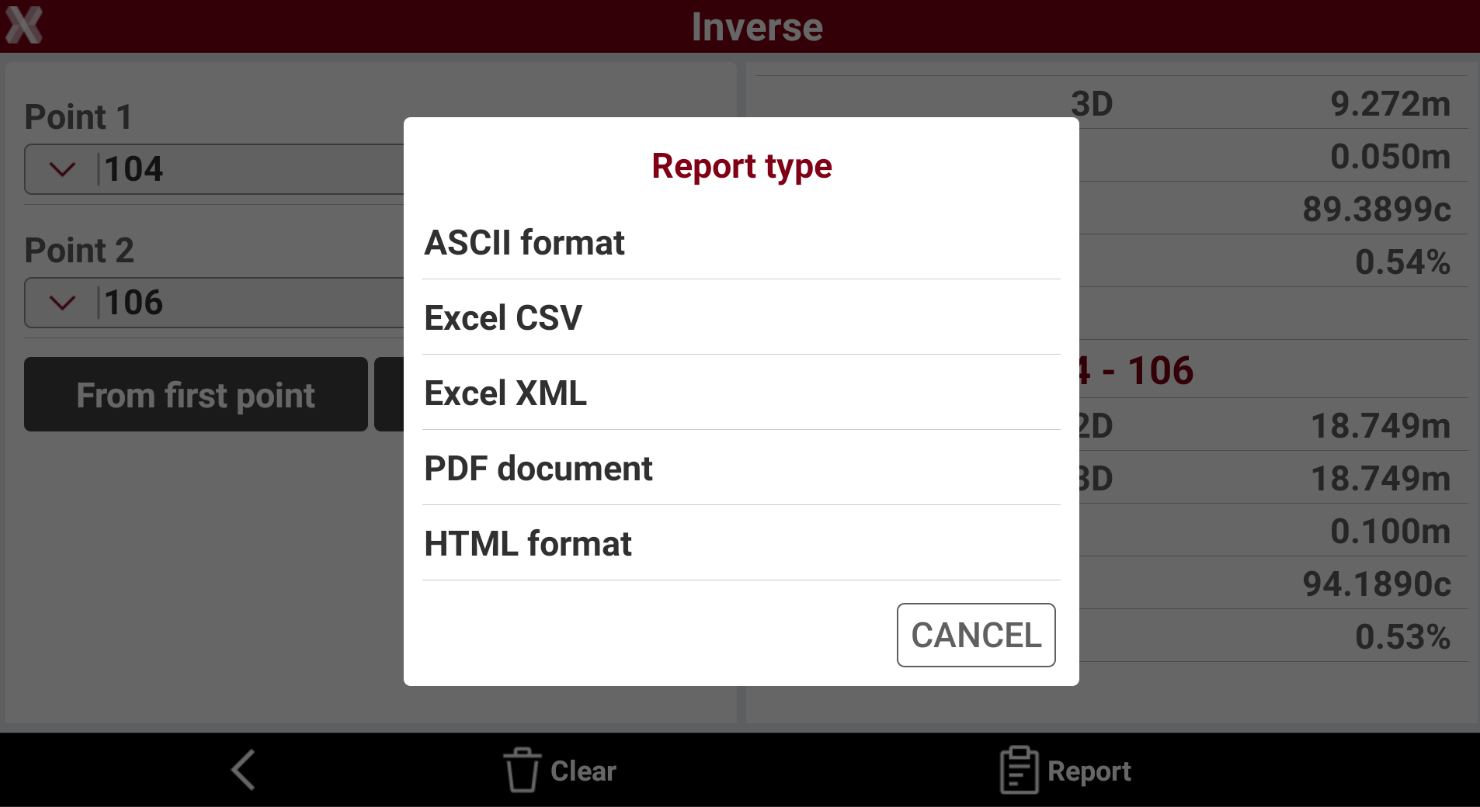
Press Report to export the result in a report.
-
ASCII format: exports the report as a plain text file, suitable for simple viewing and compatibility with various software.
-
Excel CSV: exports the report as a comma-separated values file, ideal for import into spreadsheet applications.
-
Excel XML: exports the report in Excel XML format, preserving structure and allowing direct opening in Microsoft Excel.
-
PDF document: exports the report as a PDF file, suitable for printing and sharing while preserving layout.
-
HTML format: exports the report as a web page, viewable in any internet browser.
-