
-
The function Distance calculates the distance and other information between a reference element and a base point or between a reference element and current position. The reference element can be another point, a line, an arc or a drawing element.
-
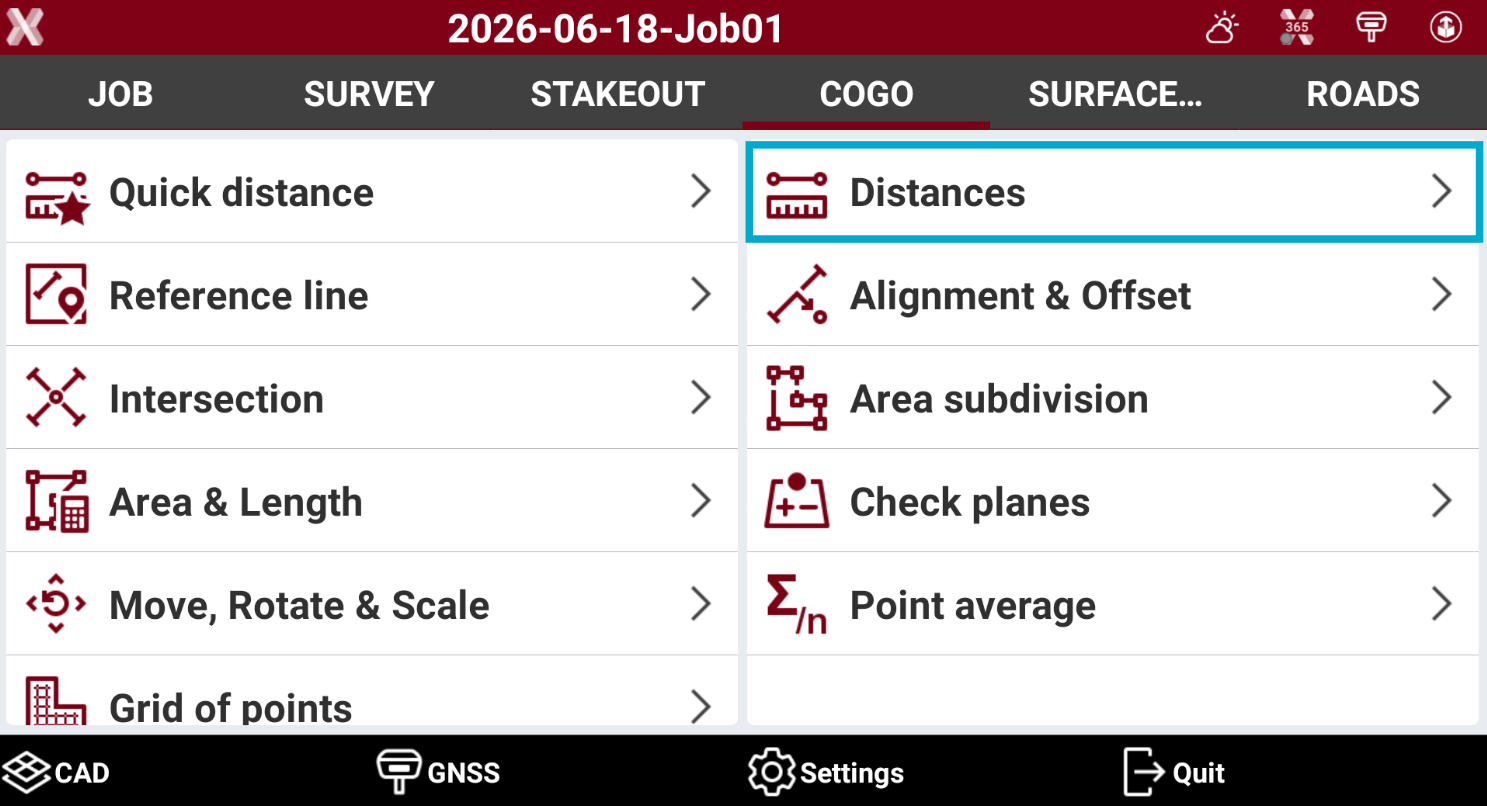
Open the COGO page.
-
Select Distance.
-
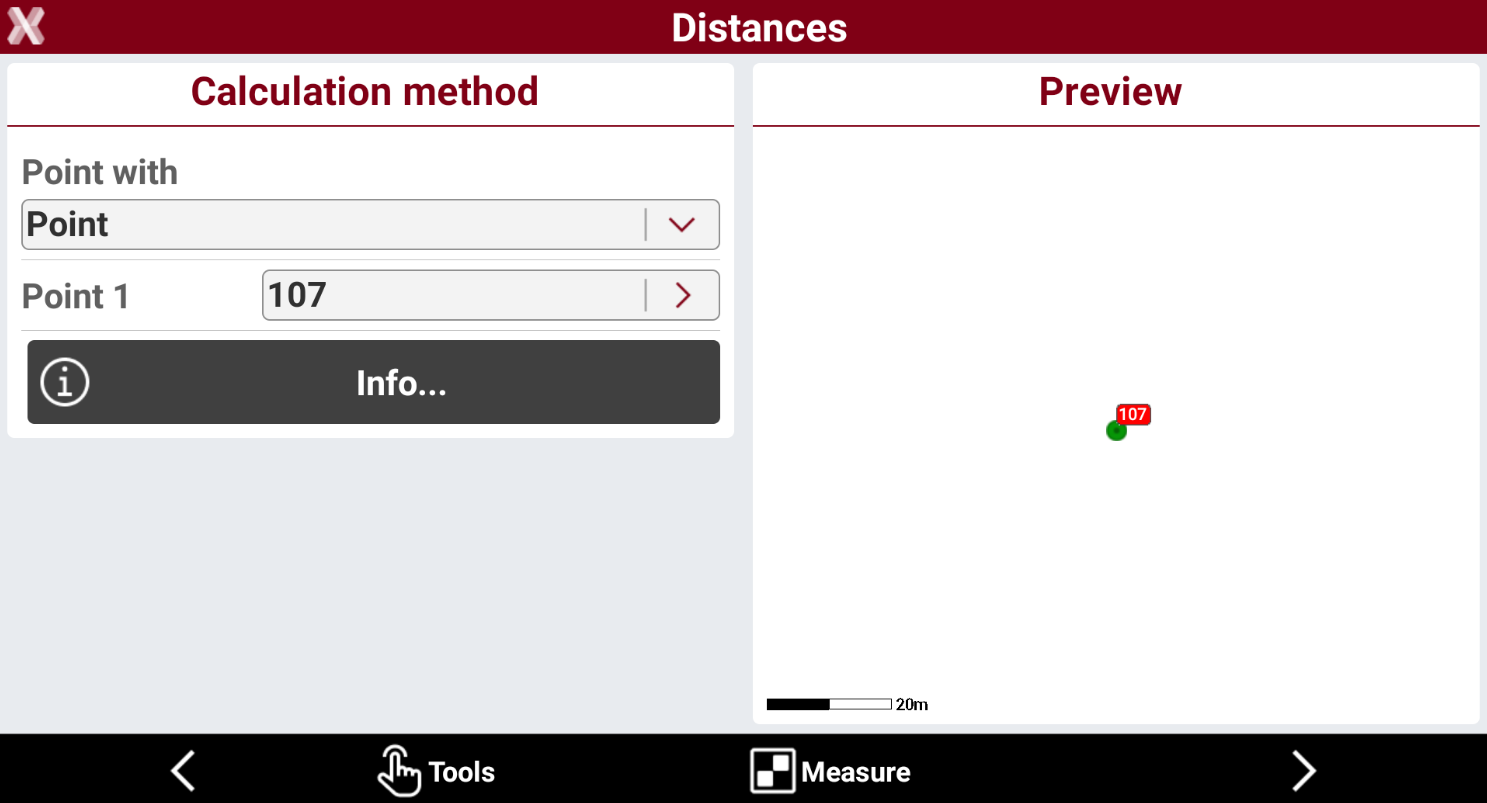
In the next page the software connect to the current instrument. Specify the reference element to which the calculation of the distance and of the other information refer to.
-
Point with: allows to select to what element the distance is calculated. Depending on the selected reference point the software shows different options to define the reference element.
-
Point: distance between a base point and a reference point or between the current position and the reference point.
-
Line (2 points): distance between a base point or the current position and a line defined by two points.
-
Arc (3 points): distance between a base point or the current position and an arc defined by three points.
-
Arc (2 points+R): distance between a base point or the current position and an arc defined by two points with known radius.
-
Drawing object: distance between a base point or the current position and a drawing element selected in CAD.
-
-
Press Tools to select the element from CAD, or press > icon to select it from CAD or from points list.
-
Press Info to display information on the selected element.
-
Press Measure to measure the selected element type.
-
Press Next.
-
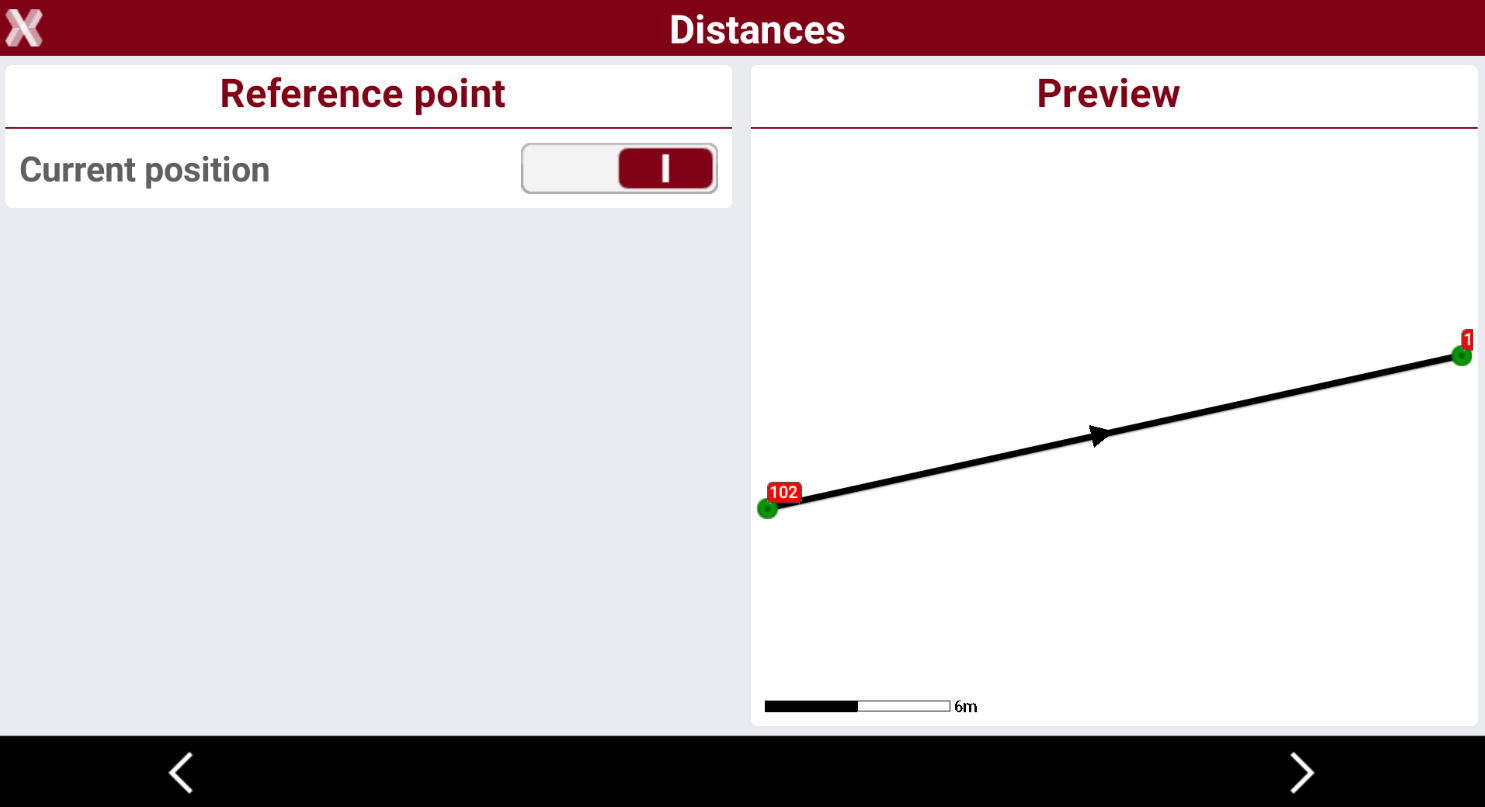
Current position: if current position is enabled, the distance is calculated from reference element to the current instrument position. If it is disabled is instead possible to select the position from CAD or from the list of points in the job.
-
-
Press Next.
-
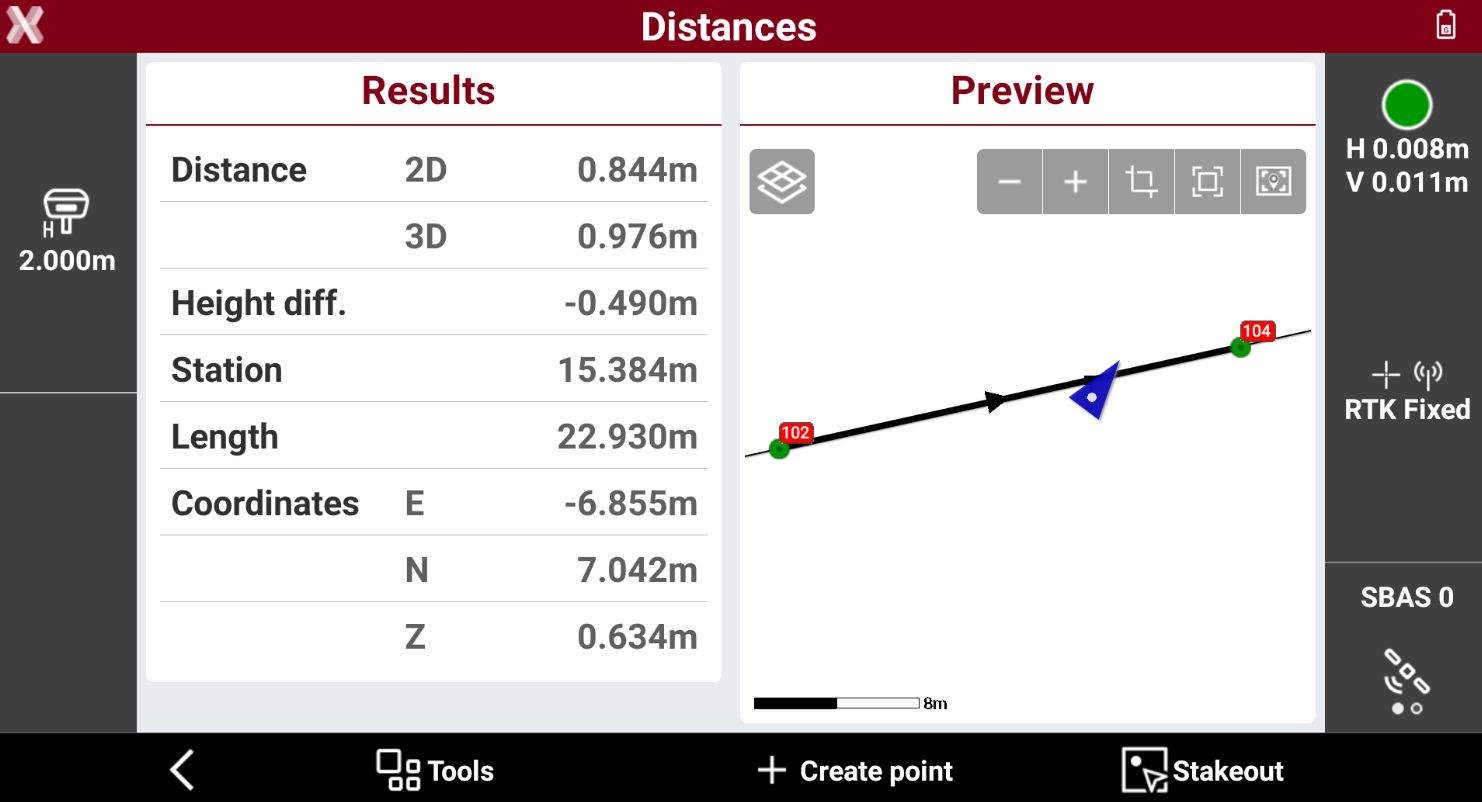
The software shows the result.
-
Press Create point point to create a topographic point in the current position.
-
Press Stakeout to stakeout the reference element.