
-
The Point Average function allows you to compute the average of a set of points.
-
All residuals are displayed, providing full control over how the average is calculated.
-
The result can be stored as a new topographic point.
-
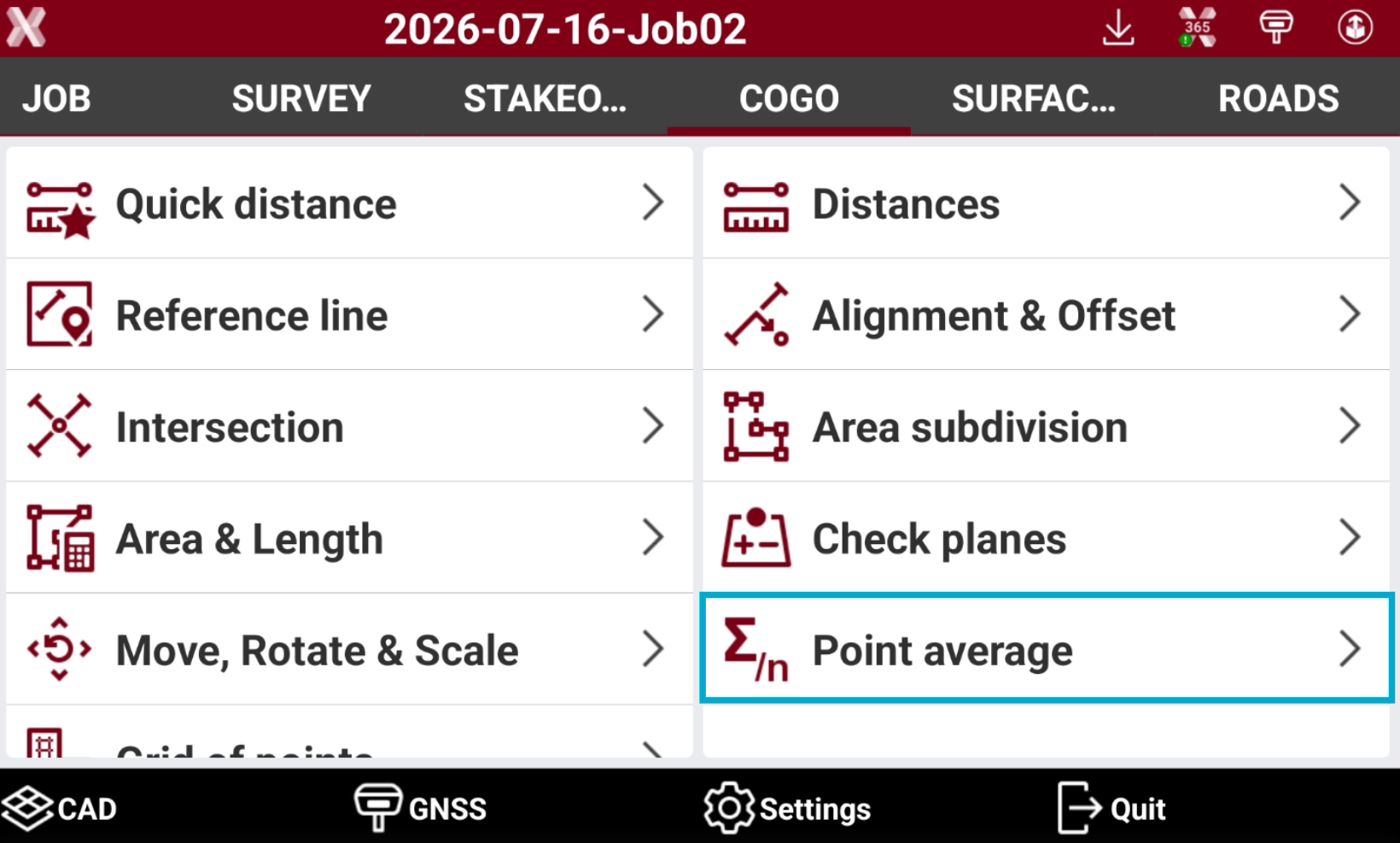
Open the COGO page.
-
Select Point average.
-
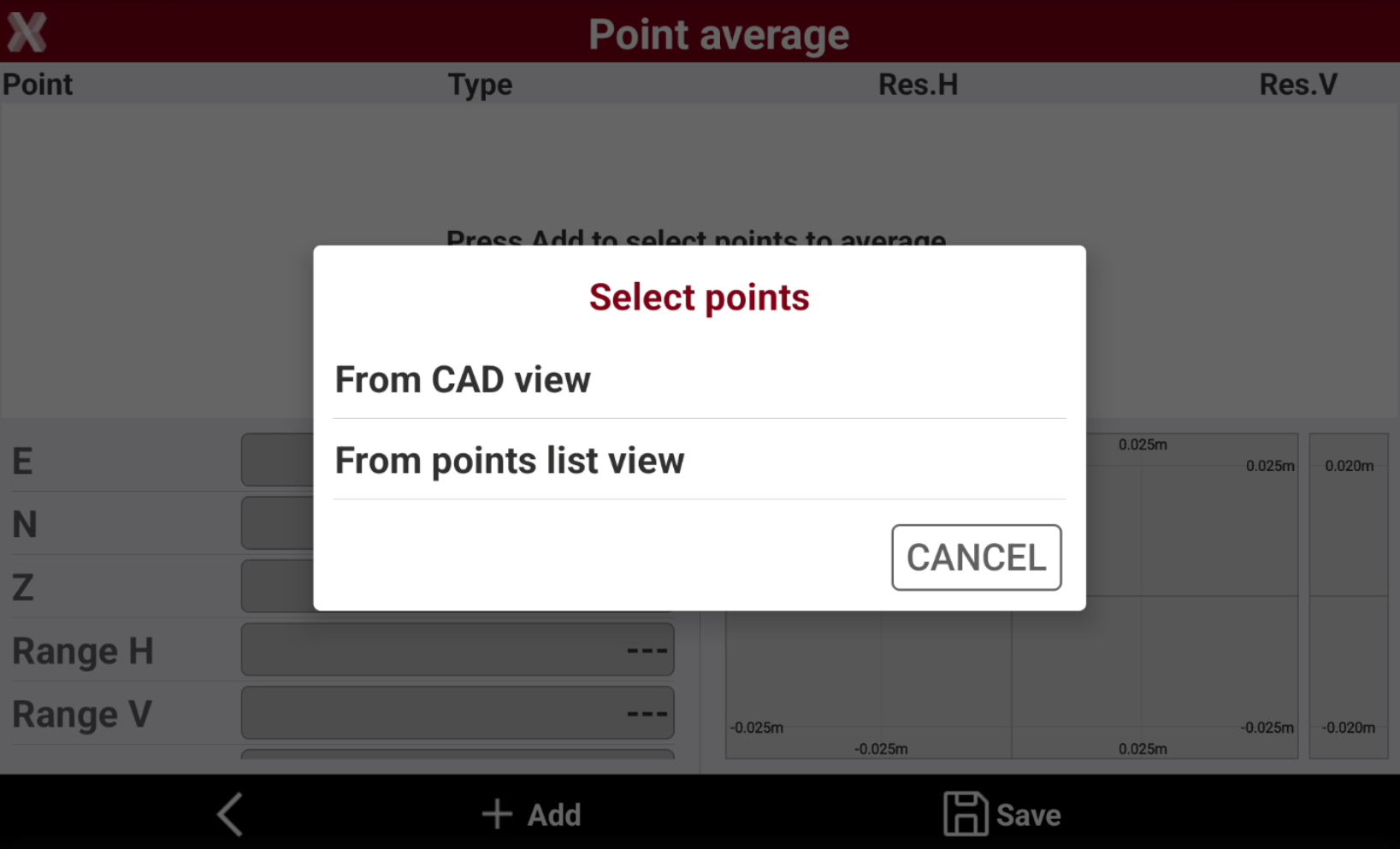
Select whether the points should be chosen from the CAD view or from the Points List view.
-
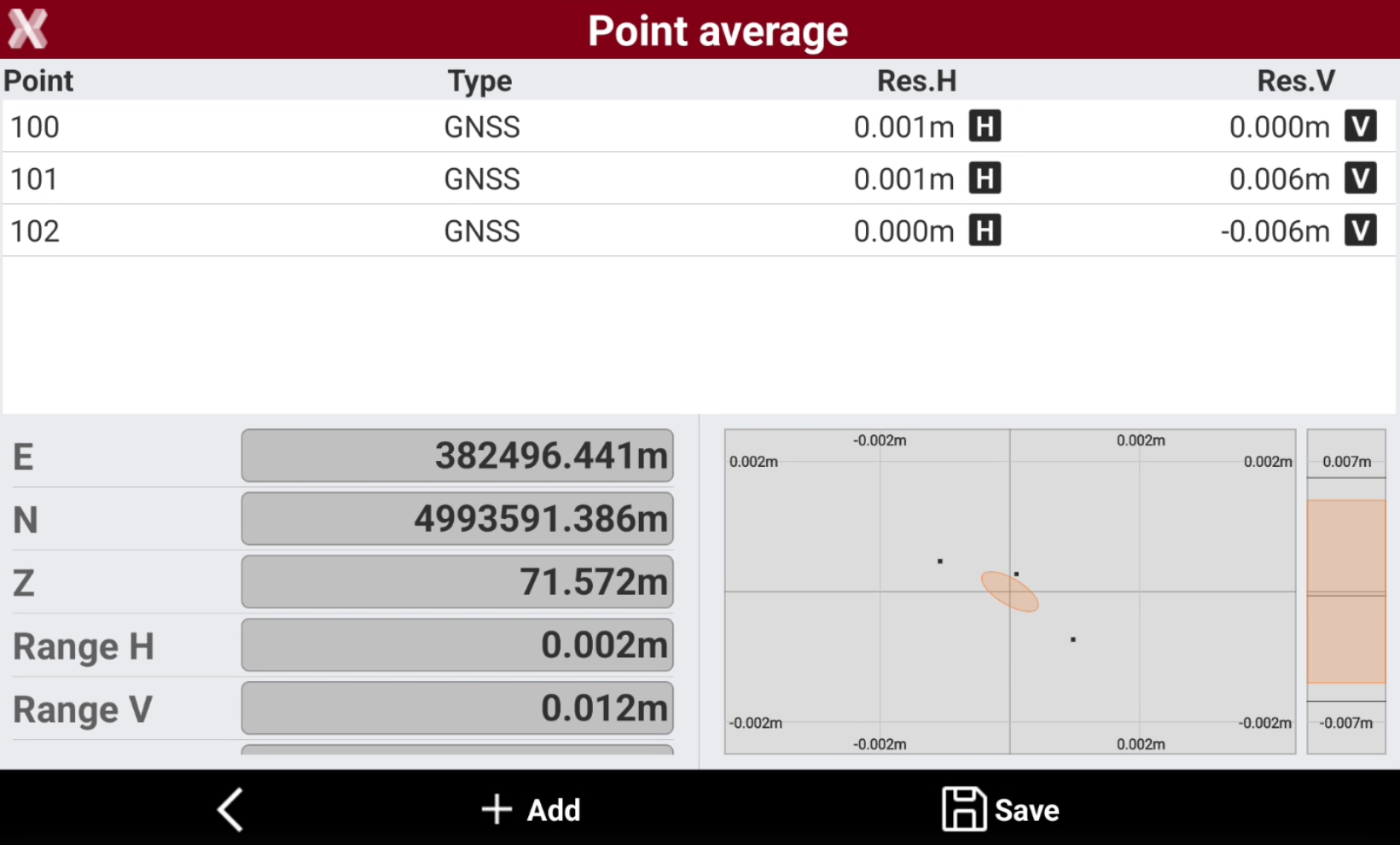
The software shows the residuals and the calculated coordinate.
-
Tap on H and V to disable/enable the use of a specific point’s 2D or elevation component.
-
E/N/Z: the averaged coordinate of the point.
-
Range H: the maximum 2D distance between the measured points.
-
Range V: the maximum elevation distance between the measured points.
-
Std.Dev.H: the horizontal standard deviation for the measured points.
-
Std.Dev.V: the vertical standard deviation for the measured point.
-
CI H 95%: horizontal 95% confidence level. The value represents a range within which 95% of the measured positions are expected to fall. A larger value indicates lower position quality, while a smaller value means that most points have similar positions.
-
CI V 95%: vertical 95% confidence level. The value represents a range within which 95% of the measured positions are expected to fall. A larger value indicates lower position quality, while a smaller value means that most points have similar elevation.
-
-
Press Add to add additional points.
-
Press Save to save the result as new topographic point.