
-
Grid of points command creates a regular grid of points and lines based on the parameters defined.
-
A selected polyline define the boundary within creates the grid; advanced parameters allow to define border area excluded from the calculation.
-
Residual space at the extremities can be distributed in different ways.
-
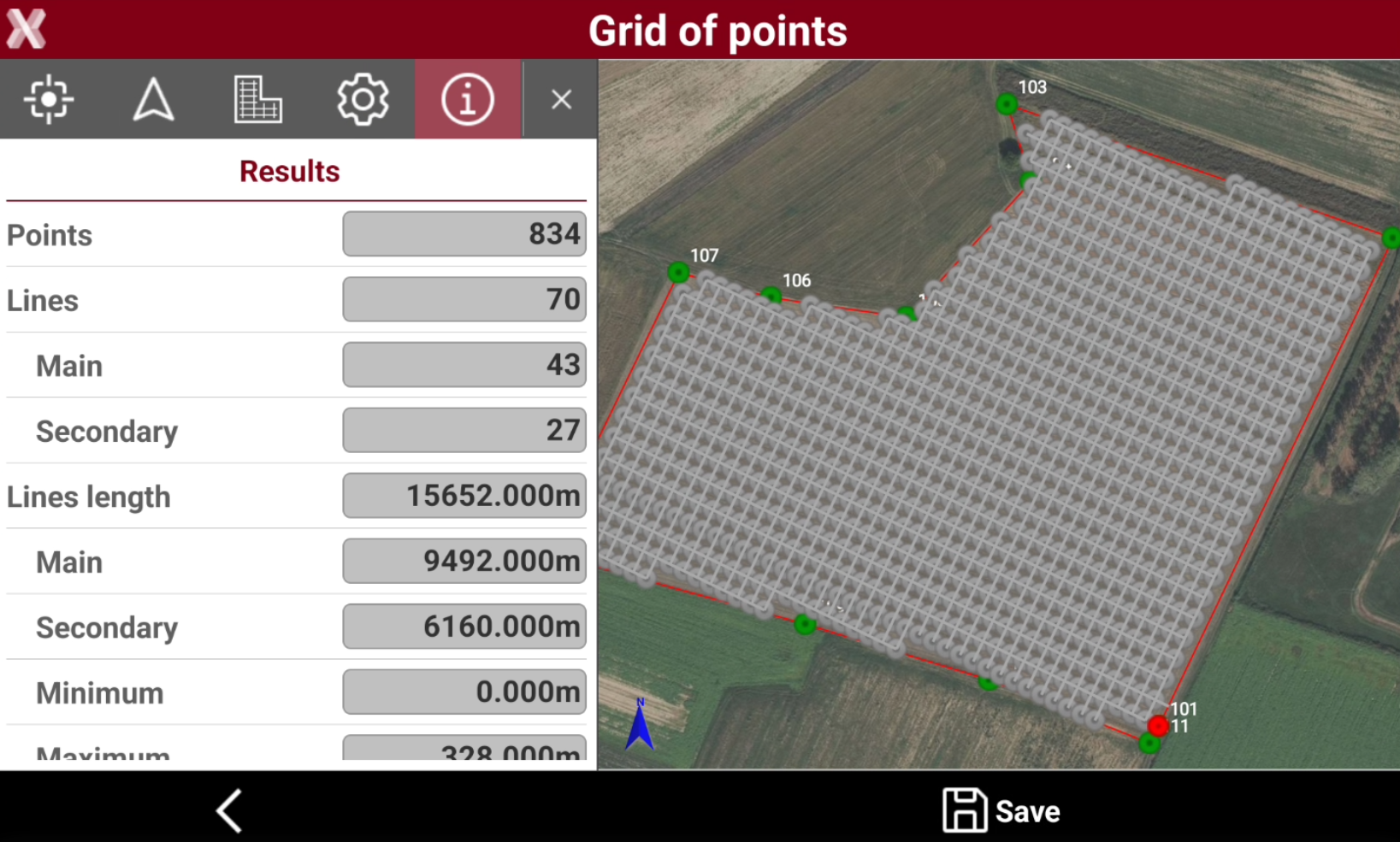
Number of points, length of lines and other values are reported as statistical information.
-
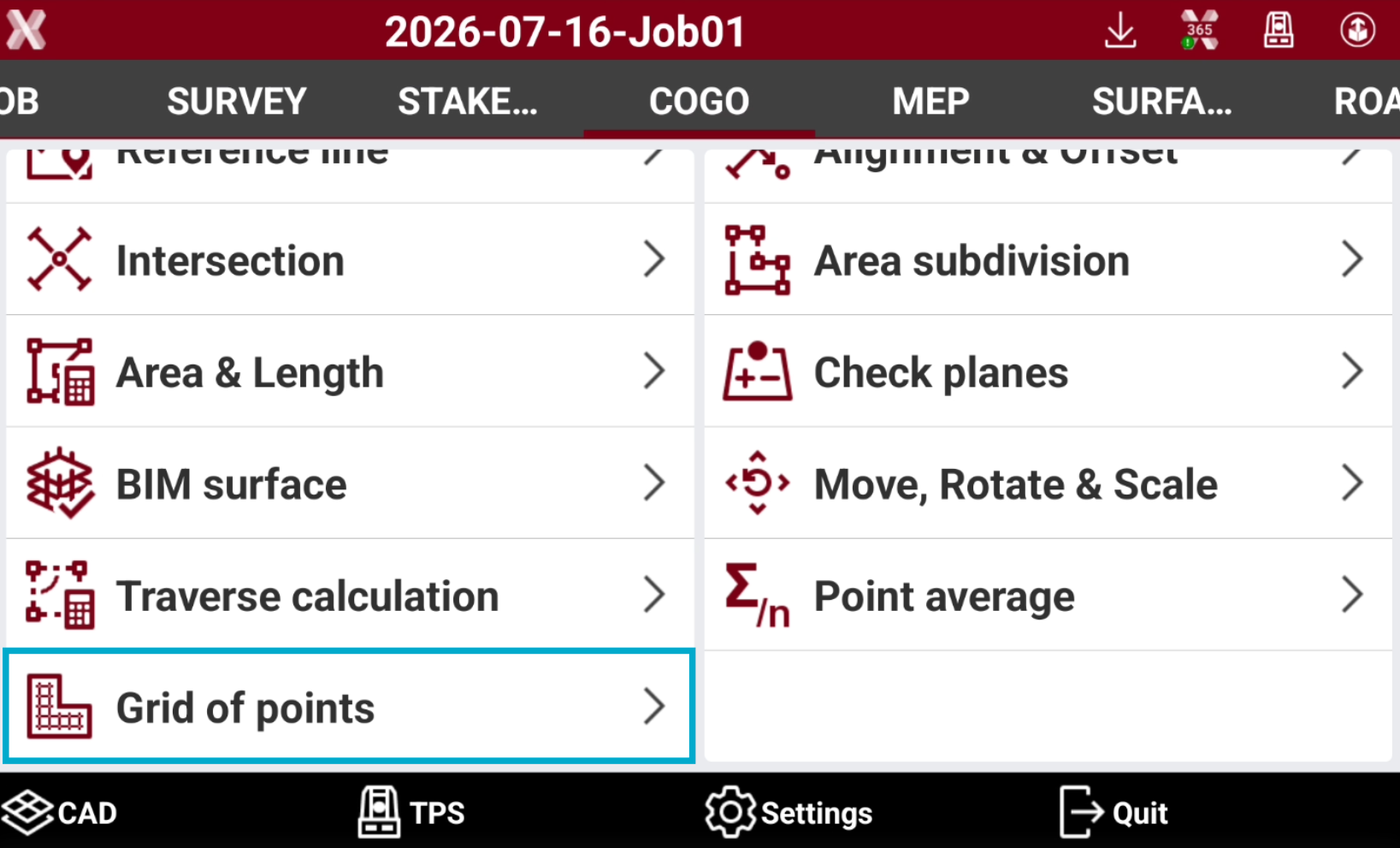
Open the COGO page.
-
Select Grid of points.
-
Select from CAD view the boundary polyline.
-
The software allows to enter different parameters to define the grid.
Starting point
-
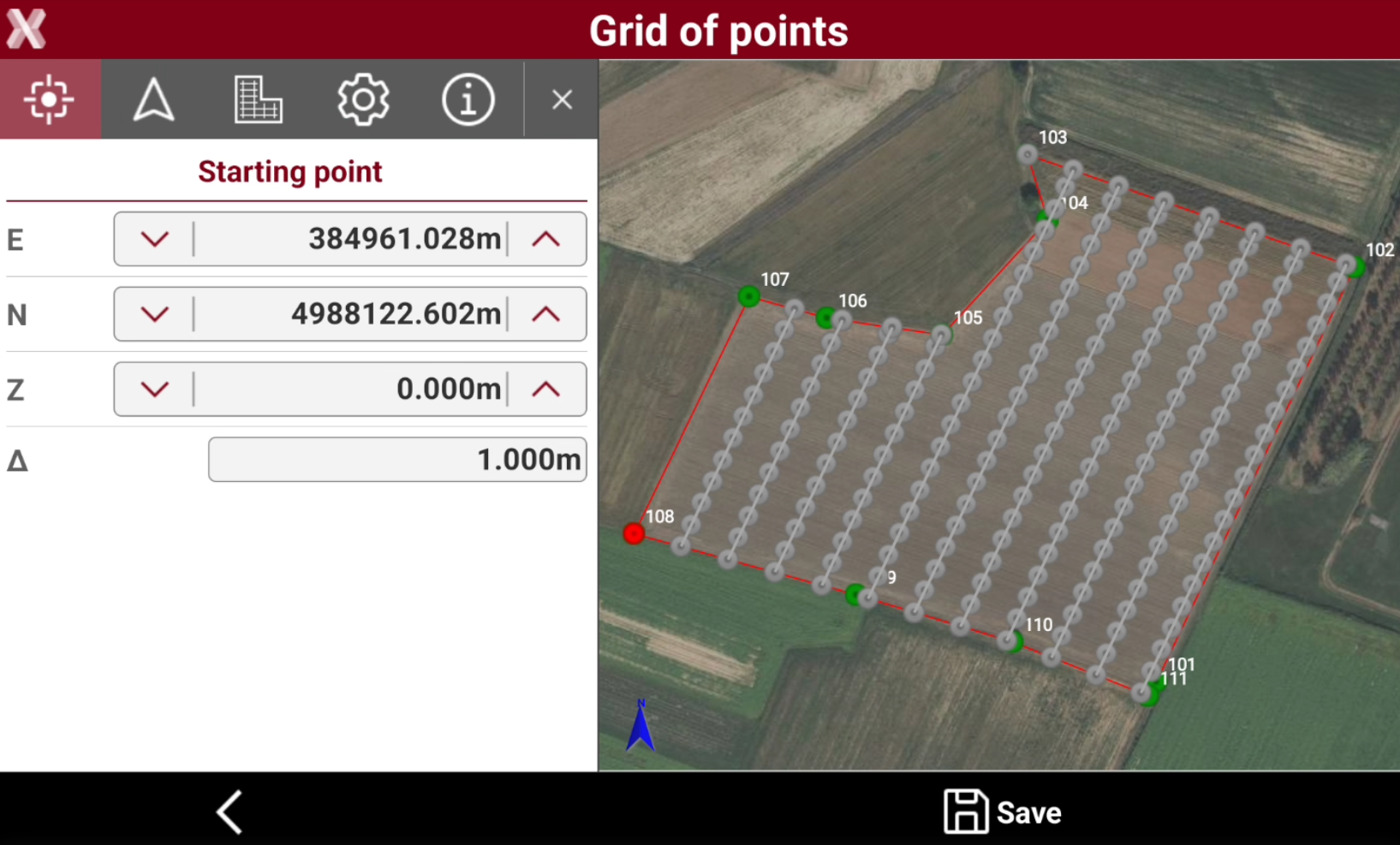
The Starting point parameters define the starting point for the grid.
-
E: east coordinate of the starting point.
-
N: north coordinate of the starting point.
-
Z: elevation of the starting point.
-
Δ: step to increase/decrease the coordinate when clicking


-
-
Tap on a topographic point in CAD to select the starting point, or enter manually the starting point.
Direction
-
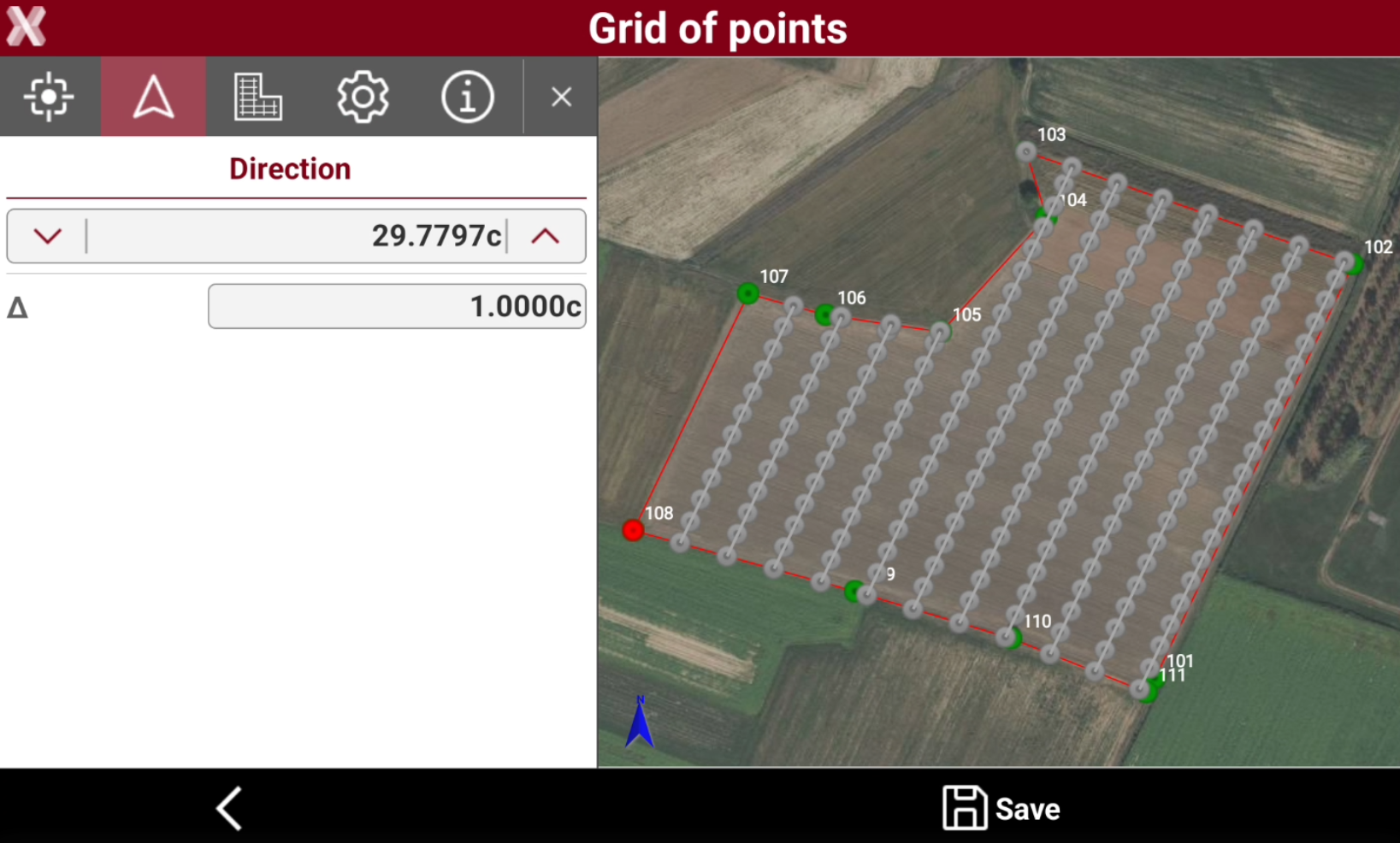
The Direction parameter define the main direction of the grid.
-
Direction: the main direction angle of the grid.
-
Δ: step to increase/decrease the coordinate when clicking
-
-
Tap on two topographic point in CAD to select the direction, for example two topographic points on the boundary, or enter manually the direction angle.
Layout
-
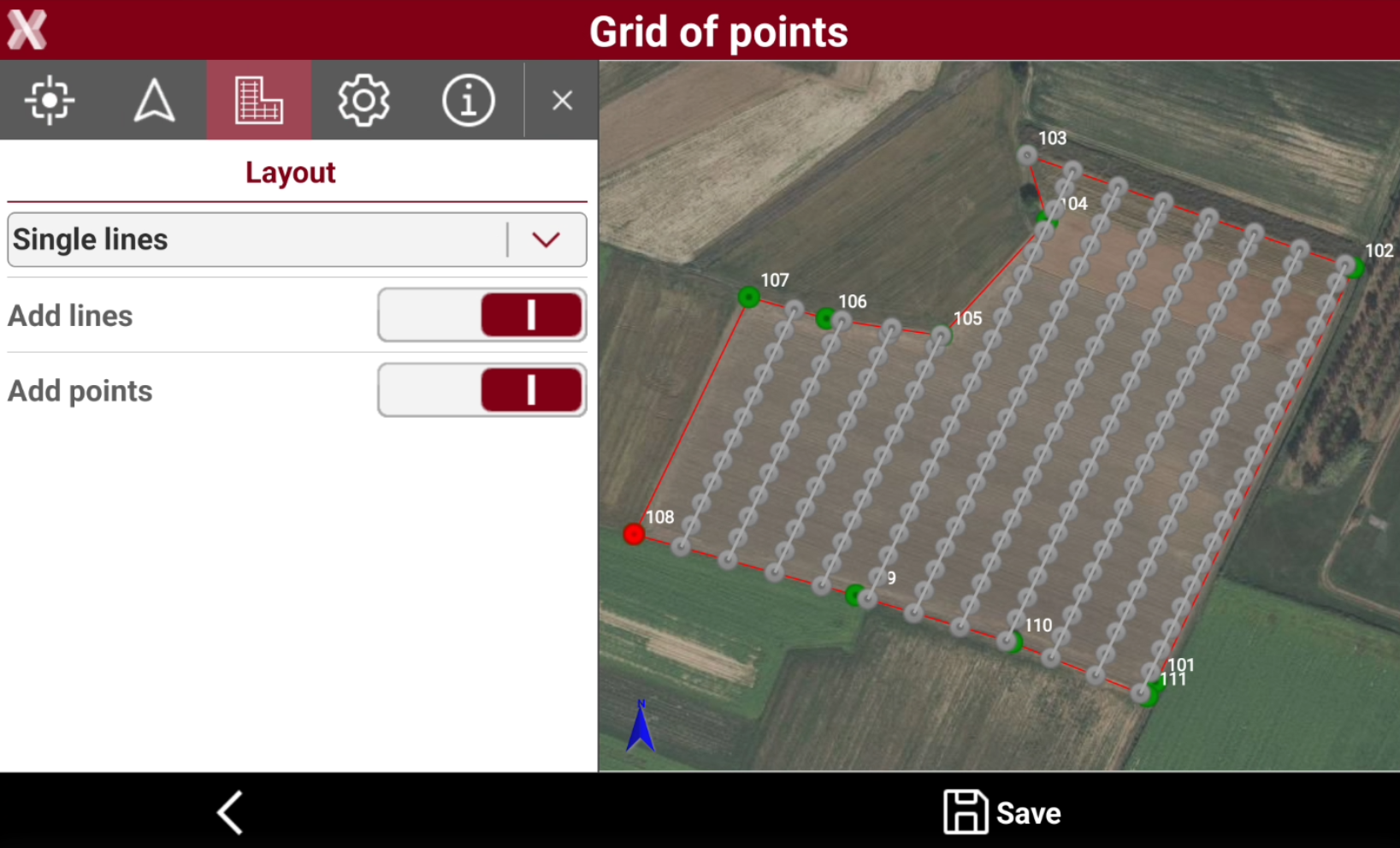
The Layout parameters define the grid layout.
-
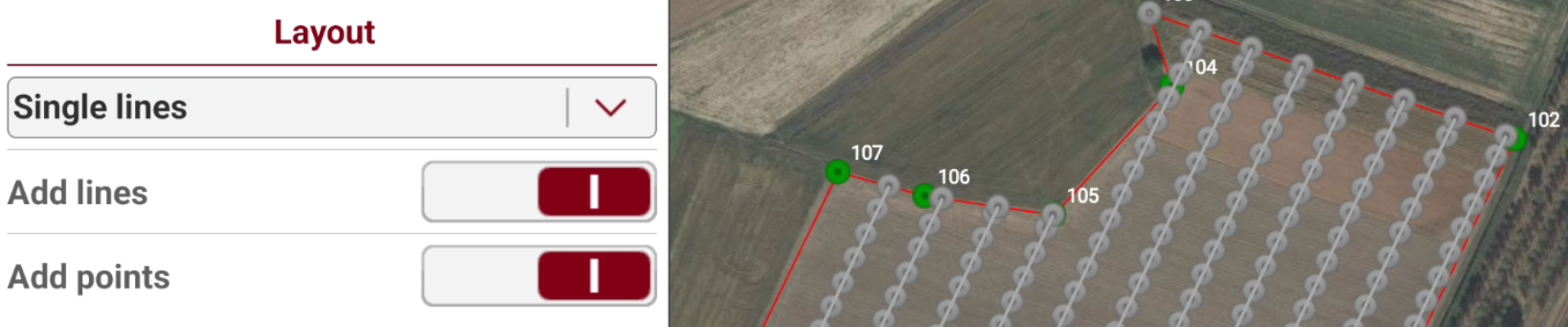
Single lines: the grid layout is single lines. Points are along lines.
-
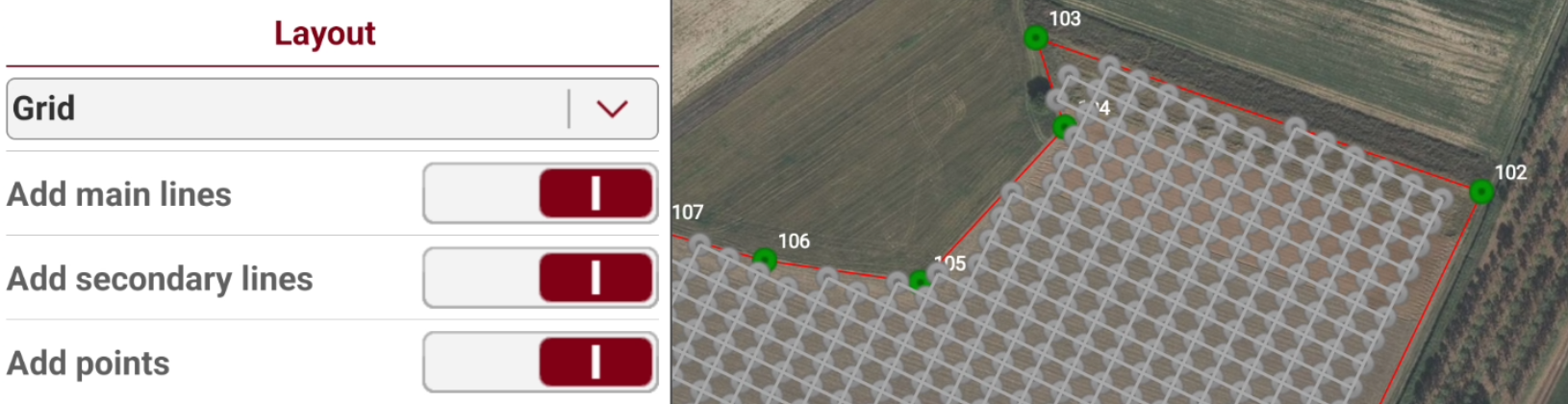
Grid: the grid layout is a grid with main and secondary lines.
-
Add lines: if the layout is Single lines, creates the lines.
-
Add main lines: if the layout is Grid, creates the main lines.
-
Add secondary lines: if the layout is Grid, creates the secondary lines.
-
Add points: creates the topographic points.
-
Grid settings
-
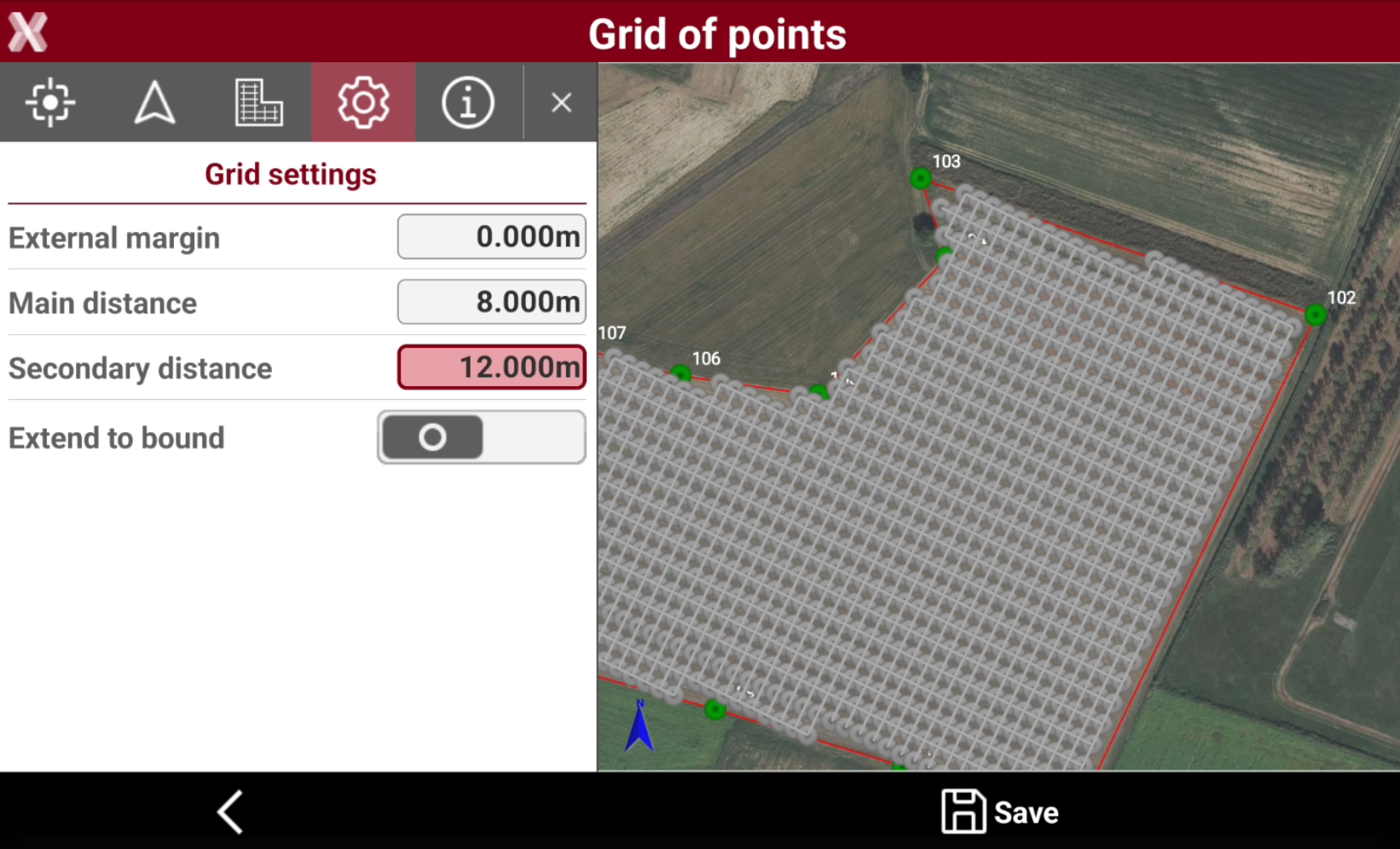
The Grid settings page is available if Layout is Grid.
-
These parameter define the settings of the grid.
-
External margin: defines an external margin between the grid and the boundary.
-
Main distance: the distance on grid main direction between the points.
-
Secondary distance: the distance on grid secondary direction between the points.
-
Extend to bound: extends the grid to the boundaries.
-
Single line settings
-
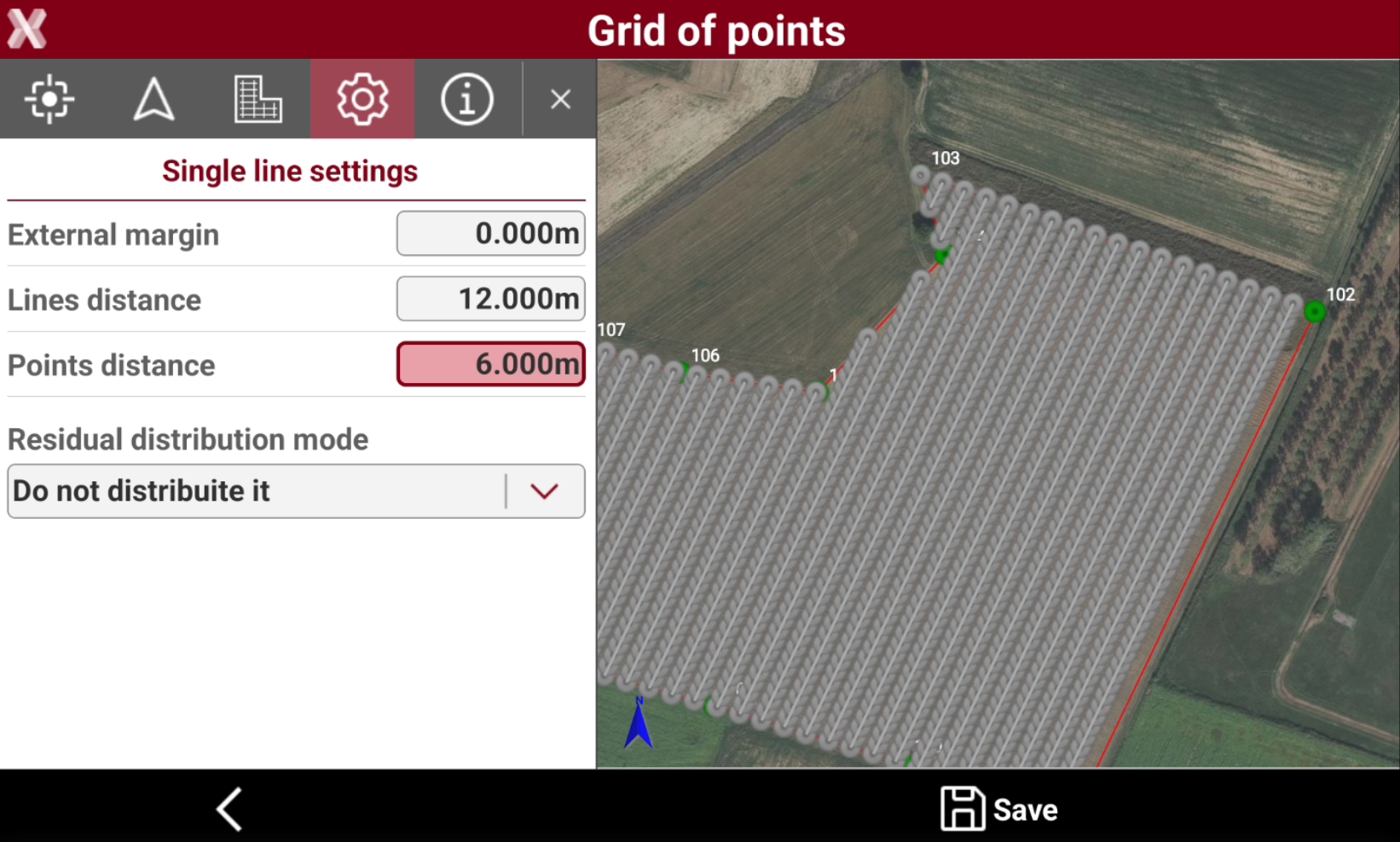
The Single line settings page is available if Layout is Single line.
-
These parameter define the settings of the parallel lines.
-
External margin: defines an external margin between the grid and the boundary.
-
Lines distance: the distance between the lines.
-
Points distance: the distance between the points along the lines.
-
Extend to bound: extends the grid to the boundaries.
-
Residual distribution mode: defines how the residual is distributed along a line. For example if the line is long 55 meters, and the points distance is 10 meter, I will have 5 meter residual.
-
Do not distribute it: the residual is not distributed. Creates a point at the end of the line.
-
Distribute at the extremities of the line: the residual is distributed at the beginning and end of the line.
-
Distribute equally: the residual is distributed equally along the line.
-
Distribute equally adding a point: the residual is distributed equally along the line adding a point.
-
-
Ignore residual below: in case residuals are distributed, allows to ignore the setting if the residual is below entered value.
-
Results
-
The Results page shows the grid creation results.
Save
-
After parameters have been entered, press Save to save the lines and topographic points.
-
Next point name: enters the point ID of the first point in the grid.
-
Code/Layer: select the survey code where create the elements.
-