
-
In cases where a local base is not available or it is not possible to connect to a NTRIP service, a solution is to record all survey session data in a raw data format file and process the data later in a GNSS post processing software.
This procedure is used to perform a stop&go survey. When the log is started, the raw data is flagged as kinematic. When a point it is measured, a static session is recorded within the same file.
For a traditional static survey refer to Static survey of points.
-
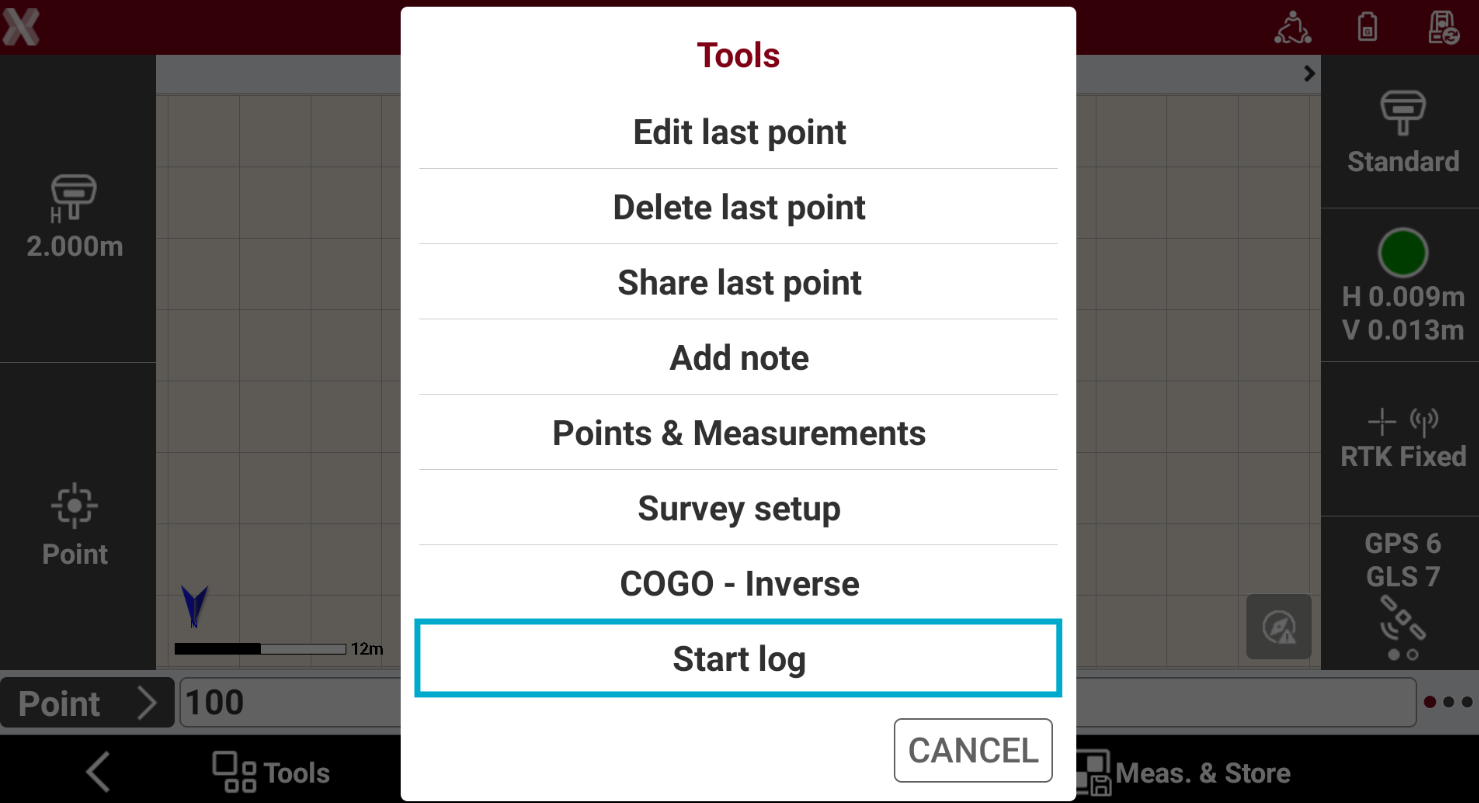
In the Survey points page press Tools.
-
Select Start log.
-
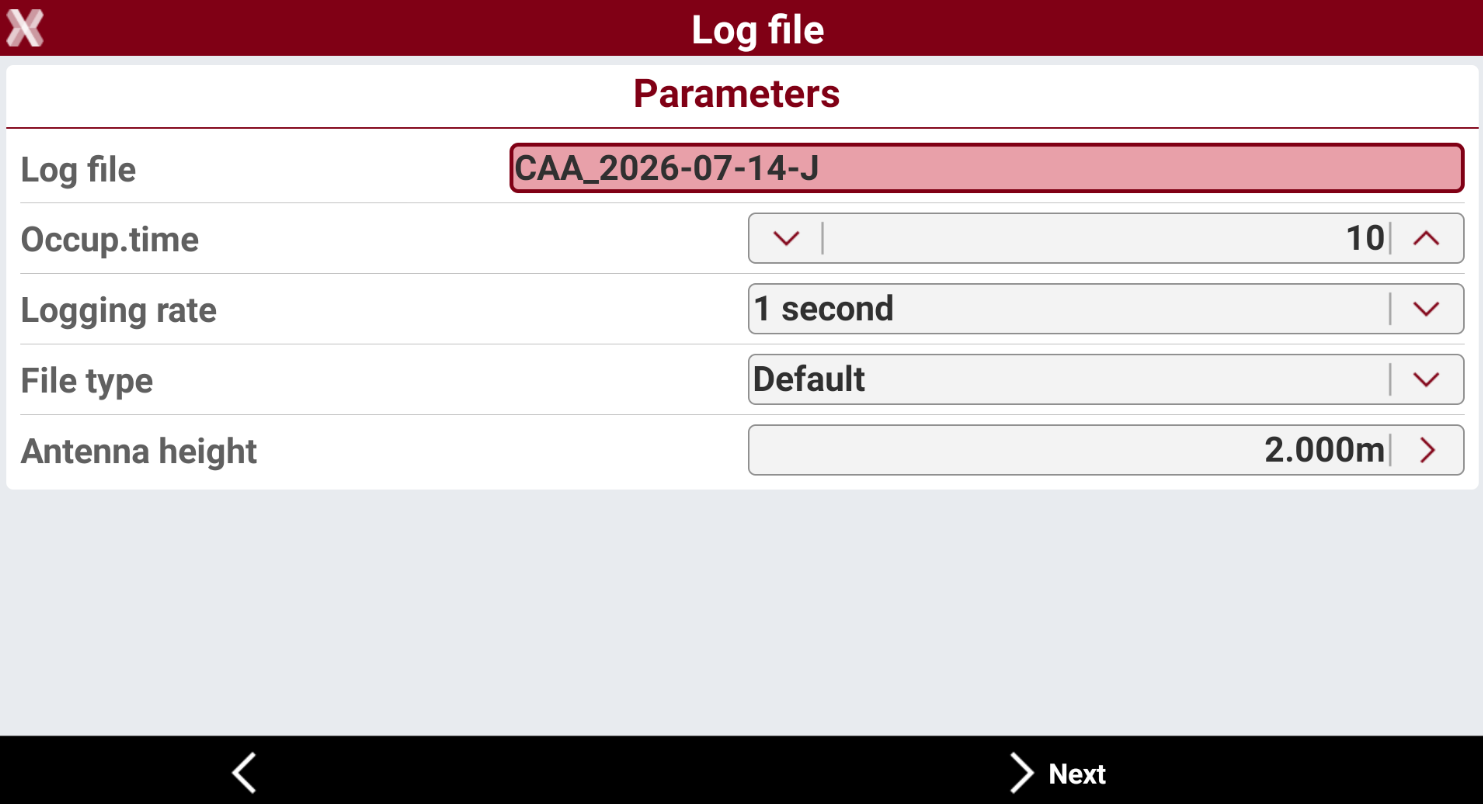
The page Log file is opened.
-
Log file: name of the file where the raw data are stored.
-
Occup.time: time of acquisition of single point.
-
Logging rate: frequency of the data recording for post-processing.
-
File type: sets the file’s type to store.
-
Antenna height: sets the height of antenna to store.
-
-
Press Next to start to log raw data.
-
Kinematic raw data is now recorded, to start a static occupation press Measure to measure a point.
-
Recording of raw data is stops automatically when the survey of points procedure ends or it can be interrupted at any moment pressing Tools and selecting Stop log.