-
Codes libraries are files where a list of survey codes is stored.
-
A Code library allows to quickly load different codes libraries.
-
Code libraries can be imported from different formats.
Delete codes from a codes library
-
It is possible to delete existing codes from a Codes library.
Deleted survey codes cannot be restored.
-
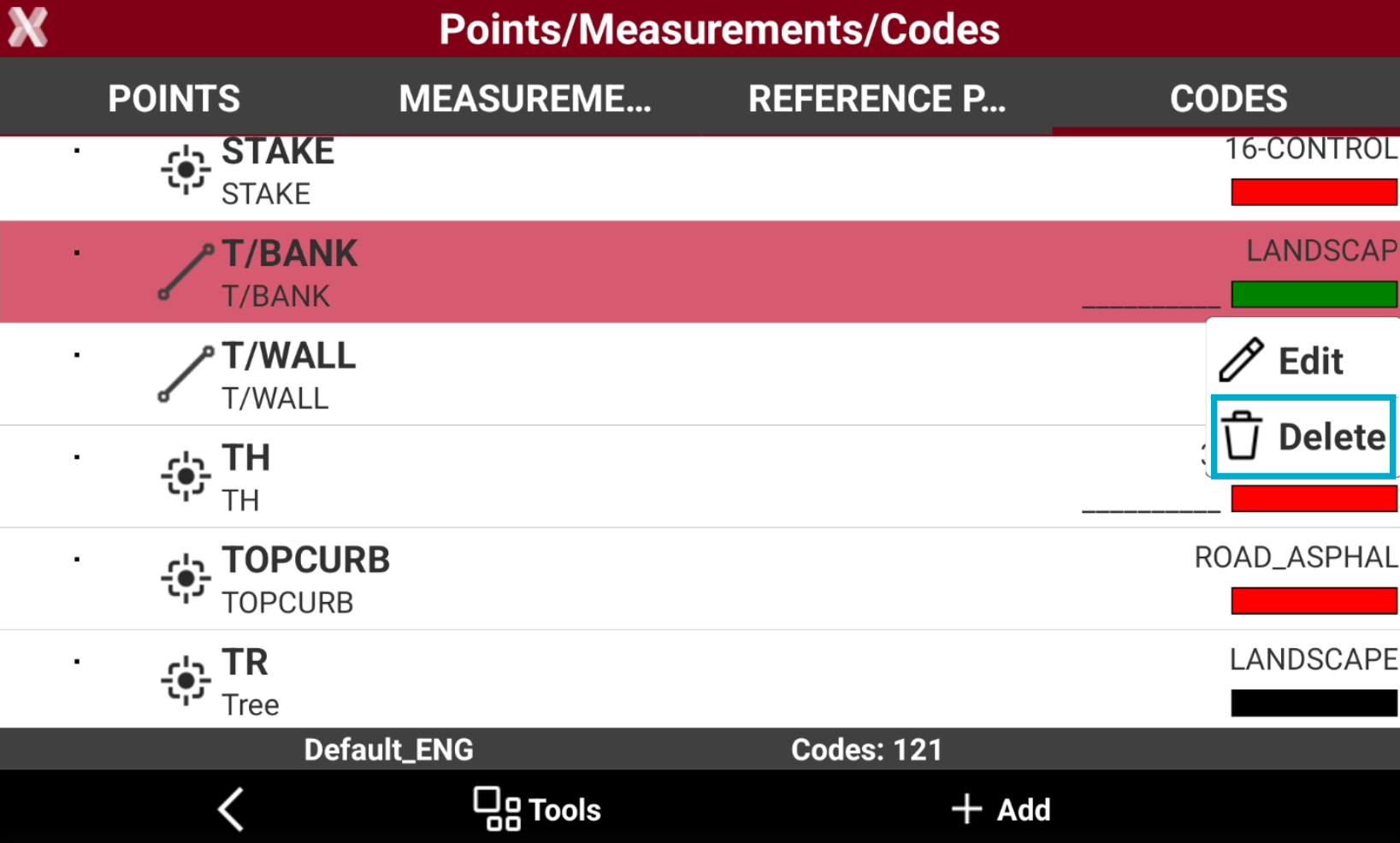
To delete a single code, from the Codes page long-press on a code and select Delete.
-
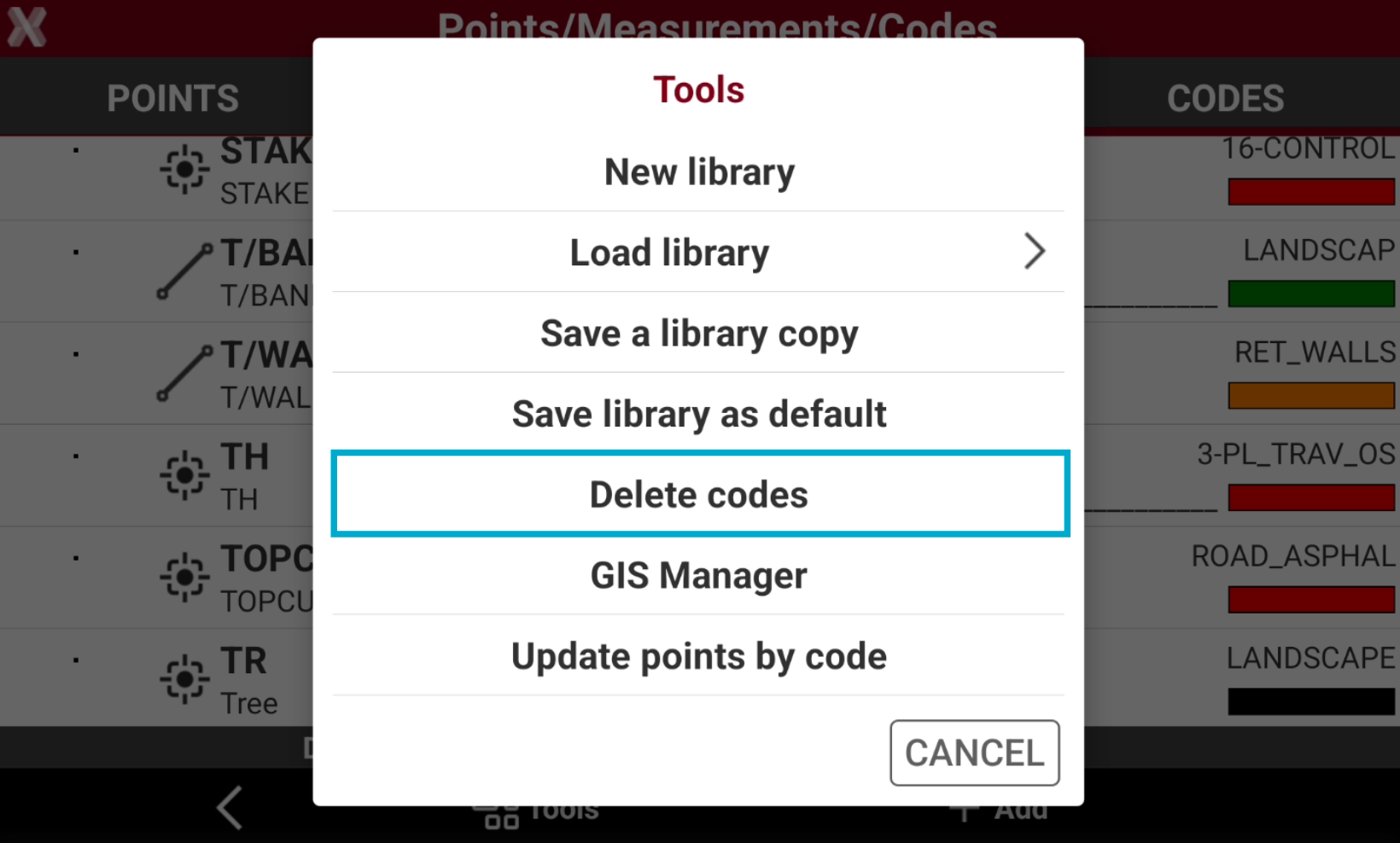
To delete multiple codes select Tools and select Delete codes.
-
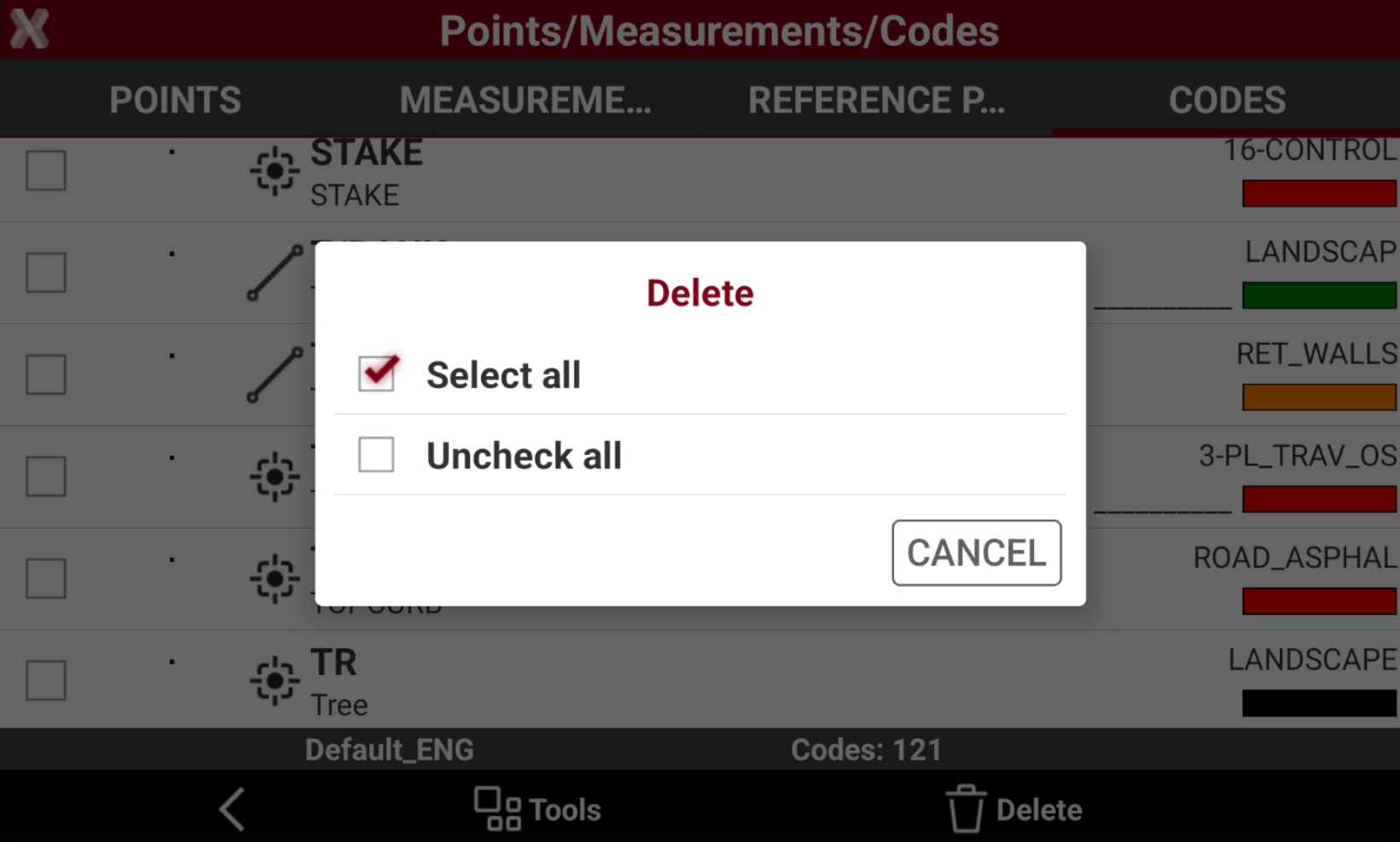
Select the codes to delete. Select Tools to select or deselect all codes of the list.
-
Press Delete to proceed with deleting of codes.
Create a new codes library
-
It is possible to create a new empty survey codes library where to create or import new codes.
-
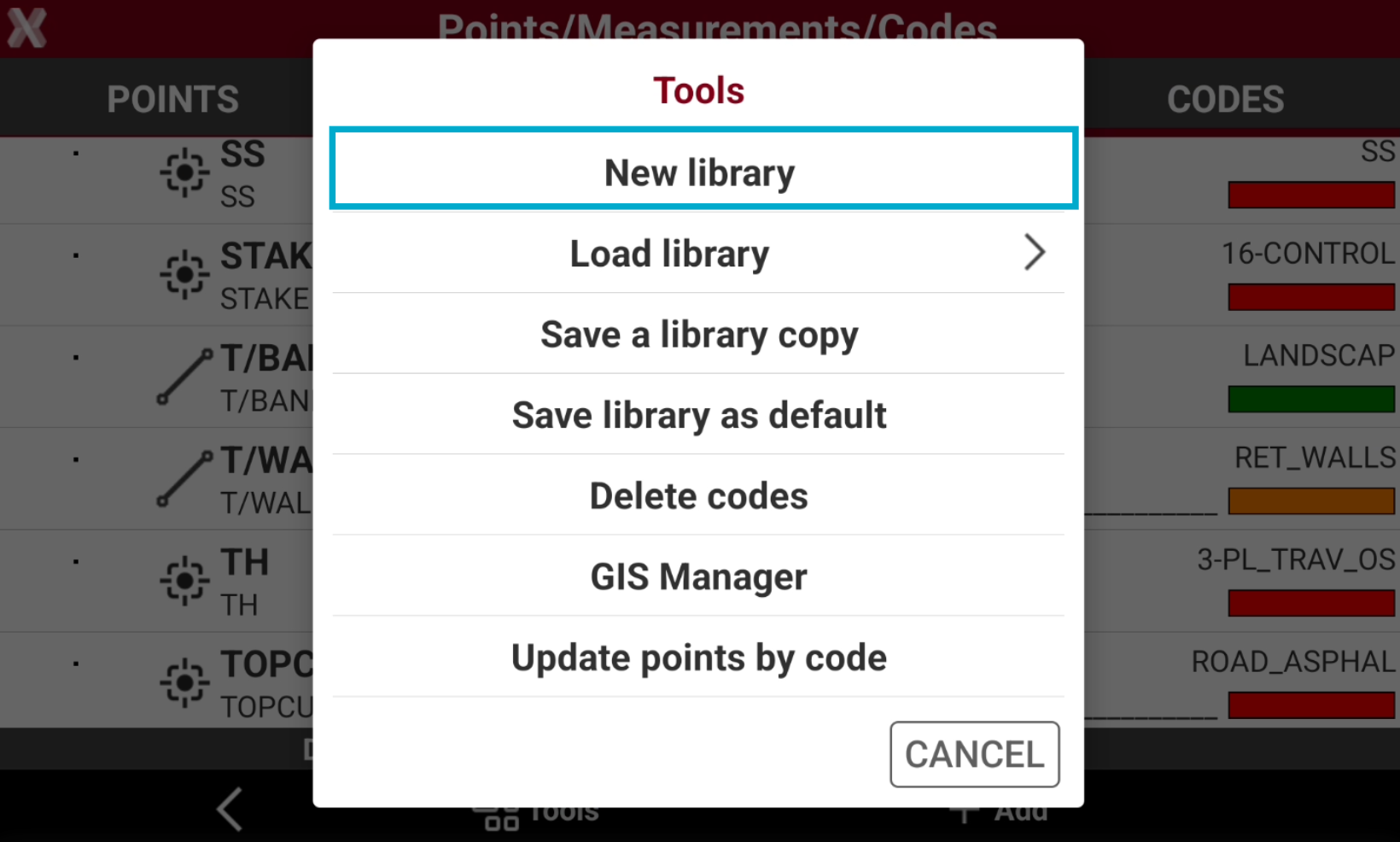
From the Codes page select Tools and select New library.
-
Enter the new library name.
-
The new table is empty and ready to insert or import new codes.
Select a codes library as default
-
It is possible to select a library as default, to be used as default each time a new job is created.
-
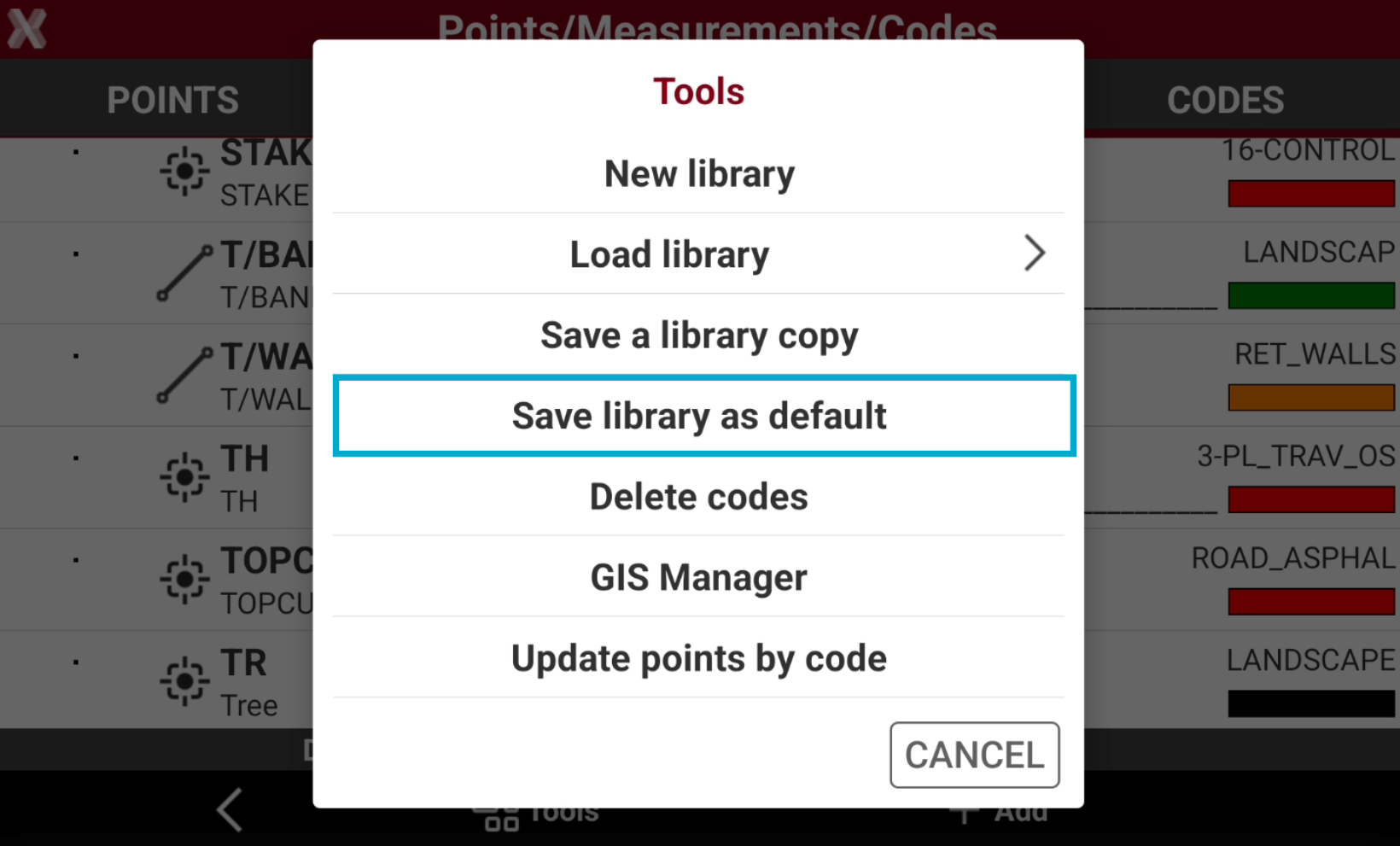
To save the current library as default, from the Codes page select Tools and select Save library as default.
Select a codes library when a site/job is created
-
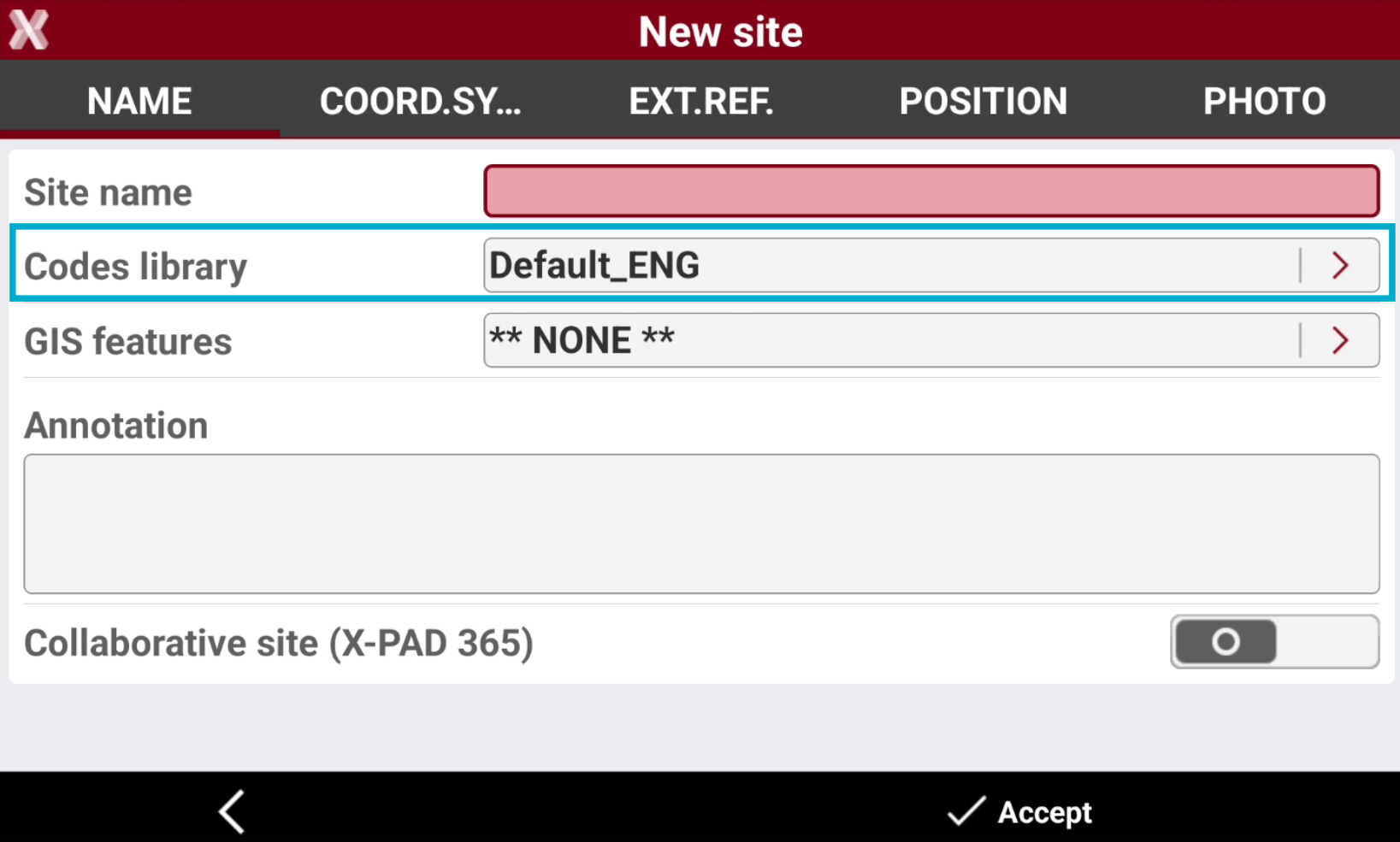
When a job site is created, it is possible to assign for the site a code library.
-
This option allows to define a codes library default for all the jobs created in the site.
-
The jobs in the selected site will use this codes library as default.
-
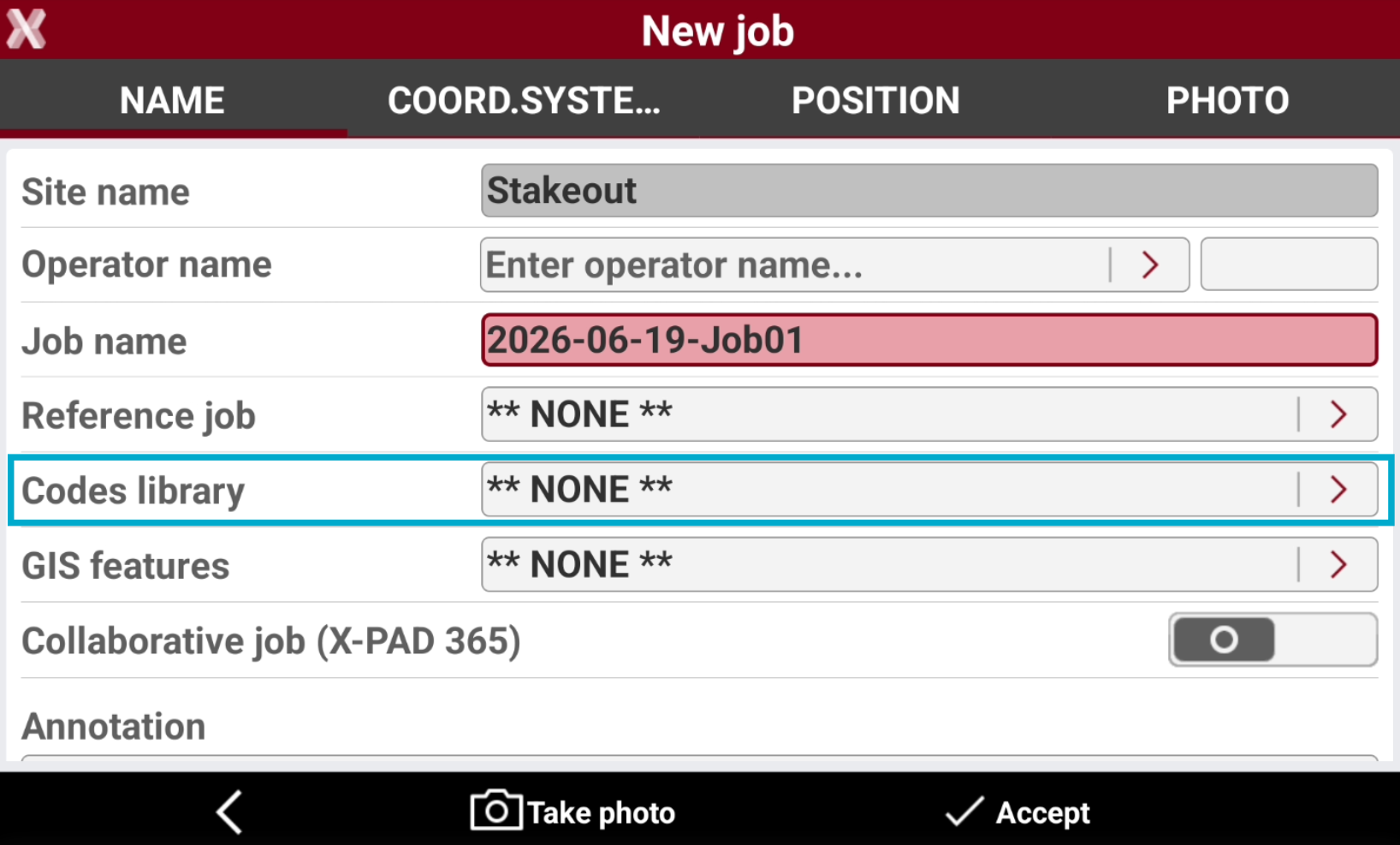
If the site has not a defined codelist, it is possible to define the job codelist when the job is created.
Update points survey codes
-
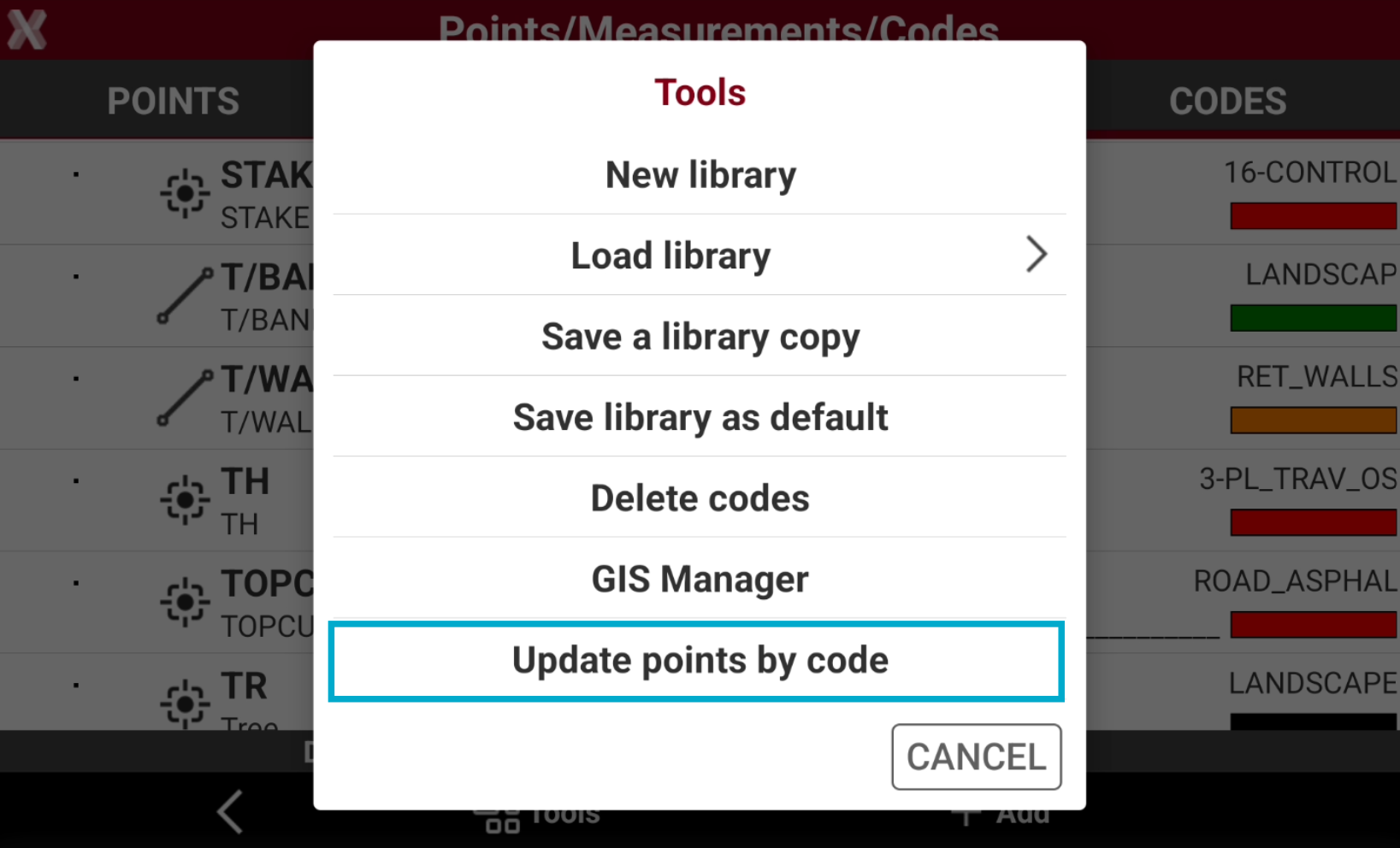
The function Update points by code is used to update the survey codes properties of points in the points list when survey codes are changed.
-
For example if a survey code property is updated (description, layer, symbol, color, etc..) this function updates the codes for all points using the modified survey code.
-
To check and update the points from the Codes page select Tools and select Update points by code.