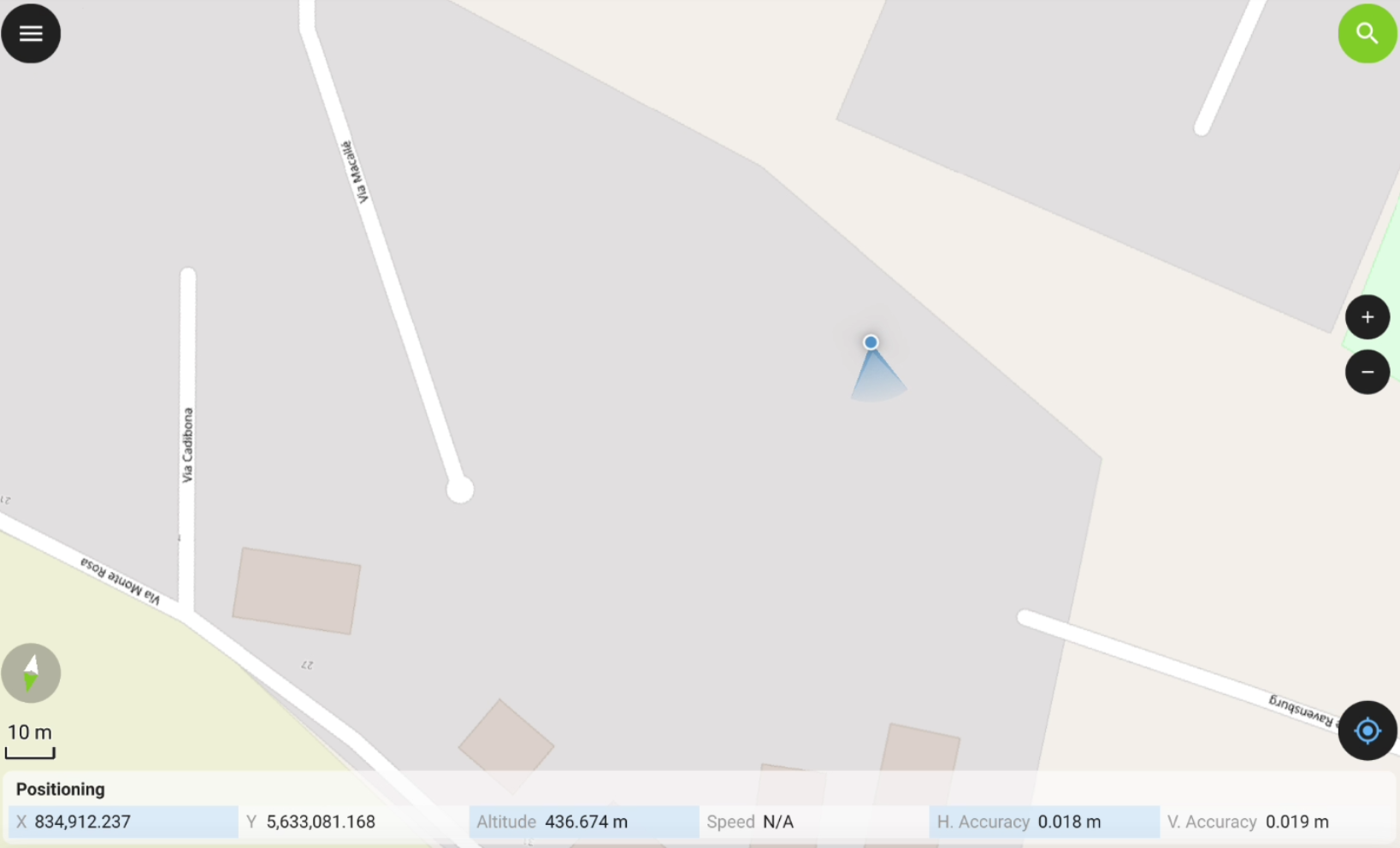
GNSS MOCK
-
A mock location is a GNSS location that replaces your device's actual physical location, allowing to use the accurate position from a GNSS receiver in third-party app.
-
The software, when working with a GNSS receiver, allows to use the actual GNSS receiver as mock location, in order to give access to the precise coordinate to other Android applications.
For IMU receivers, the mock location is corrected by the IMU.
Select Leica X-PAD as mock application in Android
-
The first step is to select Leica X-PAD as mock application in Android developer options.
-
Enable the developer options in Android.
To enable the Developer options in Android, you must be a developer. In most of Android devices this is done clicking 5 times on Build number field in About tablet.
-
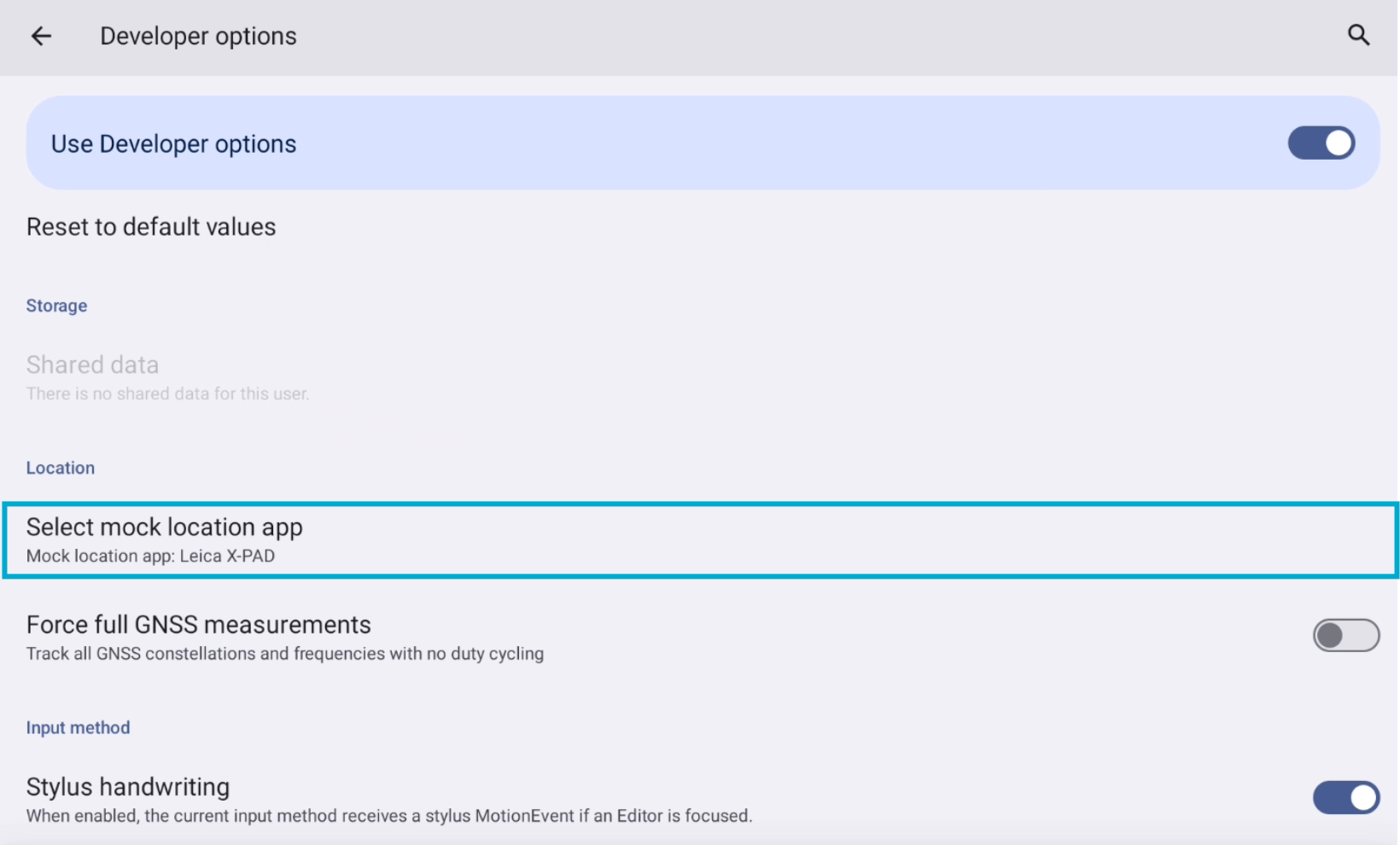
In Android Settings select Developer options.
-
Select Select mock location app and select Leica X-PAD from the list of available applications.
Start GNSS Mock location in X-PAD
-
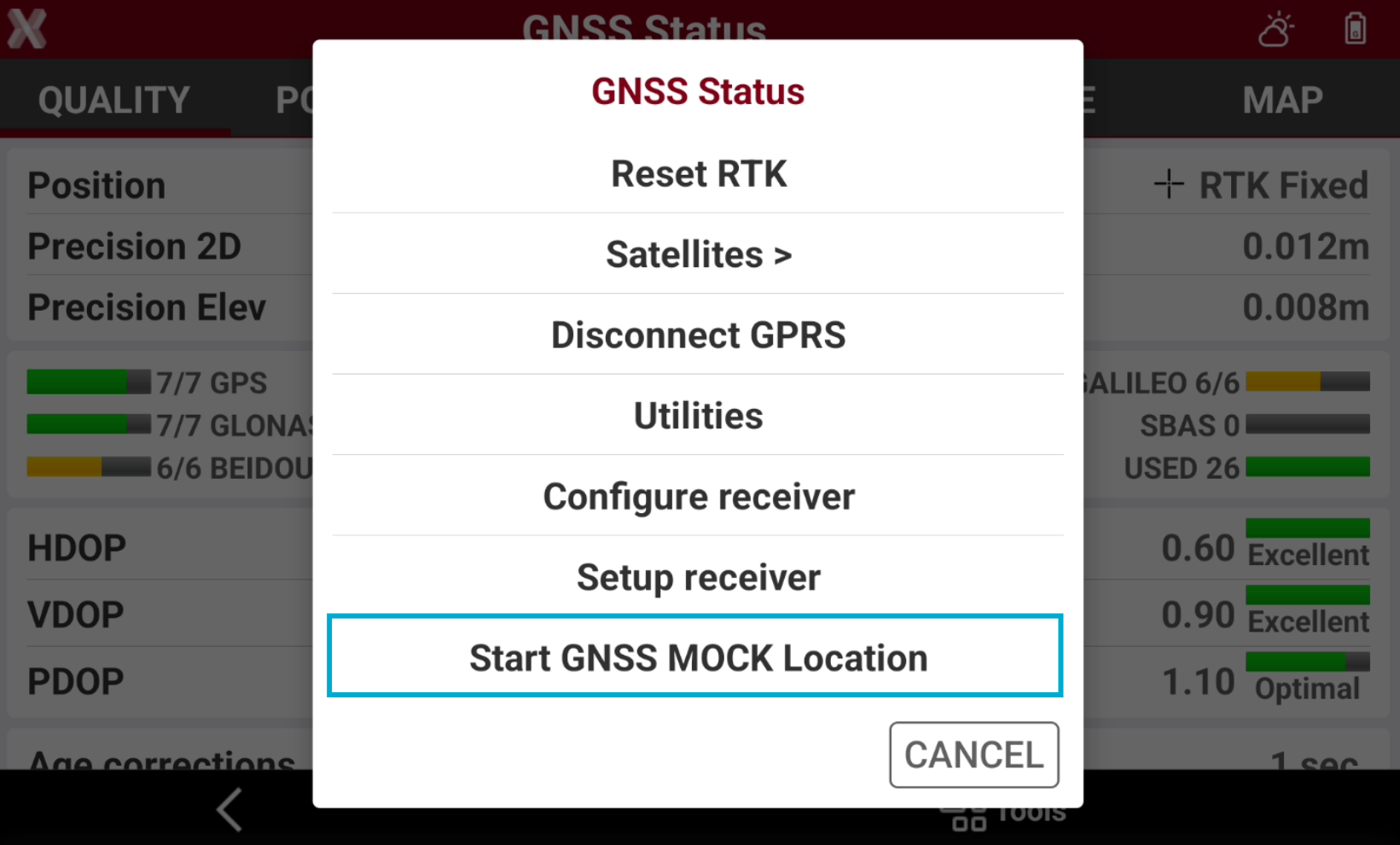
With a GNSS receiver connected to X-PAD, open the GNSS Status page.
-
Select Tools to open the list of available tools and select Start GNSS Mock location.
-
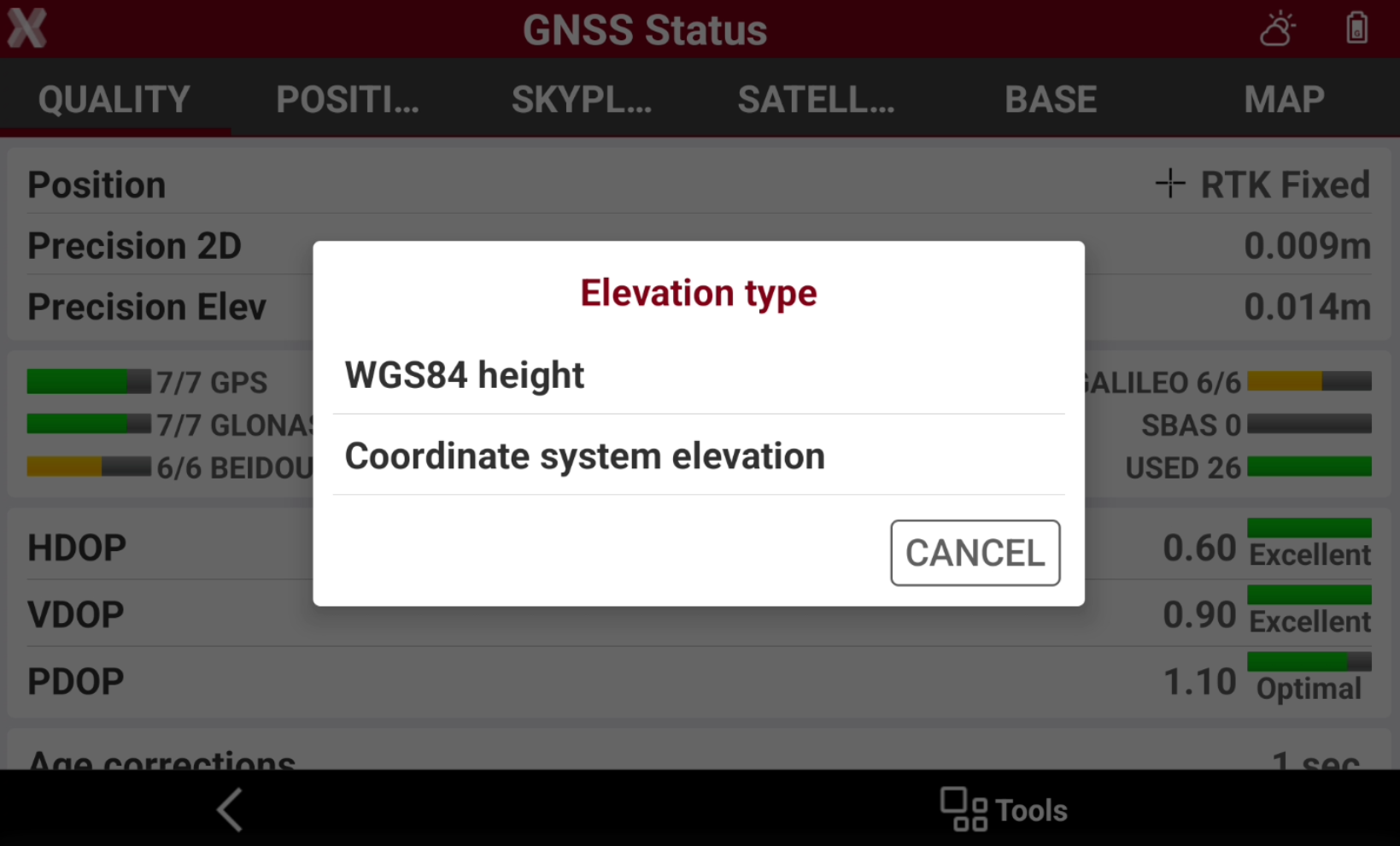
Select the elevation type.
-
WGS84 height: the provided elevation is the elevation over the WGS84 ellipsoid.
-
Coordinate system elevation: the provided elevation is the elevation configured in Coordinate system, for example over a selected geoid.
-
-
Do not close X- PAD software but reduce the application.
-
Open the third-party app.
-
Configure the third-party app to use the GNSS position from the device.
-
The app is using the position from the topographic instrument.