
-
The X-PAD Info menu provides information about the current release, license, and device, and provides access to help and technical support tools.
-
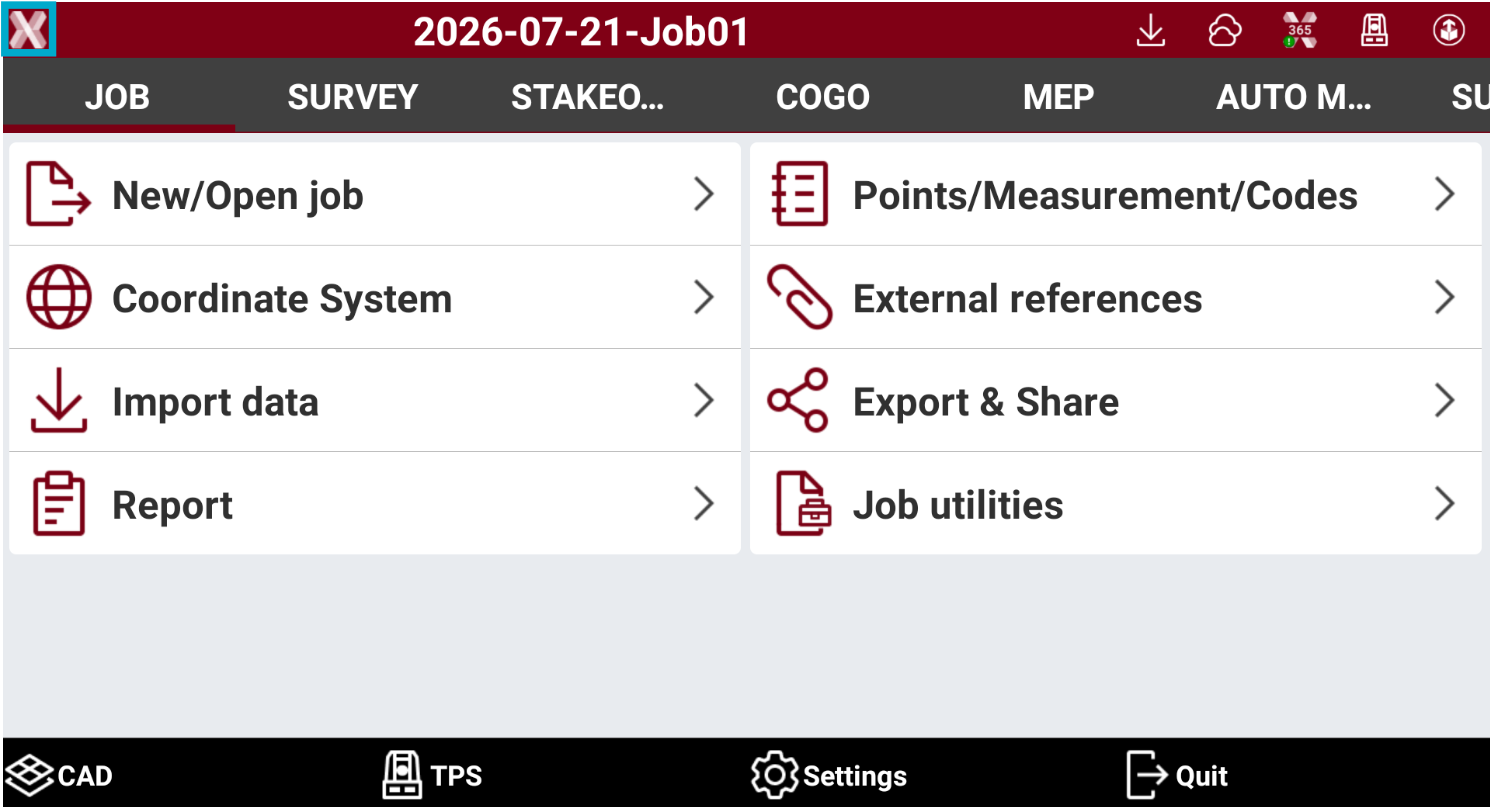
Press X-PAD logo on top-left of main work screen.
-
The X-PAD info menu allows to scroll different pages.
-
About: the page shows the current software version.
-
License: shows the license information and offers tools to release the license from current device or update the license information.
-
Releases: shows the available software releases and release notes.
-
Device: shows the device information. This page allows to enter or change the controller name.
-
Help portal: opens the online help for the software.
-
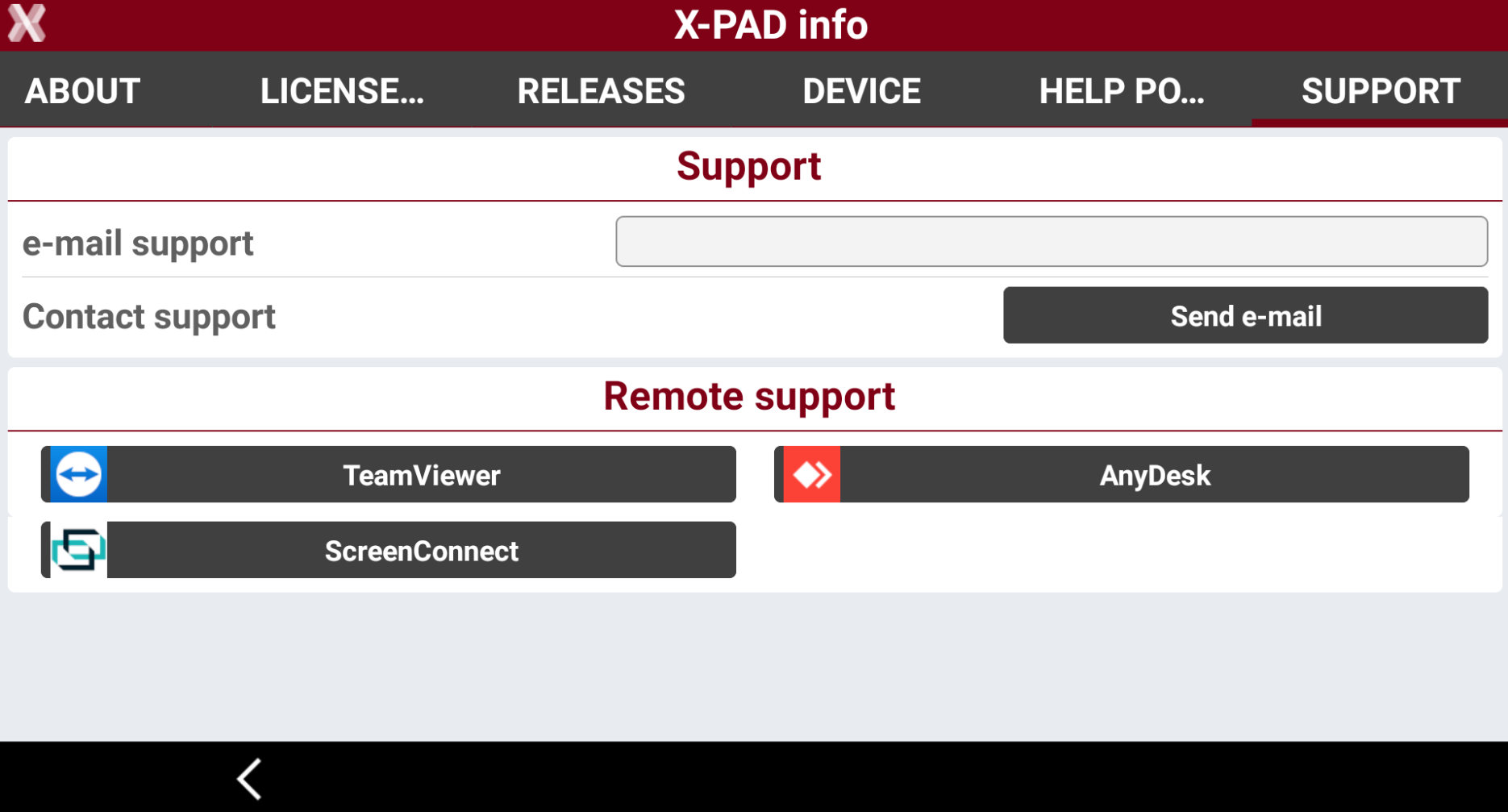
Support: allows to access remote support tools to get technical support.
-
Online help portal
-
Leica X-PAD provides access to a dedicated section of the Help portal, where you can find the user manual as well as step-by-step guides and tutorials.
-
Automatic translation from English to all languages is also available.
-
From X-PAD info select Help portal.
-
Navigate in the help portal to find the information you need.
-
Tap on the screen to open the toolbar.

-
Home: returns to the Help portal homepage.
-
Back: returns to the previous page.
-
Next: moves to the next page.
-
Reload: refreshes the current page.
-
Translate: automatically translates the help portal in a different language.
-
Get report support
-
X-PAD offers a quick link from the software to download and start popular 3th party remote support applications, allowing the technical support teams to remotely access your controller and mirror the screen or send to support teams information for the debugging.
-
From X-PAD info select Support.
-
Select Send e-mail to share or send by email the current job together with additional software information.
-
Select TeamViewer to download or start TeamViewer Quick Support application for giving remote access to the controller to support teams.
-
Select AnyDesk to download or start AnyDesk application for giving remote access to the controller to support teams.
-
Select ScreenConnect to download or start ScreenConnect application for giving remote access to the controller to support teams.
-