
-
Automatic surveying allows the automatic acquisition of positions of the points based on elapsed distance or elapsed time rules.
-
Open the Survey page.
-
Select Auto survey of points.
-
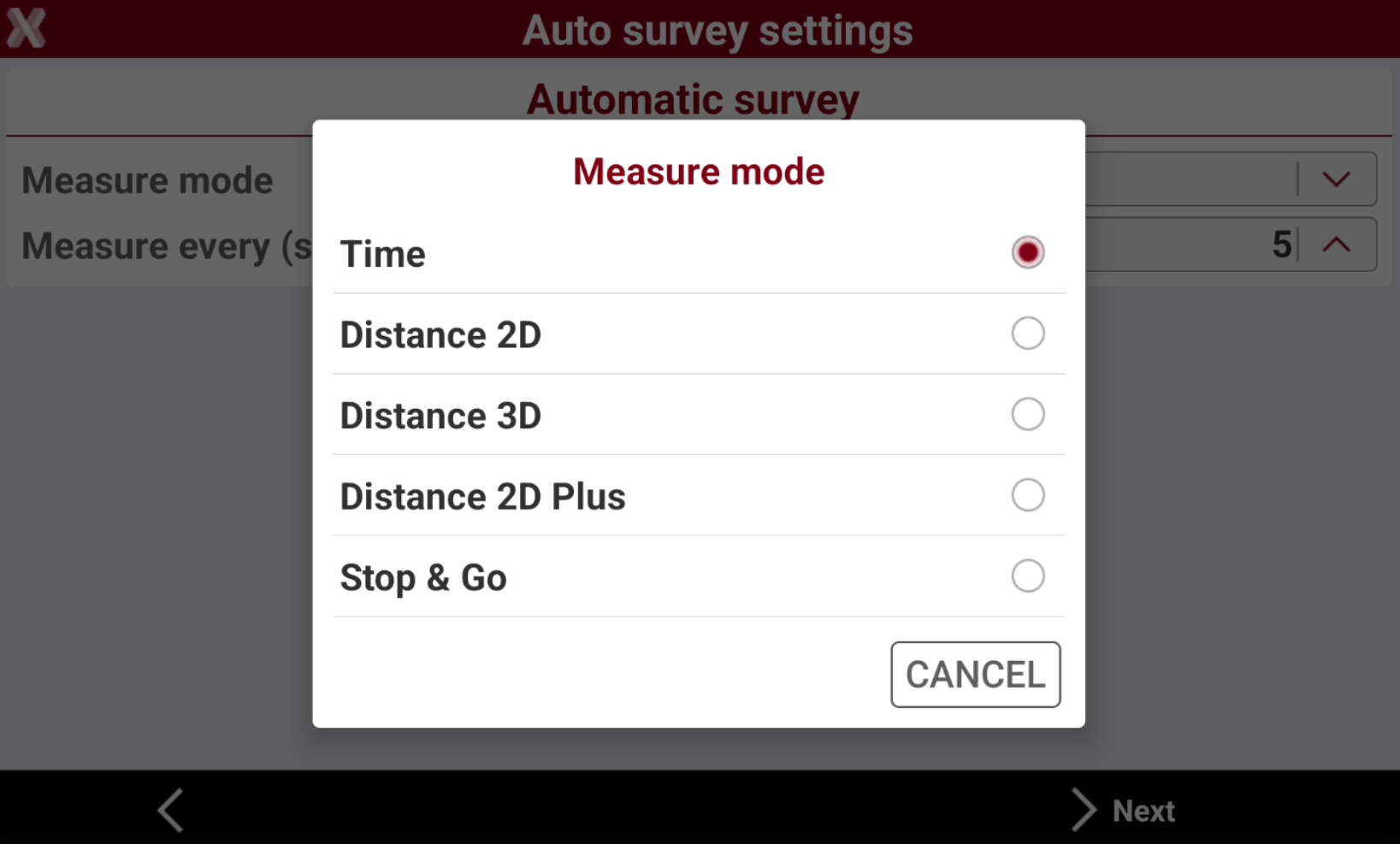
Set the Measure mode. The measure mode specifies how the points are measured.
-
Mode: mode to use for automatic survey of points.
-
Time: position is acquired at preset intervals of time.
-
Measure every (sec): available for Time mode. Set the interval of time between every automatic acquisition of position.
-
-
Distance 2D: position is acquired at preset intervals of horizontal distance.
-
Distance 2D: set the interval of horizontal distance that must be between position to acquire and previously acquired position.
-
-
Distance 3D: position is acquired at preset intervals of 3D distance.
-
Distance 3D: set the interval of 3D distance that must be between position to acquire and previously acquired position.
-
-
Distance 2D Plus: position is acquired at preset intervals of horizontal distance and height difference according to settings.
-
Distance 2D: available for Distance 2D Plus mode. Set the interval of horizontal distance that must be between position to acquire and previously acquired position. The point is stored when one of the set values is overpassed.
-
Height diff.: available for Distance 2D Plus mode. Set the interval of height difference that must be between position to acquire and previously acquired position. The point is stored when one of the set values is overpassed.
-
-
Stop & Go: position is acquired when the antenna remains still in a position.
-
Stop time (sec): available for Stop & Go mode. Defines the time spent on the point to allow the acquisition of the position.
-
Max pole movement: available for Stop & Go mode. Maximum movement allowed to consider the antenna still. When the software recognizes that the pole remains almost still with a movement less than maximum value, the acquisition of positions begins for the preset stop time.
-
-
-
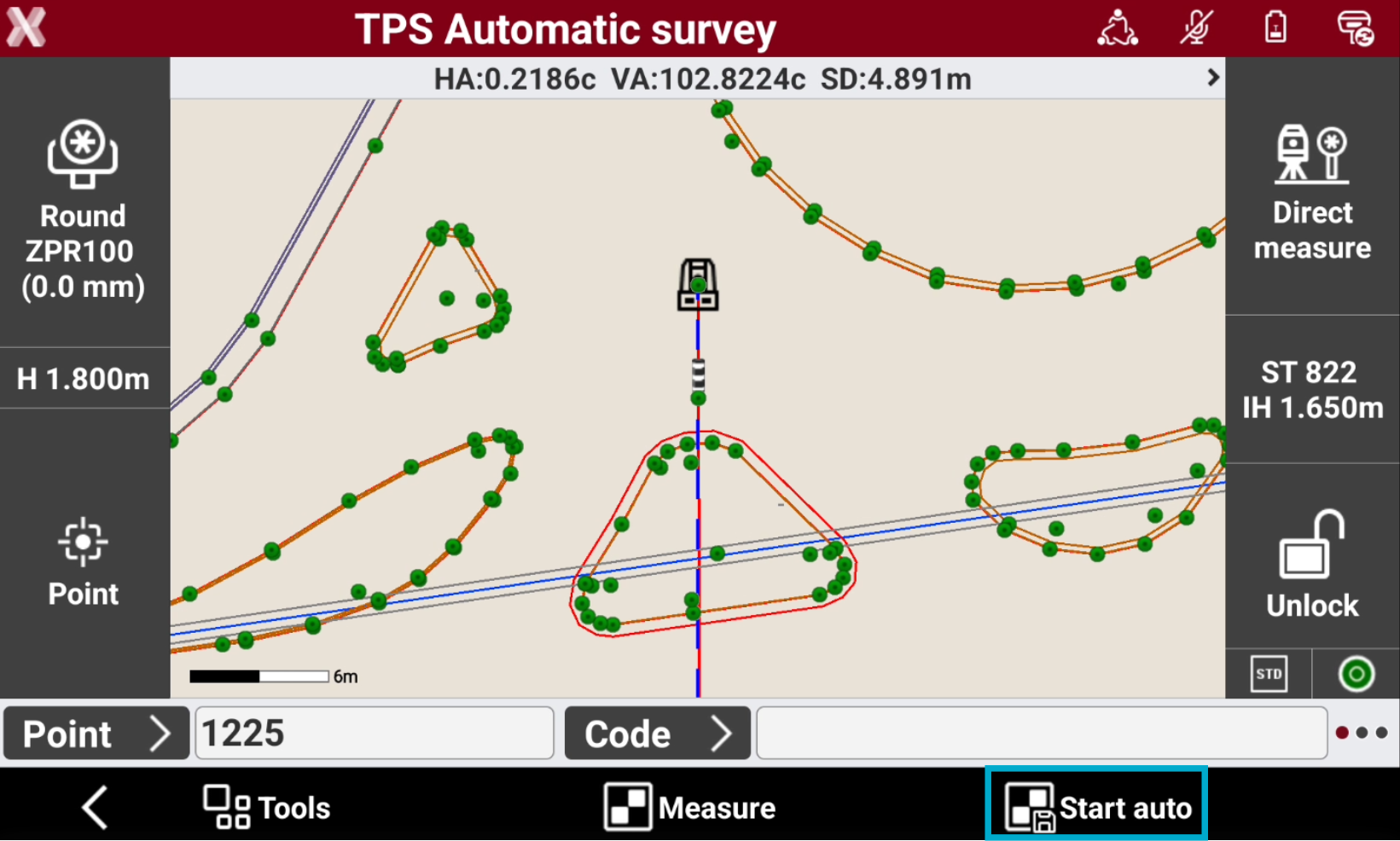
Press Start auto to start to automatically measure the points.
-
The measuring of points starts automatically. The point number is automatically increased at every recorded point.
-
Tap to stop measuring.
-
The procedure recognizes automatically when conditions for recording are reached evaluating time elapsed or the distance elapsed. When reaching conditions of recording the point is recorded.