
-
To install the software on the field controller, the first step is to download the latest Leica X-PAD setup (*.apk).
-
Leica X-PAD is not available in Play Store but has to be downloaded from Leica MyWorld.
-
To download the setup login in Leica MyWorld and open the Downloads page.
It is possible to register to MyWorld at Register | myWorld.
-
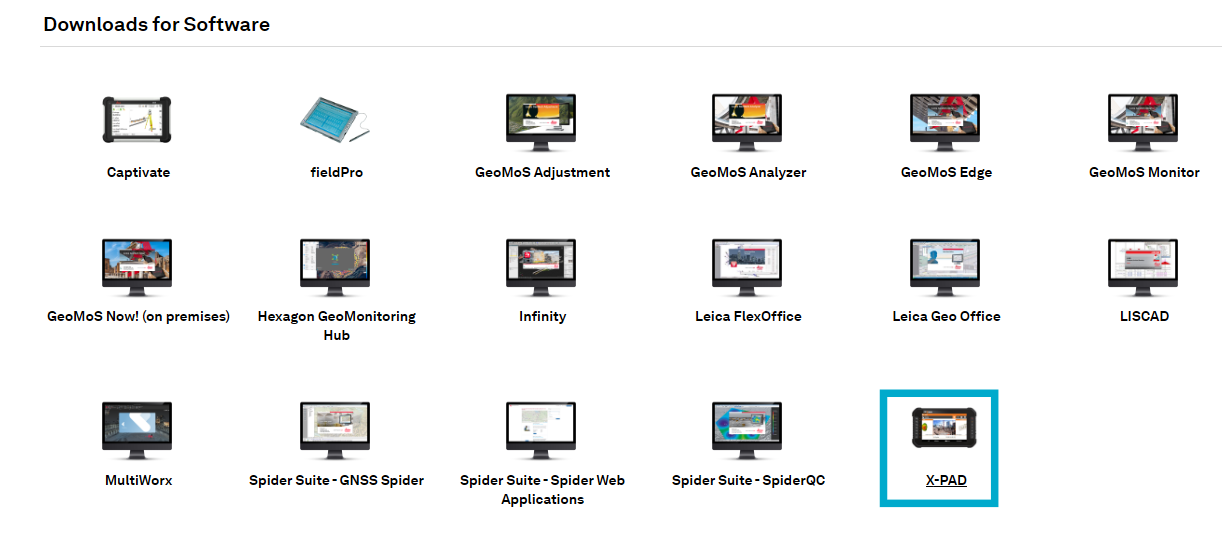
Open Software page and select X-PAD.
-
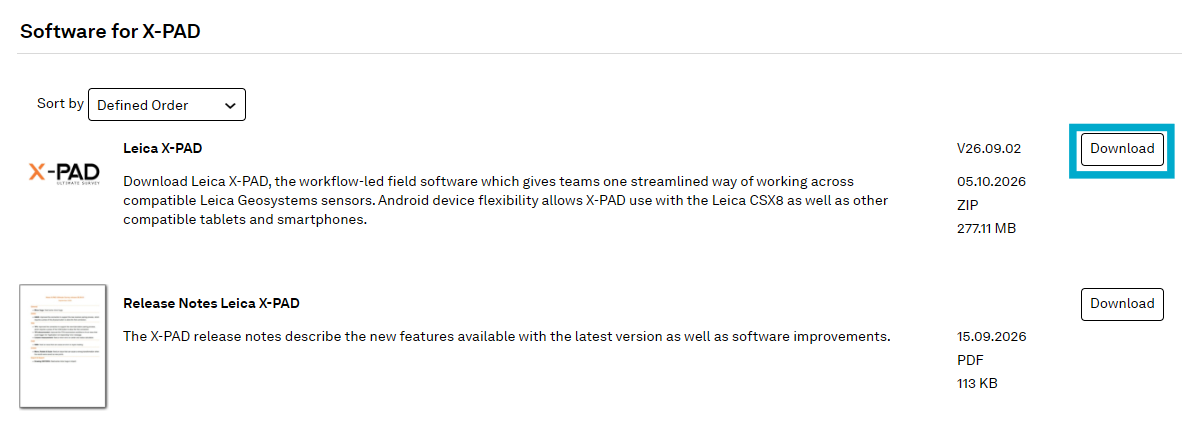
Click Download to download the latest APK file.
-
The downloaded file is compressed in a zip file. Uncompress it and copy xpad.survey.ultimate.apk file directly to the field controller.
-
Select the file from field controller internal memory to install it.
-
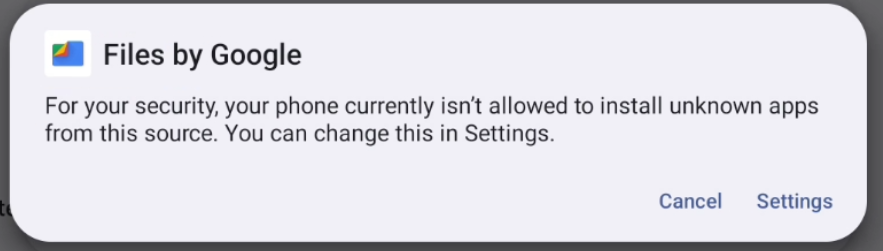
It is possible that during the installation a message regarding installation of unknown apps is visualized. In this case press Settings
-
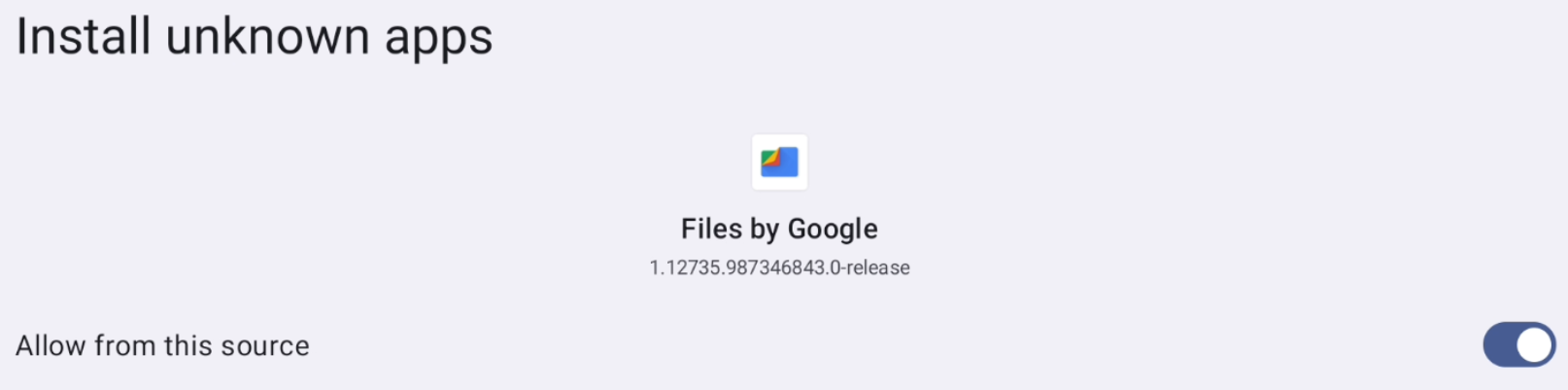
And enable the option to Allow from this source.
-
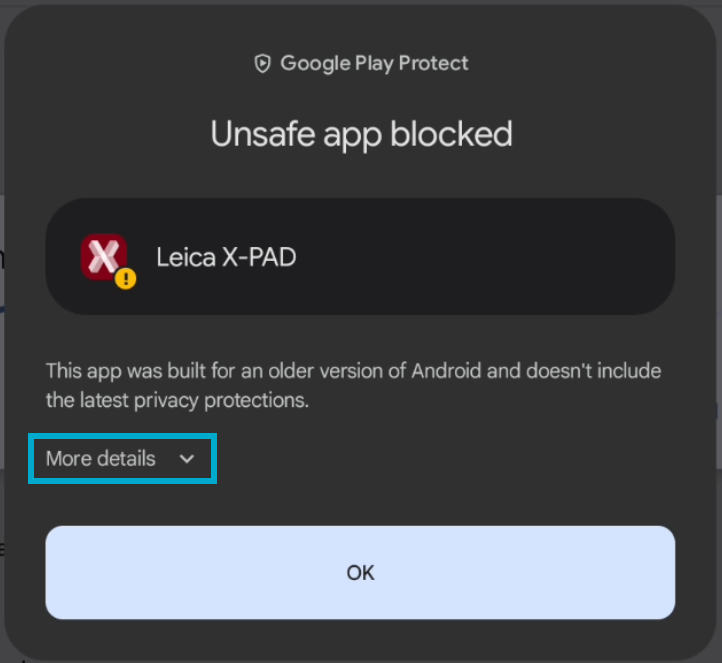
During the setup Android may show this message.
-
In this case press More details.
-
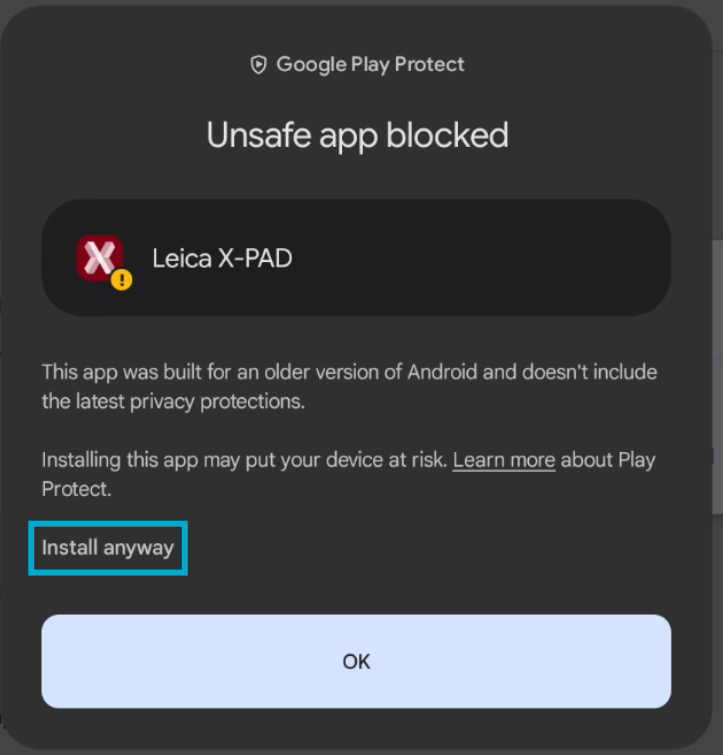
Then press Install anyway to proceed with installation.
-
After installation press Leica X-PAD icon to start the application.
-
The first time Leica X-PAD is started it could visualize this message. Press OK to proceed, the software is fully compatible with more recent Android versions.

-
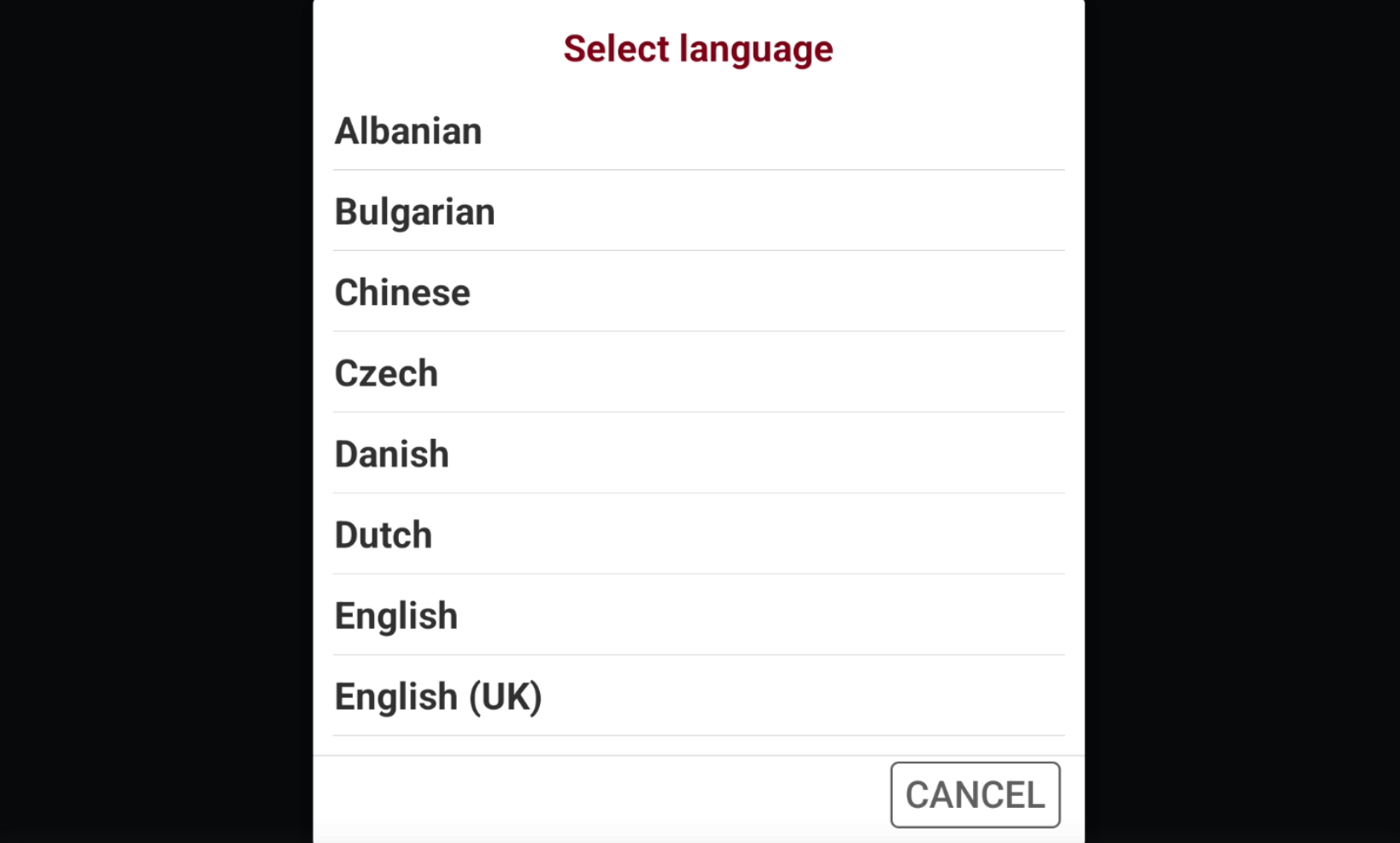
Select the software language.
-
Android will ask several permissions, select While using the app or Allow for all of them.
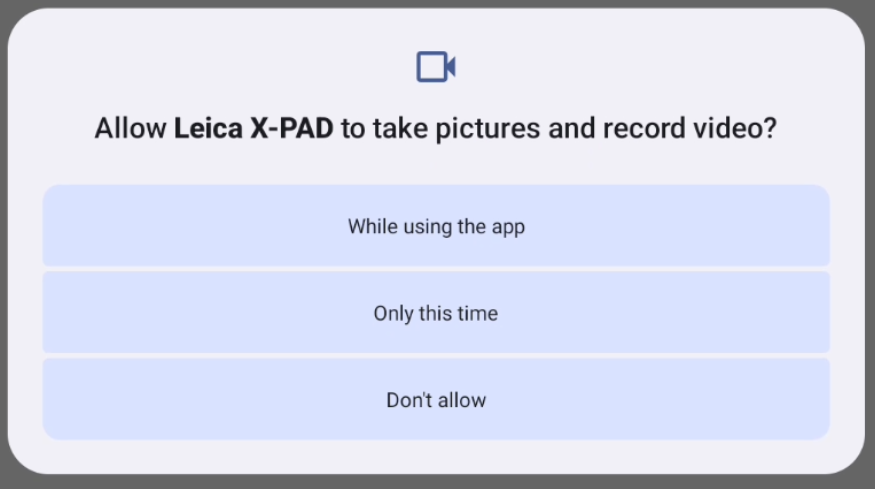
Not granting permissions to Leica X-PAD could cause software functions not working properly.
-
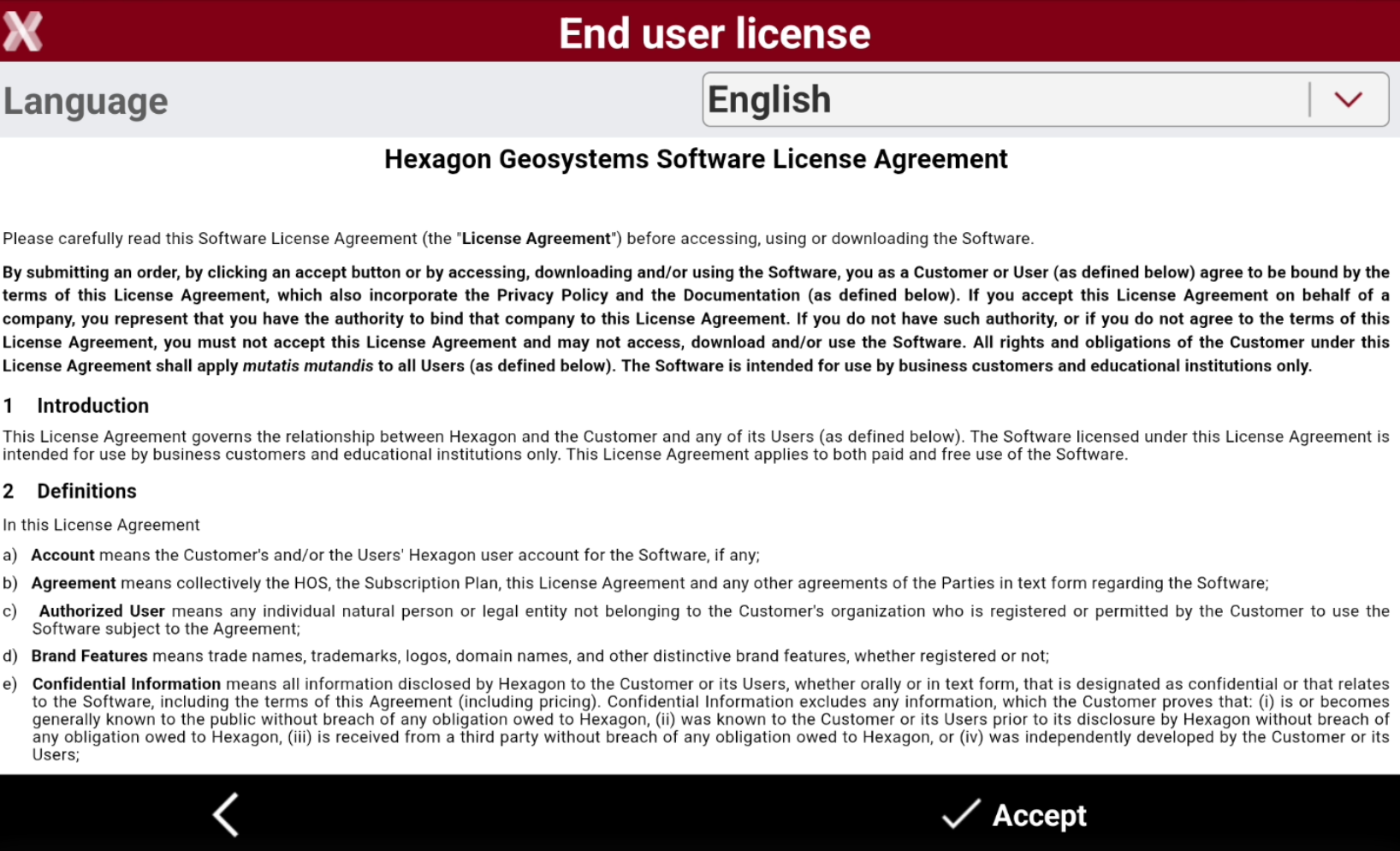
As last step press Accept to accept the license agreement.
-
Now it is possible to proceed with license activation.