Field book notes

  • From the list of measurements, notes can be displayed, hidden or added. Two types of notes are available:

    • Automatic notes: notes inserted automatically by the software in response to certain events. For example:

      • Connection of the instrument.

      • Interruption of the connection to the instrument.

      • Start of the base.

      • Start of raw data recording.

      • Interruption of raw data recording.

    • User notes: texts, sketches and photo saved by the user.


Display or hide the notes

  • From the Measurements page select Tools to open the list of available tools.

  • Select View Notes or Hide notes to view or hide the notes in the fieldbook.


Add a user note

  • From the Measurements select Add to add a new note. This opens the New note page.

Note page

  • The Note page allows to add a descriptive text.
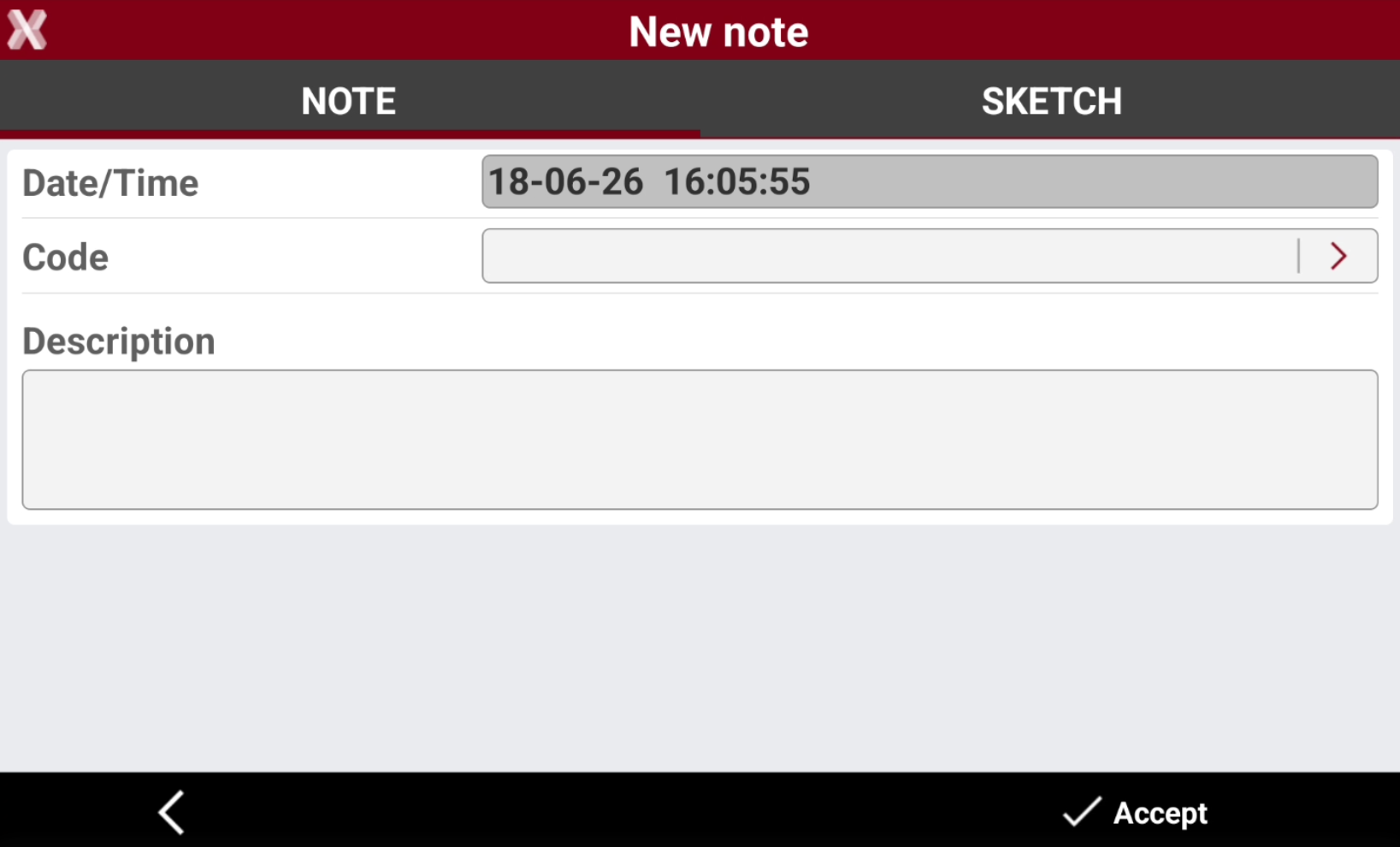
    image-20260618-140610.png

Sketch page

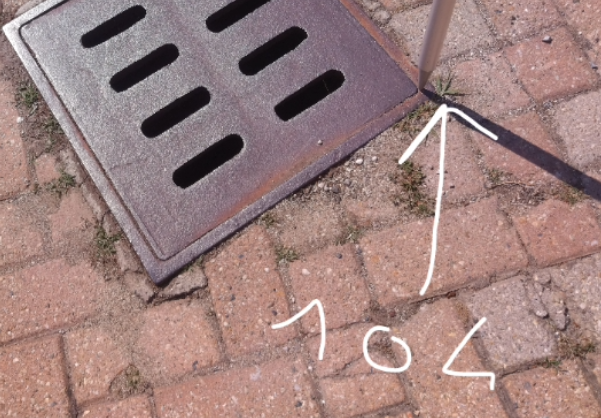
  • The Sketch page allows you to add a photo associated with the note, either by loading an existing image or capturing a new one. It is also possible to draw on the image to visually describe the topographic point
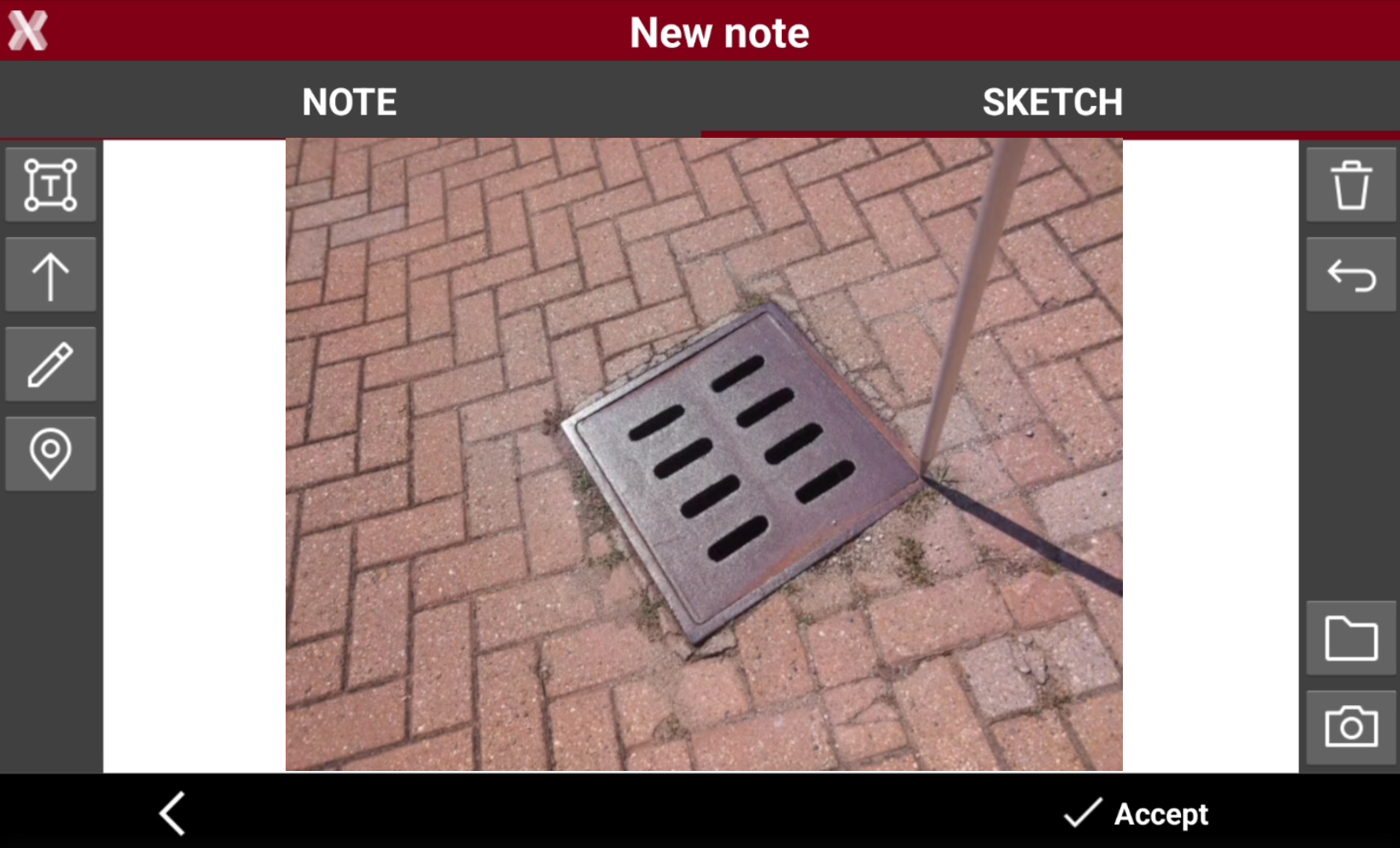
    image-20260618-140817.png
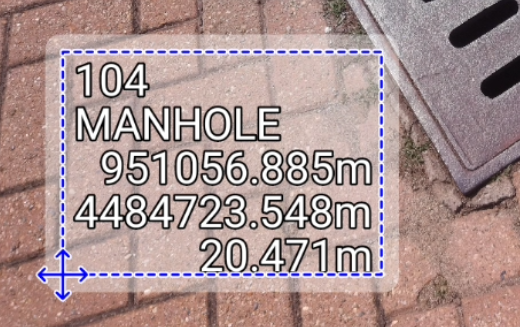
    • image-20250325-091347.png : creates a text box with point name, coordinates and codes on the picture. Press and drag image-20260618-085554.png to move the text box.

      image-20260618-085539.png
    • image-20250325-091609.png : creates a text box with free text. Press and drag image-20260618-085554.png to move the text box.

    • image-20250325-091844.png : creates an arrow. Press and drag image-20260618-085554.png to move the arrow. Tap on image-20260618-085554.png to change icon to rotation image-20260618-085709.png to rotate the arrow.

    • image-20250325-091904.png : enables the free drawing mode. In free drawing mode it is possible to draw on the image.

      image-20260618-085838.png
    • image-20250325-091932.png : deletes sketch and photo.

    • image-20250325-091947.png : restores original content

    • image-20250325-092009.png : loads a photo from the controller internal memory. The image must be in the Images folder and has to be in .jpg or .jpeg format.

    • image-20250325-092053.png : takes a photo using controller camera.