
-
In case a point was measured with the wrong target or pole height, it is possible to change the height value and recalculate the point elevation.
-
From the Measurements page select Tools.
-
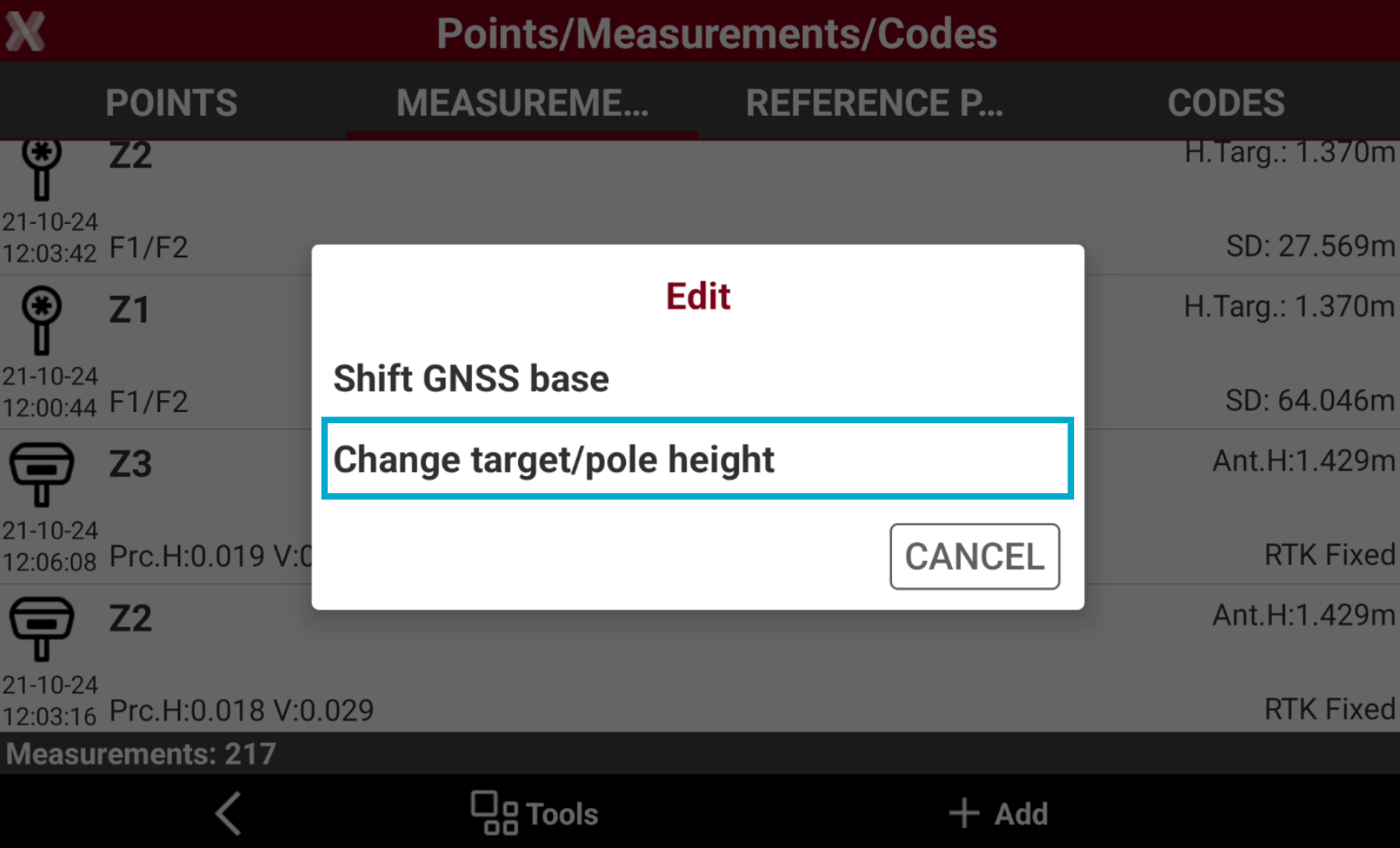
Select Edit and press Change target/pole height.
-
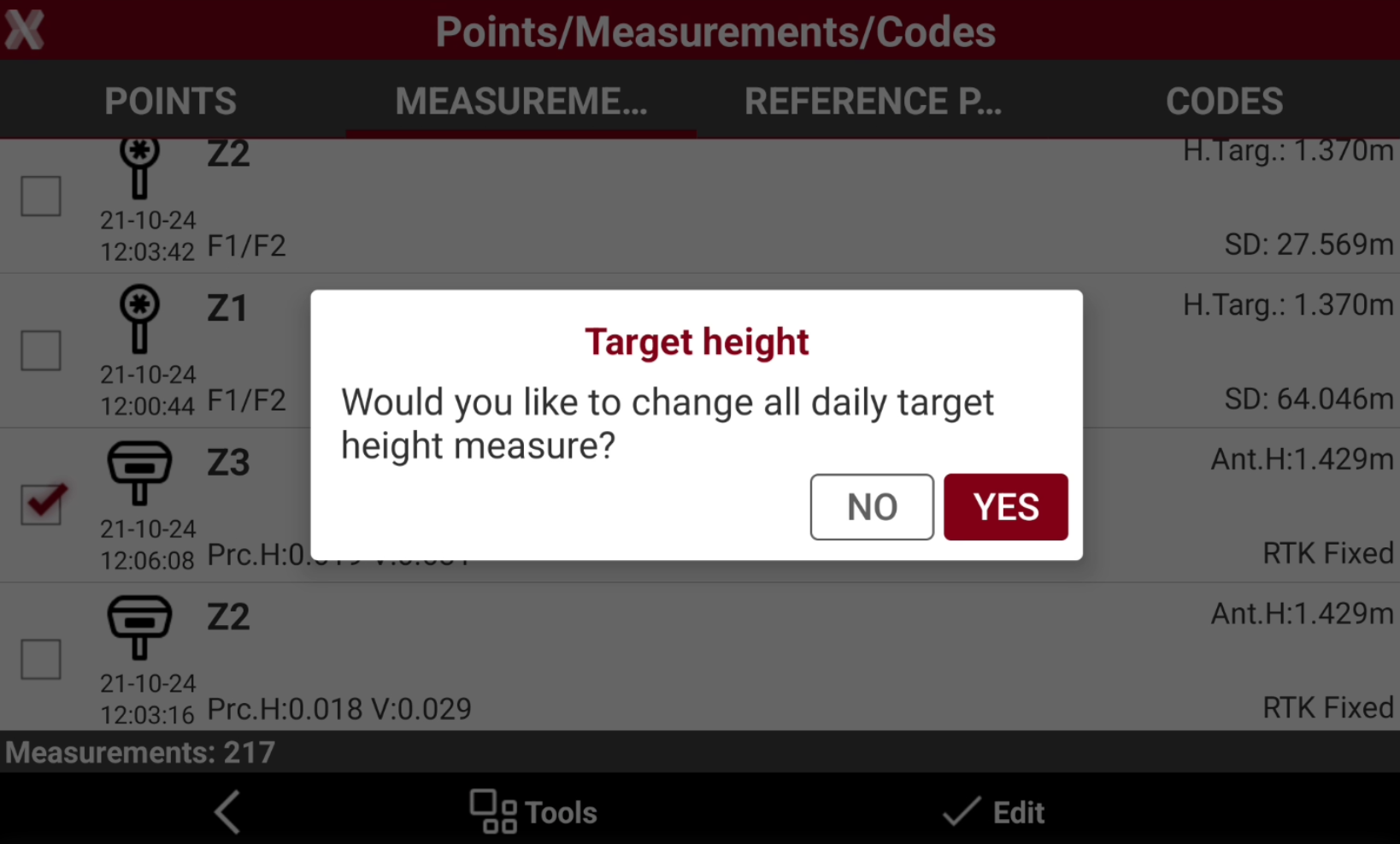
Check the measurements from the list. When you select the first measurement you have the possibility to check all daily target heights.
-
Enter the value to assign for the new target or pole height.
When the target or pole height is changed, the corresponding point coordinates are recalculated.