
-
To stakeout a point or geometry with a GNSS receiver open the corresponding function.
Stakeout procedure
-
Follow the indications until the Stakeout page is opened.
-
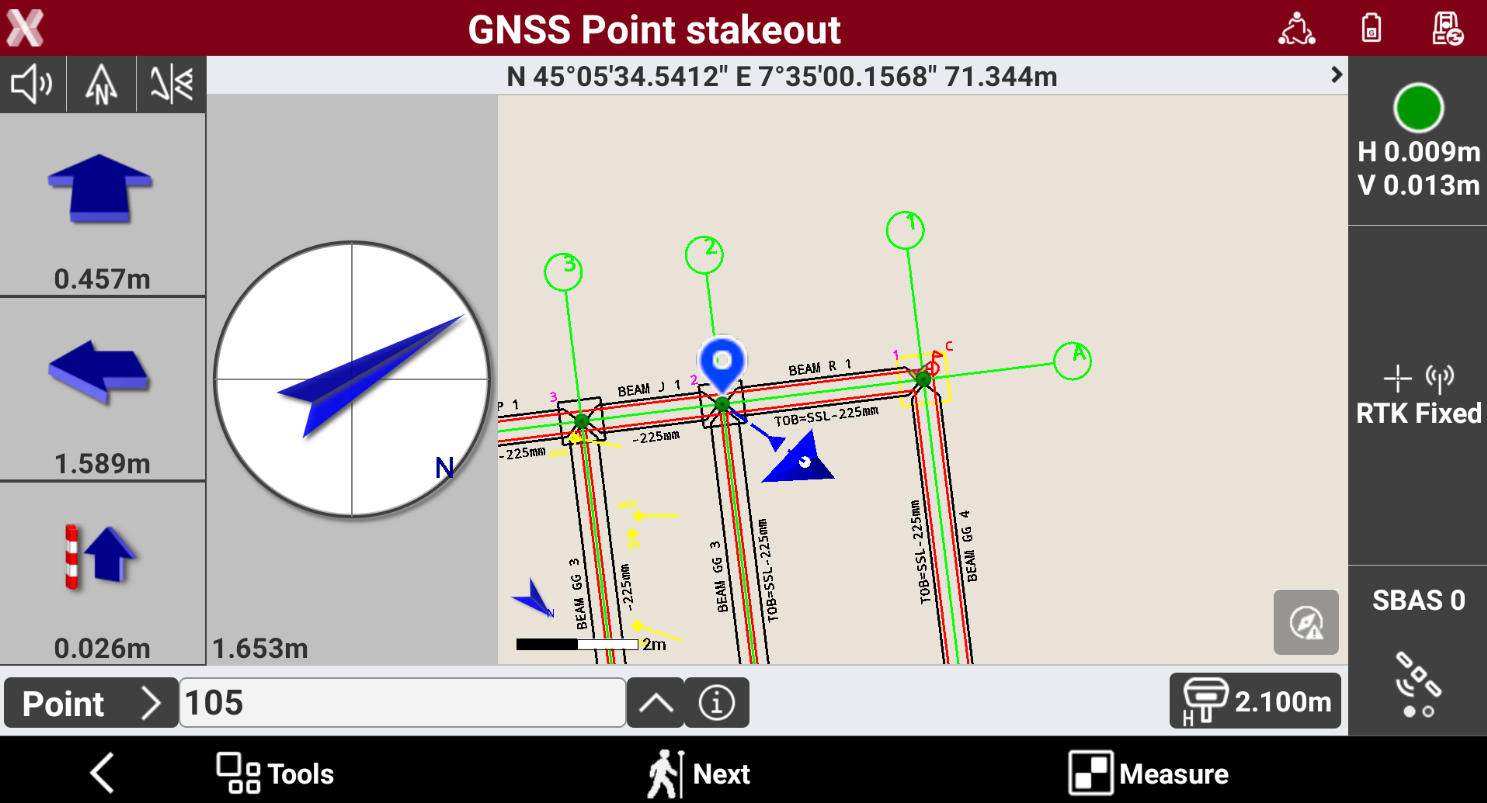
The left panel shows the indications to the coordinate to stakeout referred to the selected Stakeout reference for GNSS receivers.
-
Depending on the View mode selected, the interface shows the compass with the direction or the CAD view or both.
-
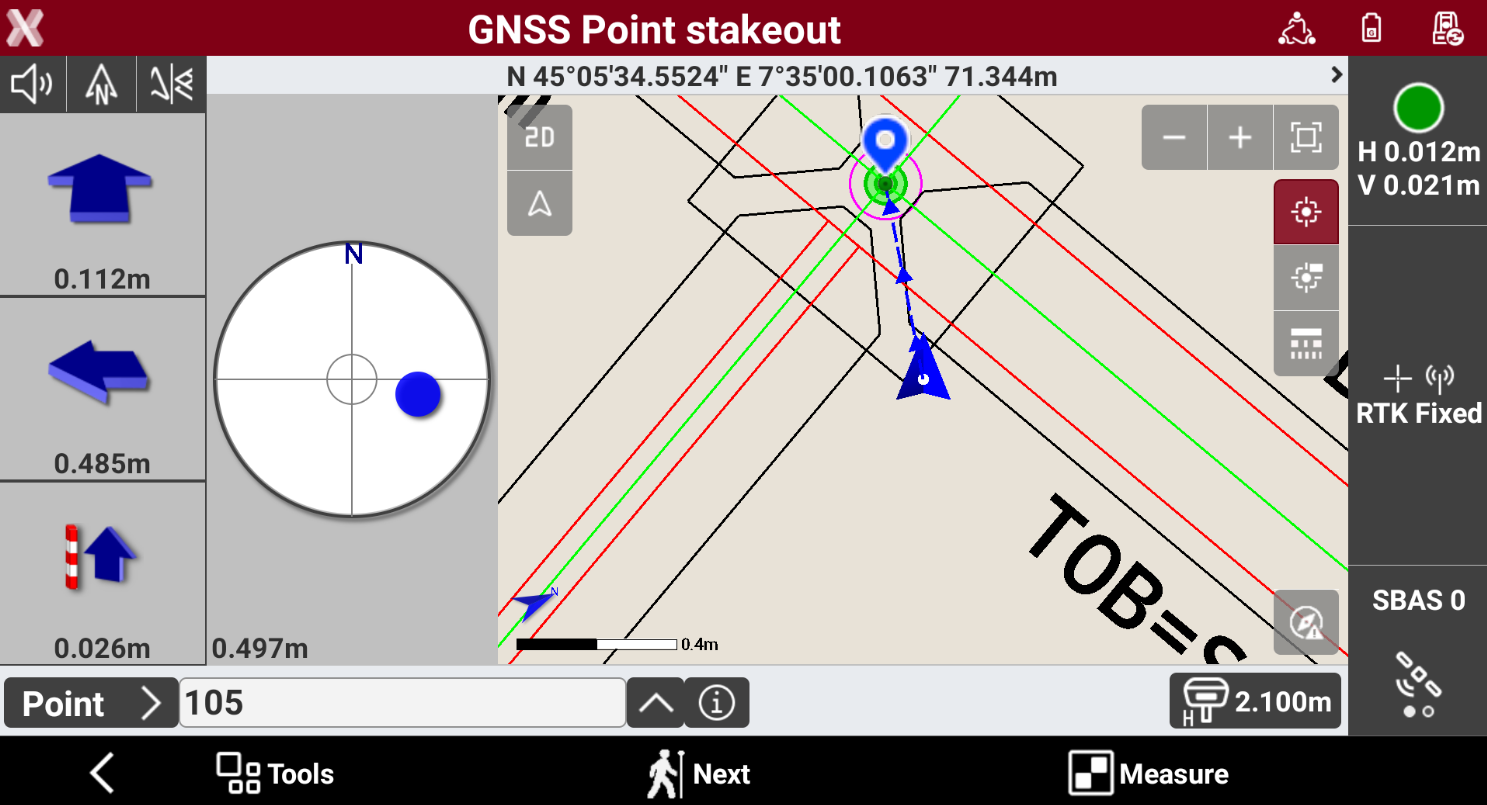
Approaching the point, the compass view changes to offer a better view to precisely stakeout the point and the CAD view automatically increase the zoom level.
-
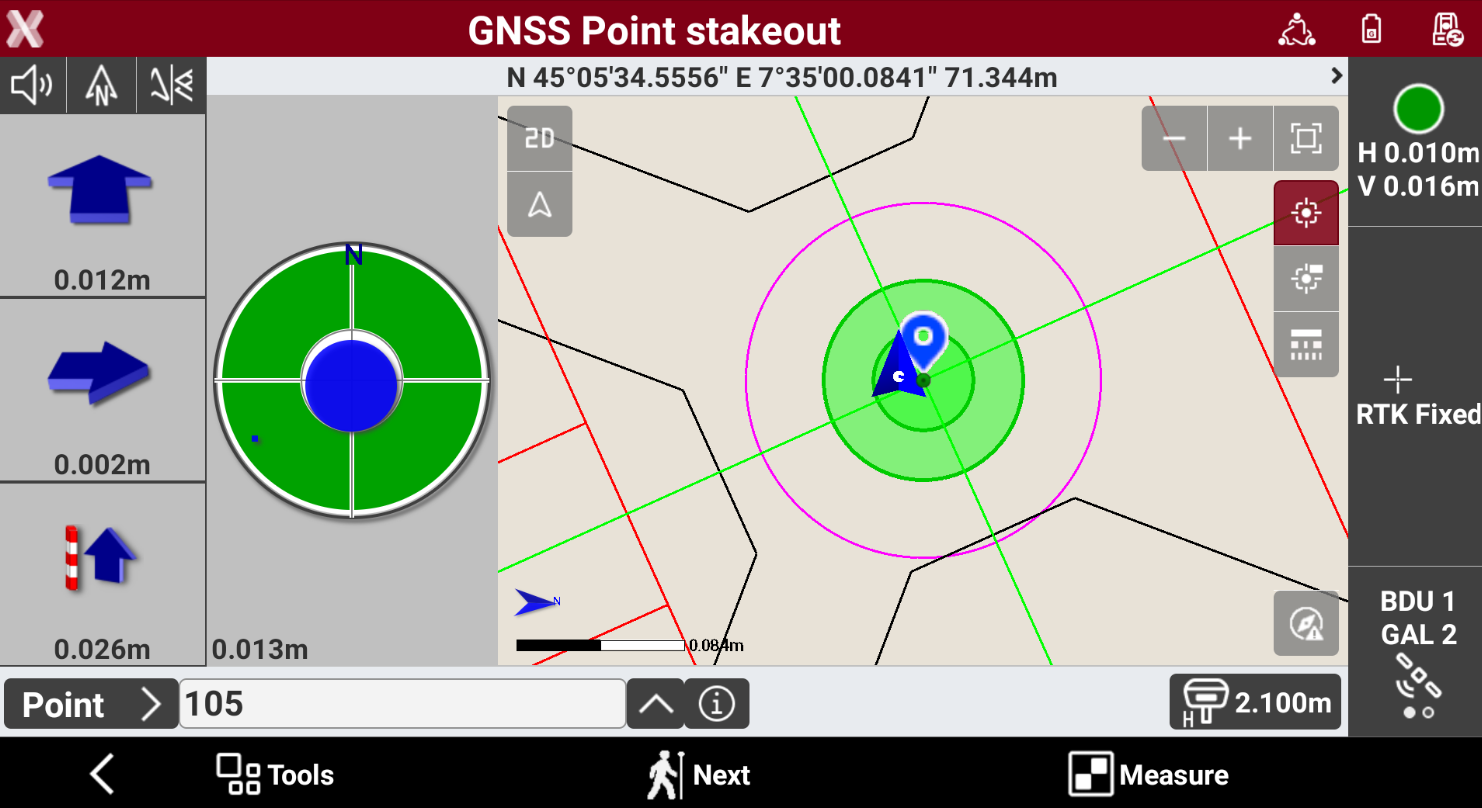
If the stakeout distance is within the defined tolerance the compass view is in green.
Record the stakeout measurement
-
Press Measure to record the stakeout measurement.
-
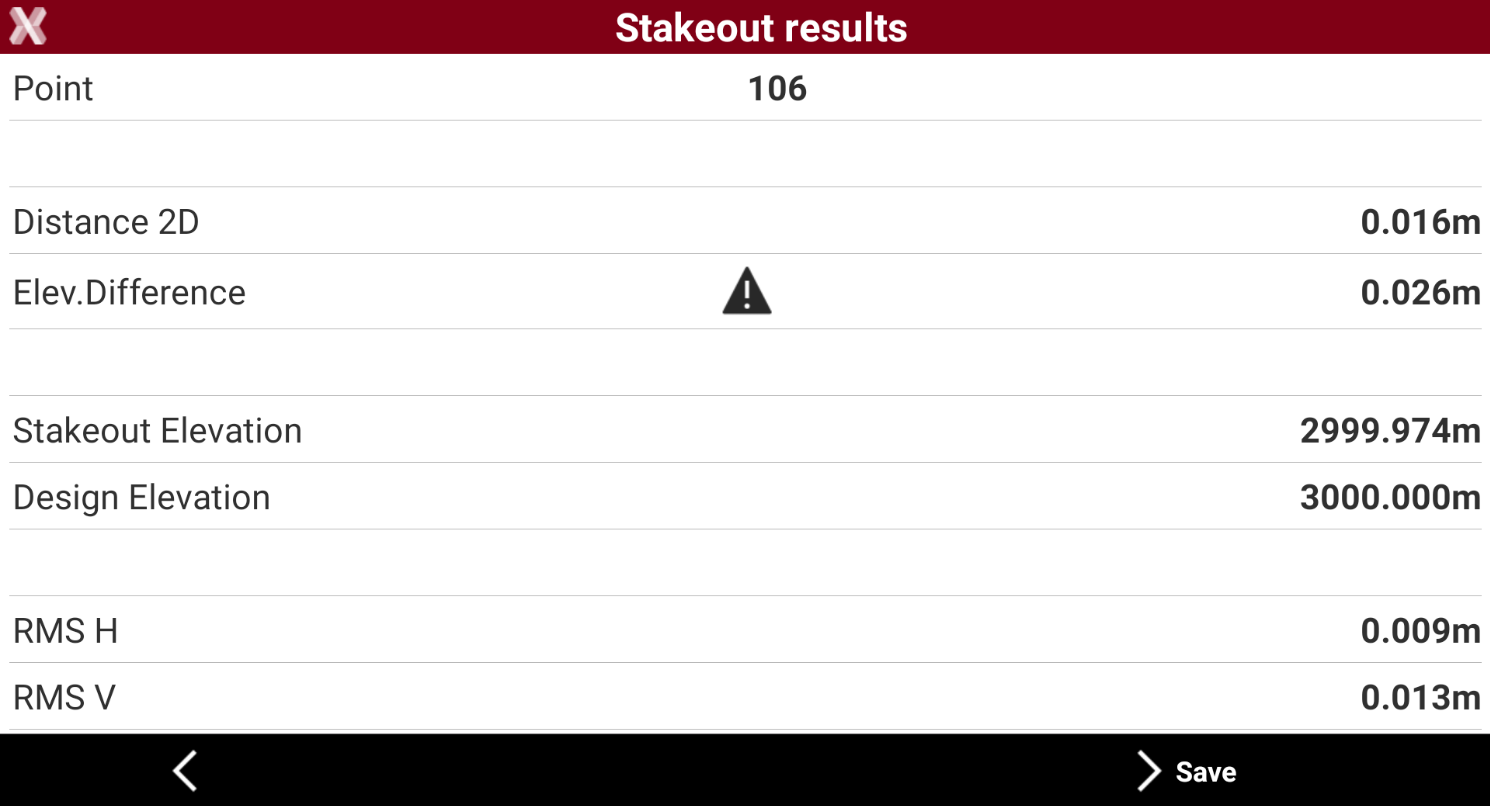
If Confirm before Store option is enabled in the Settings, the software displays the Stakeout results.
-
Press Save to proceed to save the point.