
-
The Measure mode allows to edit the type of measurements.
-
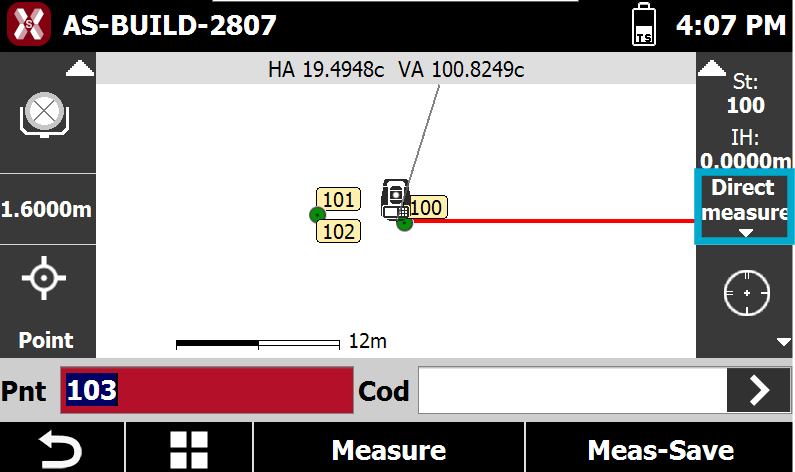
To open the Measure mode page press the corresponding box.
-
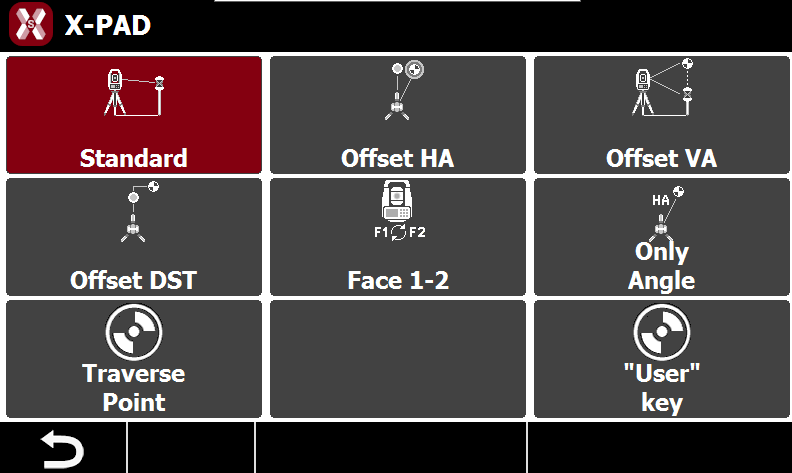
This opens the Measure mode page.
-
Standard: measure directly to a point.
-
Traverse Point: specifies that the next point measured is a polygonal point. The polygonal points are saved to allow a rapid change of station.
-
Offset HA: performs a measurement to an object for which the prism cannot be placed at the point to measure.
-
Offset VA: performs a measurement to a point not accessible directly by the prism but above or below.
-
Offset Distance: performs a measurement to a point not accessible directly by the prism but at a certain distance along the direction between station and prism.
-
Face1/Face2: performs a measurement to a point in both faces and calculates the average.
-
Only HA: performs only an angle measurement to a point.
-
User key: on compatible total stations, enabling this option, allows to press the User button on the total station keyboard to quickly change between current and last used measure mode.
-
Traverse point
-
To measure the next point as traverse point select Traverse point.
-
With this option activated, the next point measured will be saved as a traverse point.
-
It is recommended to enable this option before measuring points that will be used as subsequent stations.
-
When performing a station change, click the panel displaying the current station information (station name and elevation). Before opening the station orientation window, the software prompts you to choose whether to occupy one of the previously measured traverse points.
-
Select the traverse point corresponding to your current occupied position. The software then automatically starts the orientation on a known point procedure, setting the selected traverse point as the new station and the previous station as the orientation point.
After the traverse point has been measured, the option Traverse point is deactivated and so it’s necessary to repeat the setting for the next point of polygonal.
Measuring of points by offset horizontal angle
-
This measurement mode allows you to determine the position of an object when it is not possible to place the prism exactly on the point to be surveyed.
-
Select Offset HA.
-
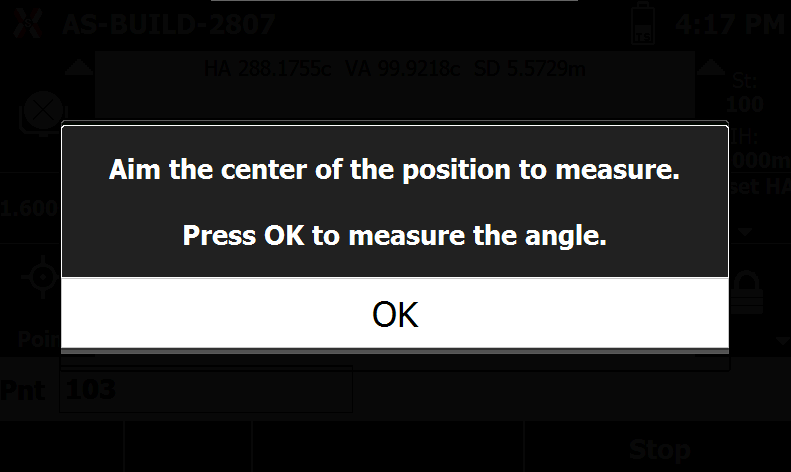
Position the prism beside the object and measure it normally. After the measurement, you will be prompted to aim at the center of the object.
-
The software records a point using the horizontal and vertical angles measured to the center of the object, combined with the distance measured to the prism. This allows the position of the object to be calculated even when the prism cannot be placed directly on it.
Measuring of points by offset vertical angle
-
This measurement mode allows you to determine the position of an object that is vertically aligned with the prism but cannot be reached directly by the prism itself.
-
Select Offset VA.
-
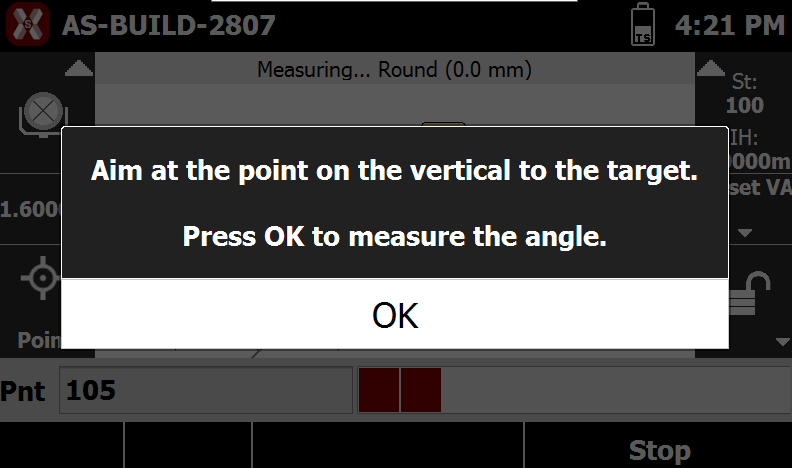
Position the prism directly below the object and measure it normally. After the measurement, you will be prompted to aim at the center of the object.
-
The software records a point using the vertical angle measured to the center of the object and the distance measured to the prism. This allows the position of the object to be calculated even when the prism cannot be placed directly on the point to be surveyed.
Measuring of points by offset in distance
-
This measurement mode allows you to survey a point that cannot be reached directly with the prism but is located at a known offset from it along the station-to-prism direction.
-
Select Offset DST.
-
Position the prism in a location that is visible and measurable by the total station, then perform the measurement normally.
-
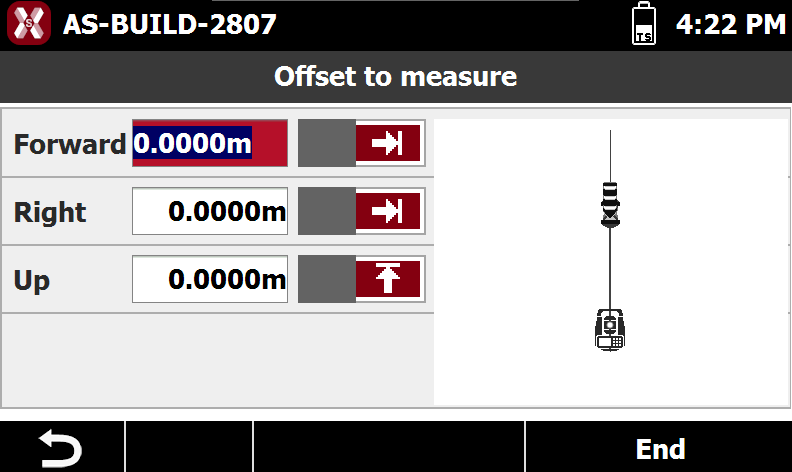
Before the point is recorded, enter the following offset values.
-
Forward/Backward: distance along the station-to-prism direction.
-
Right/Left: lateral offset relative to the station-to-prism direction.
-
Up/Down: vertical offset relative to the prism position.
-
-
The software calculates and records the final point coordinates by applying the specified offsets to the measured prism position.
Measuring of points on face 1 and face 2
-
This measurement mode allows you to observe the same point in both Face 1 and Face 2 positions of the telescope.
-
Press Face 1-2.
-
First, measure the point in Face 1, then rotate the telescope and repeat the measurement in Face 2. The software records the point using the average of the two observations, improving measurement accuracy and reducing instrumental errors.
-
If the difference between the two measurements exceeds the predefined tolerance, a warning message is displayed, allowing you to verify the observations before proceeding.
Measuring of points only with angle
-
This measurement mode records only the horizontal and vertical angles to the target point, without measuring the distance.
-
Press Only HA.
-
Since no distance value is available, the software cannot calculate the point coordinates. As a result, the measured point is stored as an angular observation only and cannot be displayed in the graphical view or used as a coordinate point.