-
COGO (Coordinate Geometry) commands provide tools for both coordinate calculations and point creation.
-
These commands can be used to create new points using a variety of geometric and mathematical methods, as well as to obtain information about existing points and positions.
-
Depending on the selected function, COGO commands allow you to:
-
Create new points from distances, angles, coordinates, offsets, intersections, and other geometric relationships.
-
Calculate distances, bearings, angles, areas, and other geometric parameters.
-
Analyze the spatial relationship between points.
-
Obtain position-related information referenced to the current receiver location.
-
-
COGO functions are commonly used for coordinate computation, field layout, design verification, and geometric calculations during surveying and stakeout operations.
-
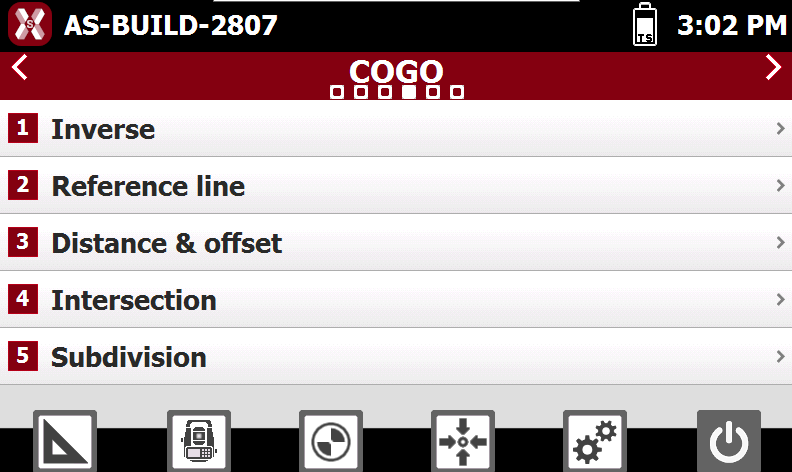
To access the COGO functions, open the COGO page.
-
This chapter covers the following topics:
-
Inverse: learn how to calculate distances, directions, azimuths, and coordinate differences between two points or positions.
-
Reference line: learn how to obtain distance and offset information for points and positions relative to the selected reference line.
-
Distance & offset: learn how to calculate the coordinates of a point at a specified distance along a reference element and at a specified offset from it.
-
Intersection: learn how to calculate the coordinates of a point from the intersection of different geometric elements.
-
Area subdivision: learn how to divide an area into equal or specified portions by calculating the position of subdivision lines according to different geometric criteria.
-
