
-
The Distance & offset function calculates the coordinates of a point based on its position relative to a reference element.
-
The point is defined by specifying:
-
A distance measured along the reference element.
-
An offset measured perpendicularly from the reference element.
-
-
Using these parameters, the software calculates the coordinates of the resulting point and displays its position. This function can be used with reference elements such as lines, arcs, and other design objects.
-
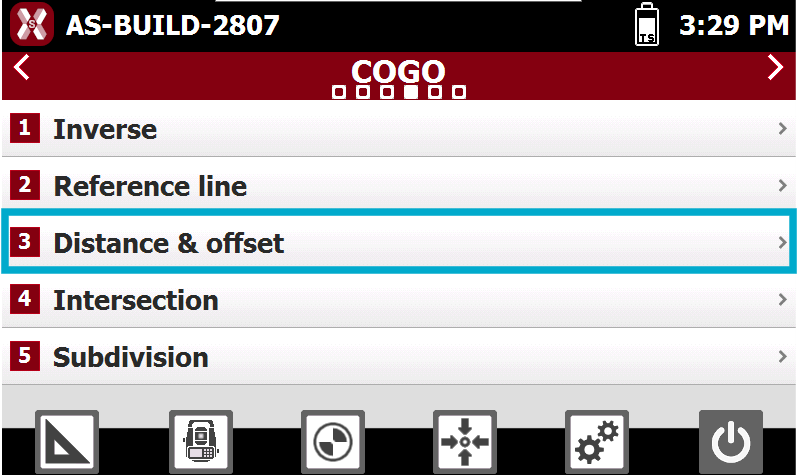
From COGO select Distance & offset.
-
The reference object can be defined using different selection methods.
-
Line (2 Points): creates a line defined by two reference topographic points.
-
Arc (3 Points): creates an arc defined by three reference topographic points.
-
Arc (2 Points + Radius): creates an arc defined by two reference topographic points and a specified radius.
-
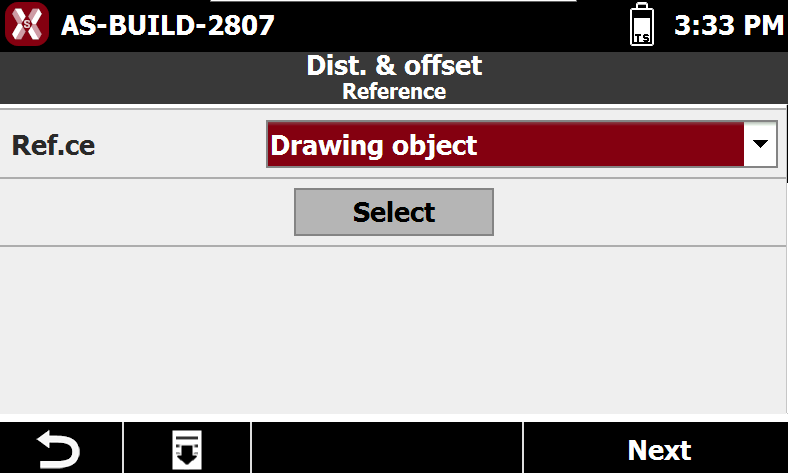
Drawing Object: allows you to select an existing drawing element directly from the graphic view, such as a line, polyline, arc, or circle.
-
Select the reference object
Reference line by 2 points
-
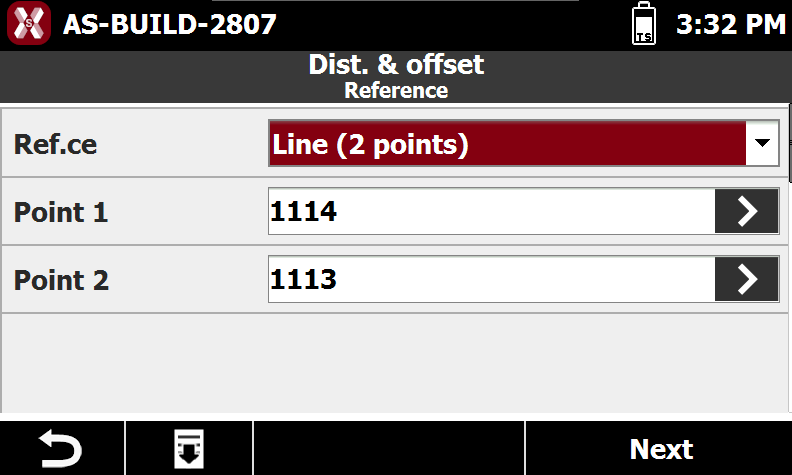
Select Line(2 points).
-
Point 1: first point of the reference line.
-
Point 2: second point of the reference line.
-
Reference arc by 3 points
-
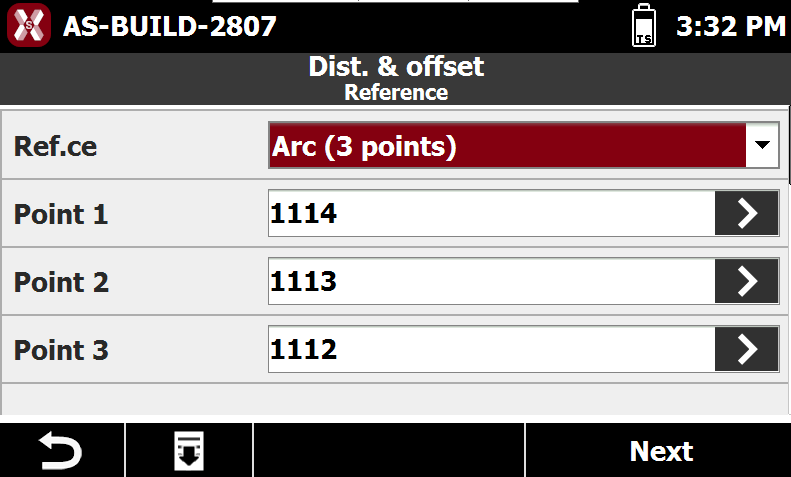
Select Arc (3 points).
-
Point 1: first point defining the reference arc.
-
Point 2: second point defining the reference arc.
-
Point 3: third point defining the reference arc.
-
Reference arc by 2 points and radius
-
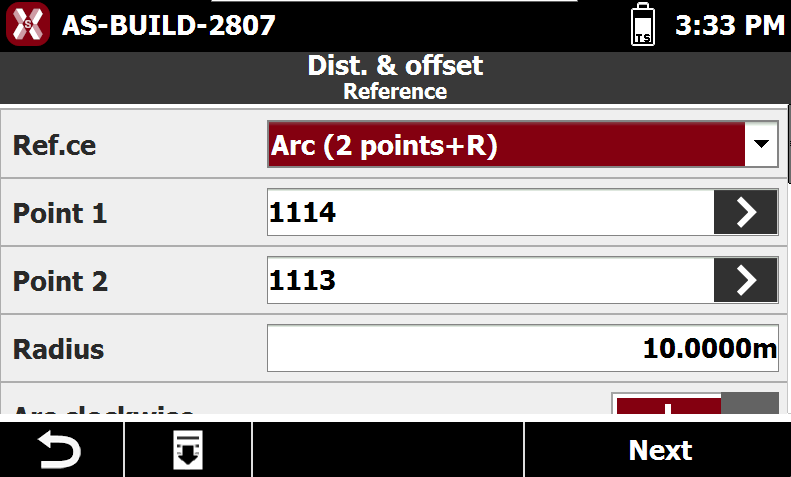
Select Arc (2 points + radius).
-
Point 1: starting point of the reference arc.
-
Point 2: ending point of the reference arc.
-
Radius: radius of the reference arc.
-
Clockwise Arc: specifies the direction of the arc. Enable this option to create the arc in the clockwise direction; otherwise, the arc is created in the opposite direction.
-
Drawing object
-
Select Drawing object.
-
Select from graphic window the element to stakeout.
Calculation parameters
-
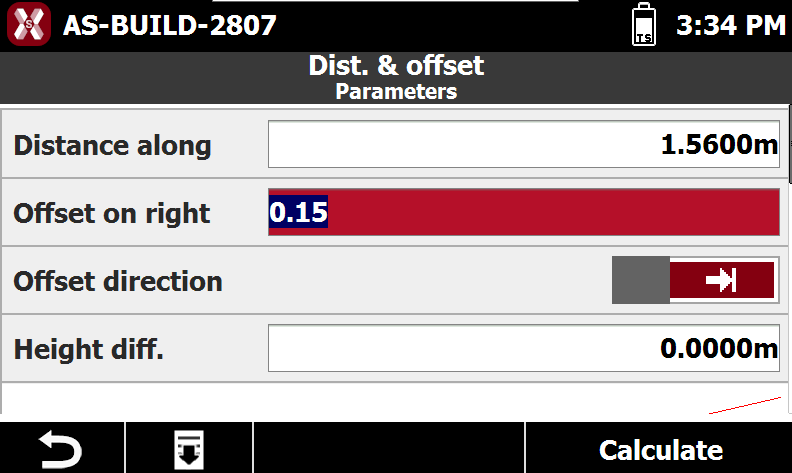
After having defined the reference element enter the calculation parameters.
-
Distance Along: distance along the reference element where the point will be calculated.
-
Offset on Right: lateral distance from the reference element at which the point will be positioned.
-
Offset Direction: side of the reference element on which the point will be created, either right or left.
-
Elevation Difference: vertical offset applied to the interpolated elevation of the calculated point.
-
-
Press Calculate.
Calculation result
-
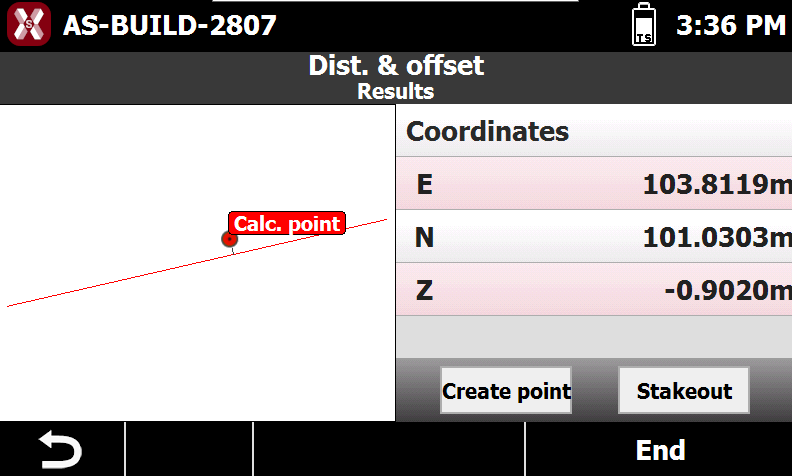
Using these parameters, the software calculates the coordinates of the point at the specified distance along the reference element, applies the selected offset and elevation difference, and displays the resulting position.
-
Create Point: creates a new point at the calculated coordinate.
-
Stakeout: starts the stakeout procedure to guide the operator to the calculated coordinate.
-