-
The Stakeout procedures provide graphical, numerical, and voice guidance to help the operator reach a desired point, feature, or any predefined position in the field.
-
A wide range of stakeout options and operating modes is available, allowing the procedure to be adapted to different surveying and construction requirements.
-
Before starting any stakeout operation, it is essential to accurately establish the station orientation. Correct orientation ensures proper correspondence between the surveyed coordinates and the positions to be staked out, guaranteeing reliable and accurate guidance during the stakeout process.
-
The stakeout functions are available in the Stakeout page.
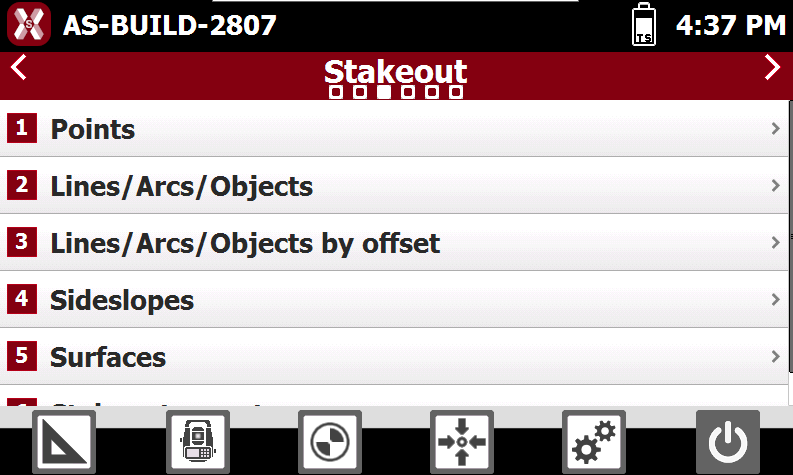
-
This chapter covers the following topics:
-
-
Stakeout interface: learn how to use the stakeout workspace and understand the graphical and numerical guidance information.
-
Step-by-step stakeout: learn the complete workflow for performing a stakeout operation, from selecting the target position to recording the staked point.
-
Stakeout points: learn how to stake out topographic points and design positions.
-
Stakeout of lines/arcs/objects: learn how to stake out geometric elements such as lines, arcs and CAD objects by navigating to positions located on the selected element.
-
Stakeout of lines/arcs/objects by offset: learn how to stake out positions at a specified distance and offset from reference lines, arcs, and other geometric elements.
-
Stakeout sideslopes: learn how to stake out design sideslopes from a reference element.
-
Stakeout surfaces: learn how to compare the current position with a design surface and stake out locations based on target surface elevations and cut/fill values.
-
Stakeout report: learn how to review and exportstakeout results.
-
-
