
-
The information provided by the software during a stakeout operation follows a common structure and is largely the same across all stakeout modes.
-
Whether staking out a point, a linear feature, or a position defined by offsets, the software uses a consistent set of graphical, numerical, and voice indications to guide the operator to the target location.
Stakeout interface
-
This unified approach allows operators to work efficiently with different stakeout procedures while using the same navigation and guidance principles to reach the position to be staked out accurately.
-
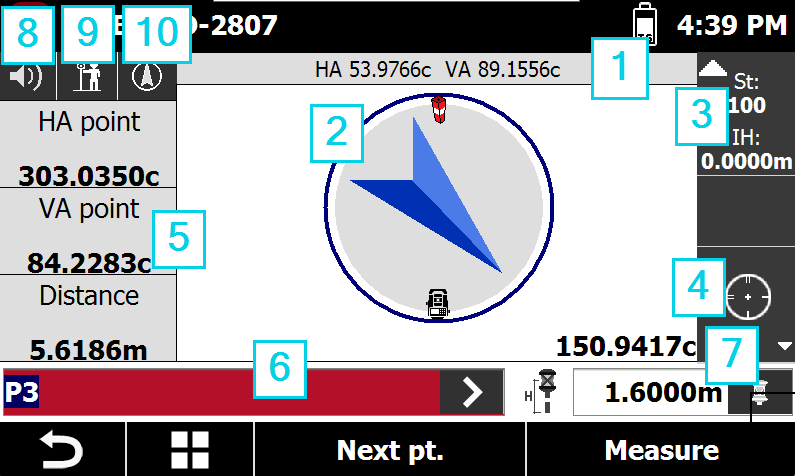
Angles: displays the current horizontal and vertical angles of the total station.
-
Graphic area: graphic view with stakeout indications. Tapping twice in the graphic area changes the visualization mode.
-
Current station: displays the name and elevation of the current station. Tap the panel to open the window for changing the station orientation.
-
Lock prism status: shows the lock prism status, if the prism is locked, unlocked or instrument is working with automatic aim. Press this box to open the Control panel.
-

-

-

-
-
Numeric indications to reach position: indications to reach the point to stakeout.
-
Point ID: the point to stakeout. Press > to change point.
-
Current target and elevation: displays the type of target currently in use and the target height. Tap the panel to open the settings and edit the target type.
-
Audio: enables/disables the audio indications.
-
Reference: changes the stakeout reference.
-

-

-

-
-
View mode: press to change the view mode.
View mode
-
During stakeout operations it is possible to change the View mode.
-
Tap on the corresponding button to change the view mode.
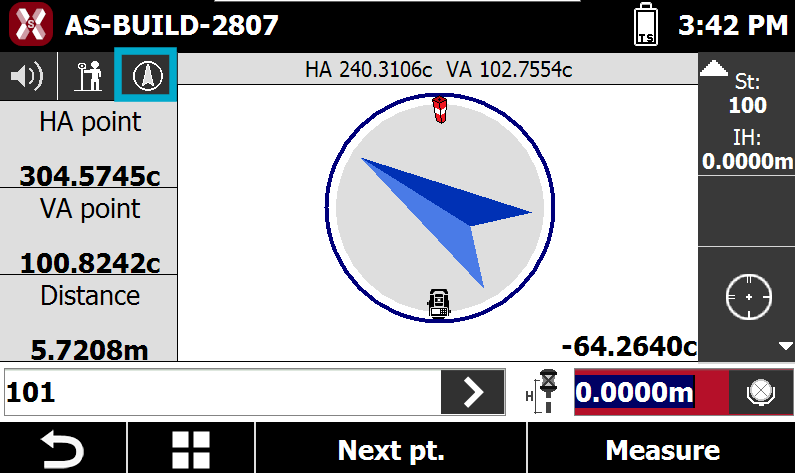
-
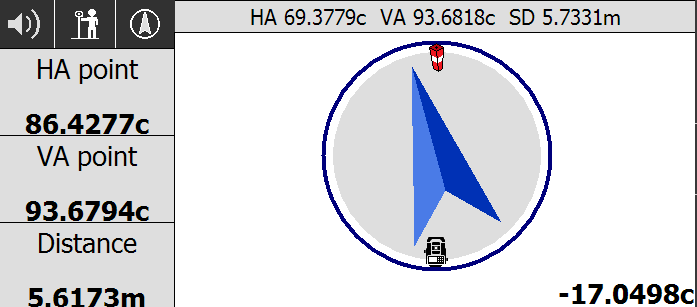
Compass view: enables the view of analytical mode only, which indicates the distance from the point. If no distance measure is available the software shows the current total station direction and the correction angle to aim to stakeout point. If a distance measure is available the software shows the distance to the stakeout point.
-
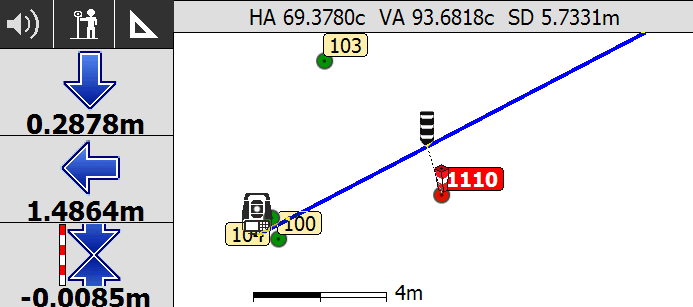
CAD view: enables the graphic window display.
-