
SURFACES&VOLUME
-
This procedure allows you to determine the design elevation of a three-dimensional surface loaded into the current job directly in the field.
-
For each measured position, the software compares the current elevation with the elevation interpolated from the selected surface and calculates the elevation difference between the two values.
-
Surface stakeout can be used for:
-
Construction Stakeout: to guide field operations and verify that points are positioned at the elevations defined by the design surface.
-
Quality Control: to compare the constructed surface with the design model and verify compliance with project specifications.
-
-
By continuously comparing measured elevations with the design surface, the operator can quickly identify areas that require additional excavation, fill, or adjustment.
-
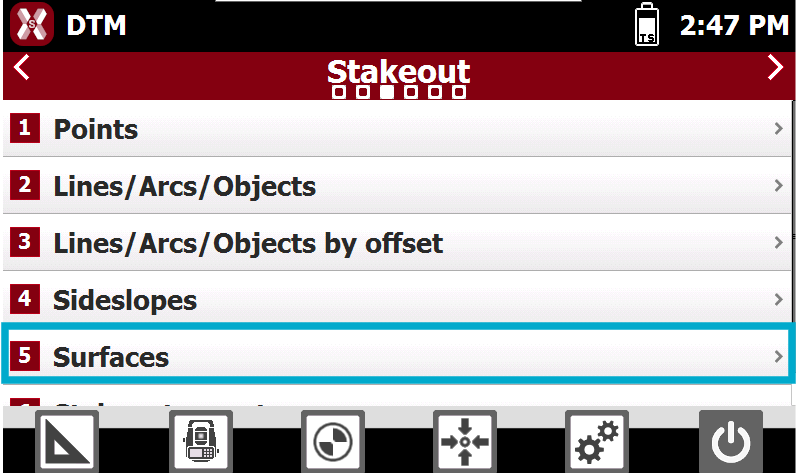
From Stakeout page select Surfaces.
-
Select the surface to stakeout from the list of available surfaces in the project.
Stakeout procedure
-
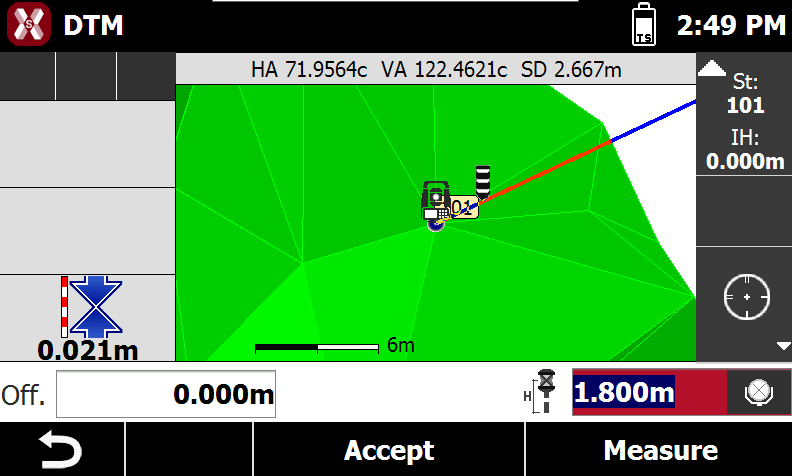
The side panel visualizes in real time the difference of elevation between current position and the elevation interpolated on the surface.
-
For the general stakeout procedure refer to Step-by-step stakeout.