-
All stakeout data, whether generated during point stakeout or object stakeout, are recorded in the current job.
-
The Stakeout Report command allows you to review this information and export it to a file for further analysis and documentation. Exported data can be saved in CSV format, which can be opened with spreadsheet applications such as Microsoft Excel, or in XML format for use in other software systems.
-
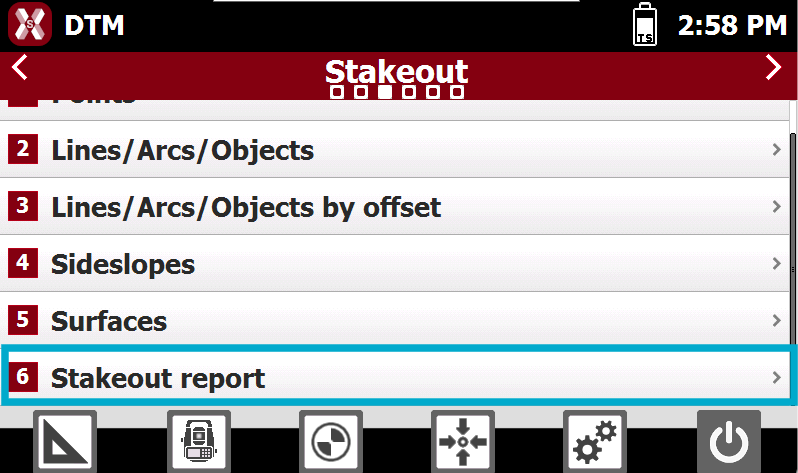
To open the stakeout report from Stakeout page select Stakeout report.
-
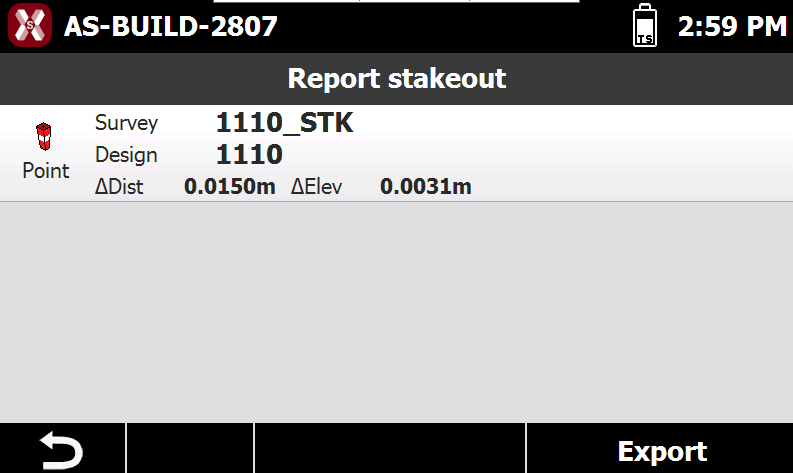
The report displays a table containing all staked points, including the differences between the design coordinates and the actual staked coordinates.
-
The following information is typically available:
-
Horizontal differences between the design and staked positions.
-
Elevation differences between the design and staked positions.
-
Additional stakeout details recorded during the operation.
-
-
Press Export to create a CSV or XML file containing the complete stakeout data for all recorded points.
-
This file can be used for reporting, quality control, and project documentation purposes.
