
-
This chapter illustrates commands allowing measuring points with the total station; they are analyzed the different operative modes.
-
Survey points functions are available in the Survey page.
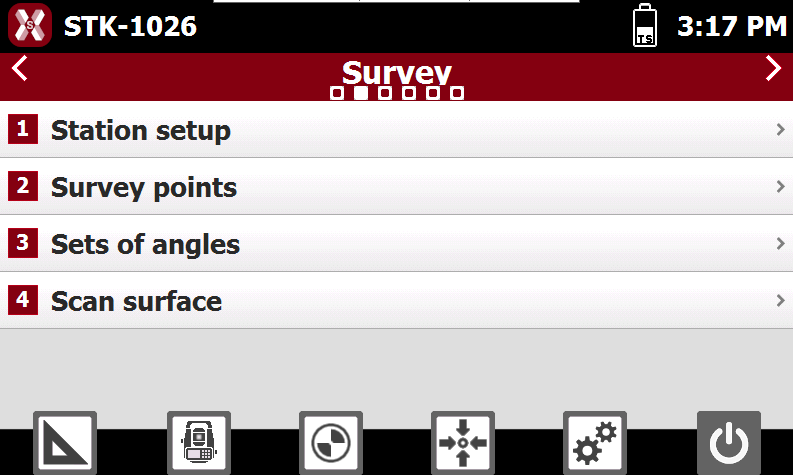
If a station setup has not been performed, when selecting an application the software prompts to perform a station setup.
-
This chapter covers the following topics:
-
Survey interface: an overview of the software interface when using a survey application.
-
Survey points: learn how to survey topographic points.
-
Smart Drawing - drawing during the survey: learn how to use Smart Drawing tools to draw lines, polylines, and other elements during the survey.
-
Survey codes assignement: learn how to assign codes and quick-codes.
-
Measure mode: learn how to change measure mode, for example to measure with an offset.
-
Sets of angles: learn how to use the set of angle application to automatically measure a set of points.
-
Scan surface: learn how to use the functionality to automatically scan a surface.
-