-
Making the orientation of the station is usually the first step before measuring with a total station.
-
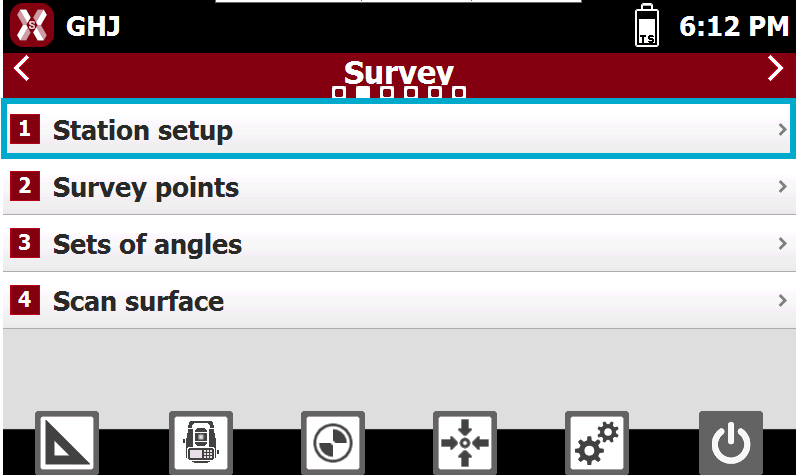
To perform a station setup open Survey page and select Station setup.
-
If previously it has been set an orientation the current orientation is proposed; current orientation can be accepted or it’s possible to define a new orientation.
-
Available setup methods are:
-
Backsight to known point: used when the station is set on a point with known coordinates. The orientation is determined by measuring a reference point with known coordinates.
-
Backsight by azimuth: used when the station is set on a point with known coordinates. The orientation is determined by measuring a reference defined by a known azimuth.
-
Free station: determines both the position and orientation of the station by measuring at least two reference points with known coordinates.
-
Auto free station: determines both the position and orientation of the station by measuring automatically at least two reference points with known coordinates. The instrument rotates and measures all available targets to calculate the position automatically.
-
Orientation to multi points: used when the station is set on a point with known coordinates. The orientation is determined by measuring multiple reference points with known coordinates.
-
Reference axis: calculates station position referring to a reference axis.
-
No orientation: no orientation is applied. It is possible to manually assign the station coordinates.
-
Load internal TPS orientation: loads the orientation stored in the total station, if available. This function retrieves and applies the station coordinates and instrument height as the current orientation. The horizontal correction angle is assumed to be equal to 0. This function allows sharing the orientation between different X-PAD sessions running on an external controller or onboard.
-
-
This chapter covers the following topics:
-
Station setup method: learn how to perform the different available total station setup step-by-step.
-
Station setup tools: learn how to use station setup tools including tools to check the orientation and recalculate the total station height.
-
