
-
The software offers tools to check the orientation and recalculate the total station height.
-
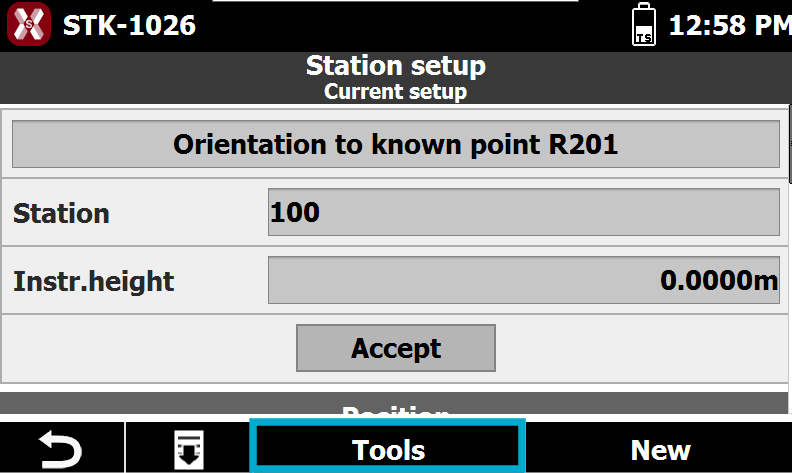
To access the tools from Station setup page press Tools.
-
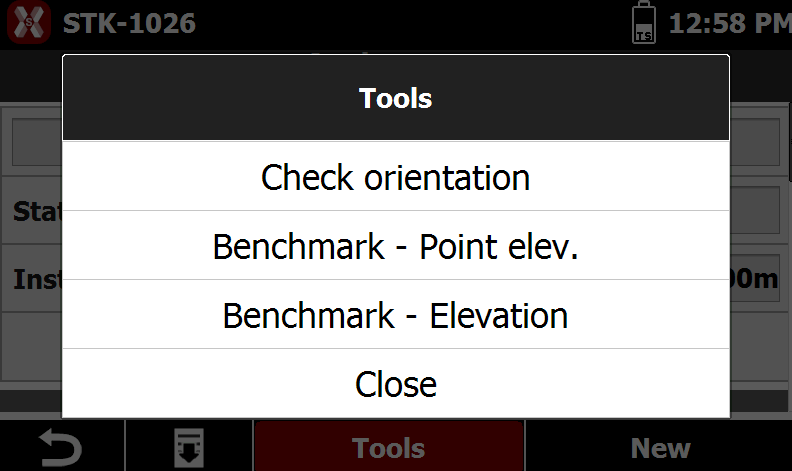
The menu shows the available tools.
Check orientation
-
The function Check orientation allows to verify the current orientation measuring a reference point.
-
Select Check orientation from the list of Tools.
-
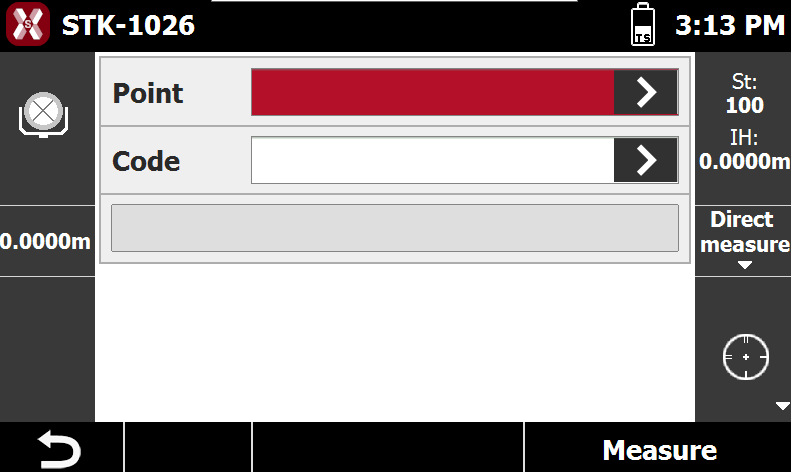
Measure a control point to verify the current station orientation.
-
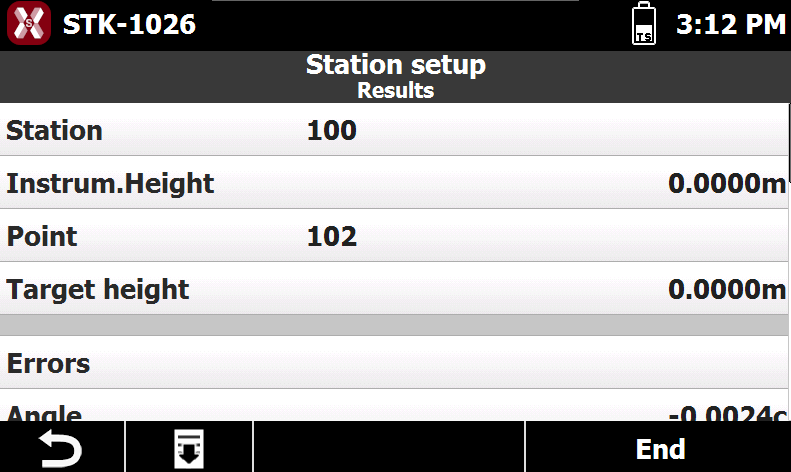
The Results page shows the errors measuring the control point.
-
Press End to proceed. Select if you want to use this new measure as new backsight orientation.
Set total station elevation from a reference point
-
The function Benchmark - Point elevation allows to set the total station elevation measuring a control point.
-
Select Benchmark - Point elevation from the list of Tools.
-
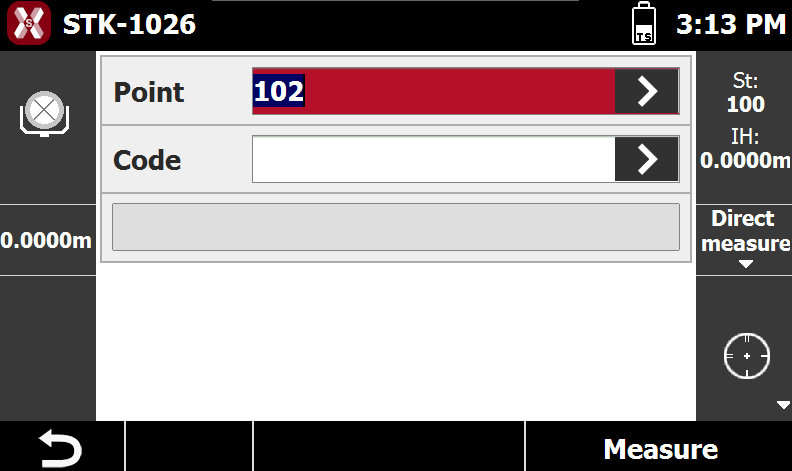
Measure a known point to calculate the total station elevation.
-
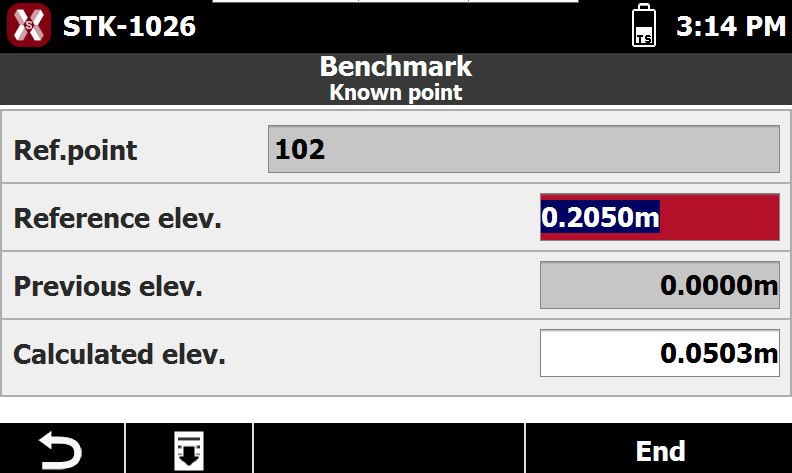
The Known point page shows the elevation information.
-
Ref point: the control point measured.
-
Reference elevation: the elevation of the control point.
-
Previous elevation: the previous total station elevation.
-
Calculated elevation: the new total station elevation.
-
-
Press End to accept the result.
Set total station elevation from a known elevation
-
The function Benchmark - Elevation allows to set the total station elevation measuring a known elevation.
-
Select Benchmark - Elevation from the list of Tools.
-
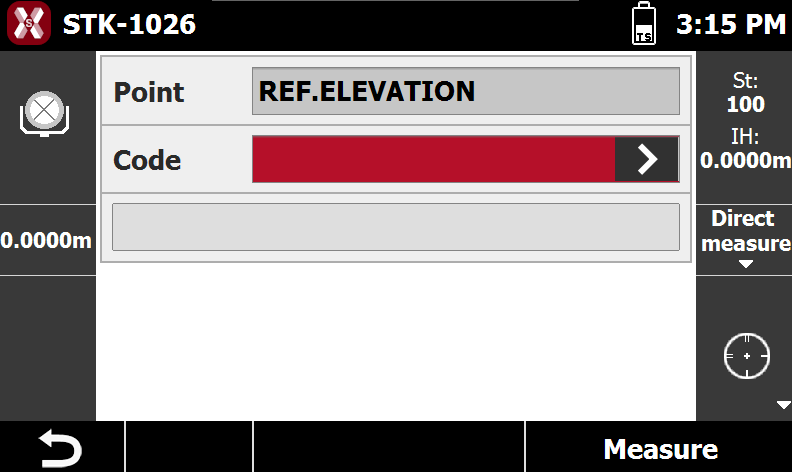
Measure a target of known elevation.
-
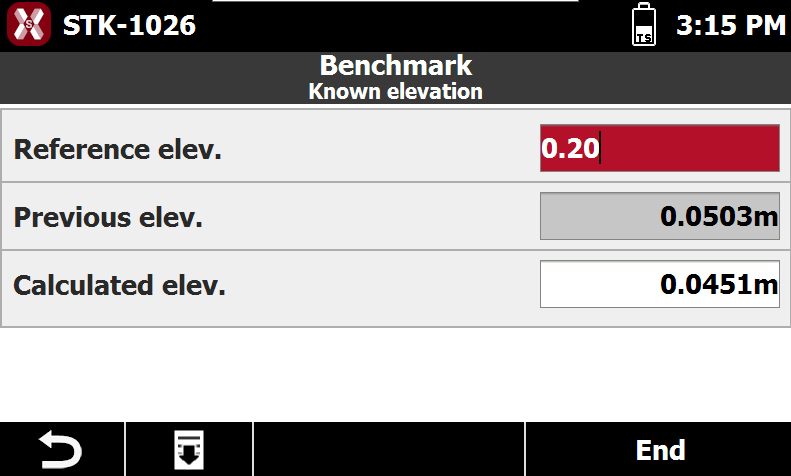
The Known point page allows to enter the measured target elevation.
-
Reference elevation: the elevation of the measured target.
-
Previous elevation: the previous total station elevation.
-
Calculated elevation: the new total station elevation.
-
-
Press End to accept the result.