
-
The control panel allows to have full control of all functions of the robotic total station.
-
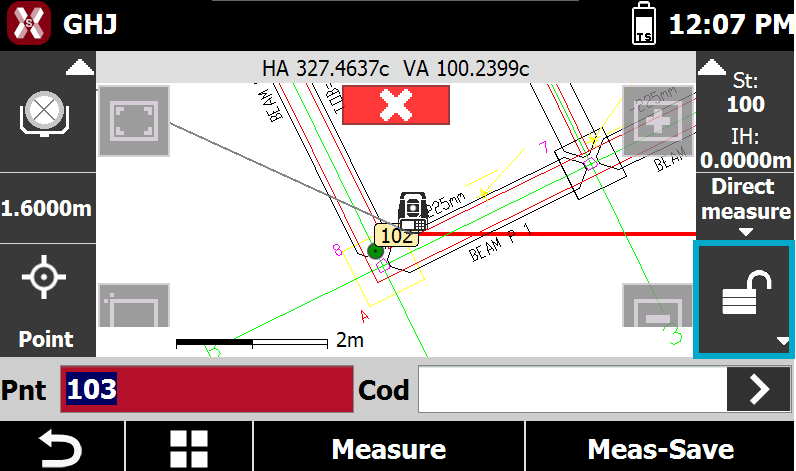
To access the total station control panel press press this box in survey and stakeout functions.
-
This opens the Robotic control panel.
Robotic page
-
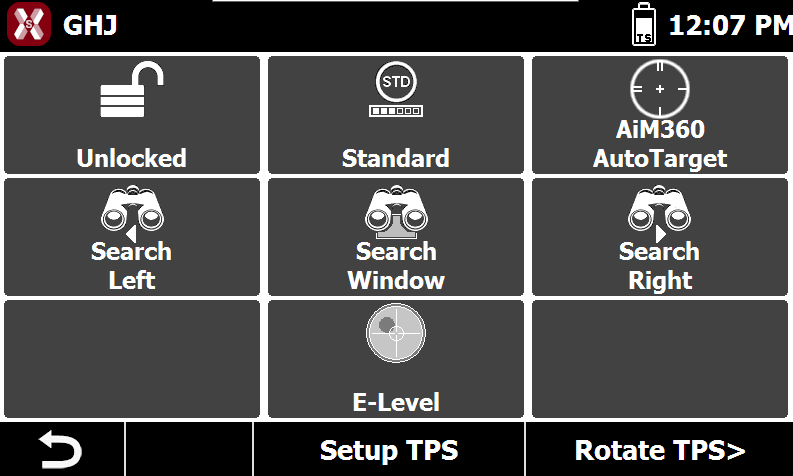
The Robotic page offers commands to change the measure mode and search for the prism.
-
Prism lock status: displays the current prism lock status. Press the button to start prism search.
-
Measure mode: displays the current measurement mode. Available modes are:
-
Standard: a single measurement is performed with focus on accuracy and not on time.
-
Fast: a single measurement is performed with focus on time, accuracy not as high as for Standard.
-
Tracking: the instrument performs continuous measurements with focus on fast measurements.
-
-
Automatic aiming: activates or deactivates automatic prism aiming. Press the button to toggle the function on or off.
-
Search left: starts automatic prism search toward the left.
-
Search window: starts automatic prism search within a defined window. If the window is not yet defined, you can specify the search area limits.
-
Search right: starts automatic prism search toward the right.
-
E-Level: displays the electronic bubble for leveling.
-
Rotation TPS
-
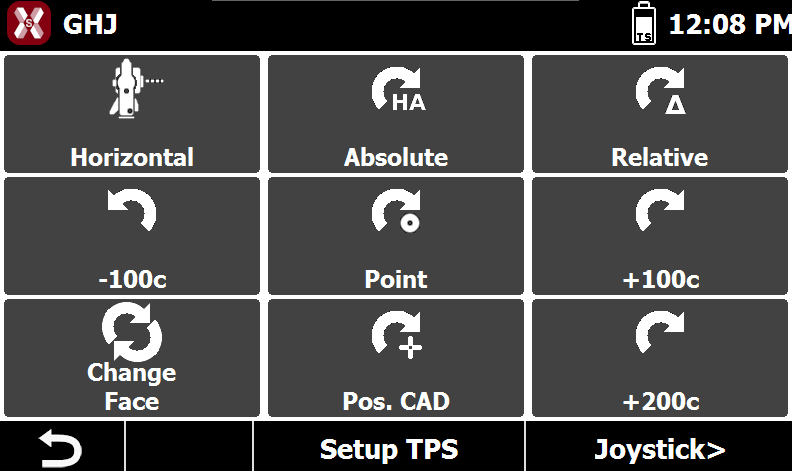
The page Rotation TPS offers commands to automatically rotate the TPS to a specific direction.
-
Horizontal rotation: rotates the telescope horizontally.
-
Absolute HA: rotates the total station to a specified horizontal angle.
-
Relative: rotates the total station by a specified angular value.
-
Rotate left 100 gon / 90°: rotates the total station 100 gon / 90° to the left.
-
Rotate to point: rotates the total station toward a selected topographic point. Select the point directly in the graphic window.
-
Rotate right 100 gon / 90°: rotates the total station 100 gon / 90° to the right.
-
Face change: rotates the total station to the opposite face.
-
Rotate to CAD position: rotates the total station toward a selected position defined in the graphic window.
-
Rotate 200 gon / 180°: rotates the total station 200 gon / 180°.
-
Joystick page
-
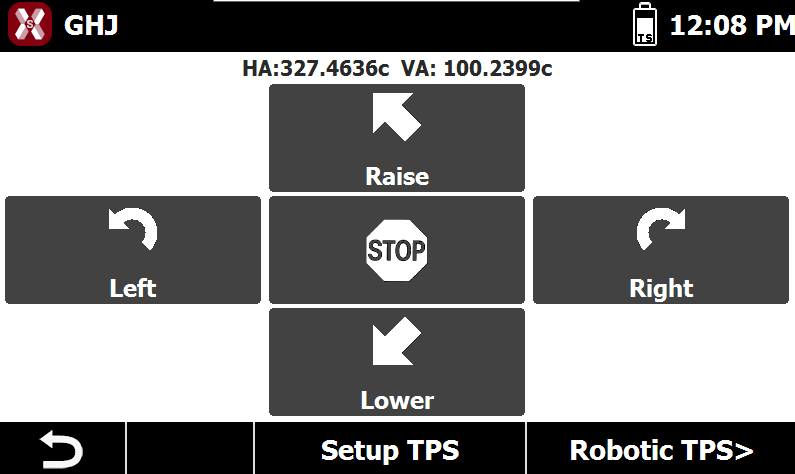
The page Joystick offers the commands to manually rotate the total station.
-
Left: starts continuous rotation toward the left. Press the button again to increase the rotation speed.
-
Right: starts continuous rotation toward the right. Press the button again to increase the rotation speed.
-
Raise: starts continuous rotation upward. Press the button again to increase the rotation speed.
-
lower: starts continuous rotation downward. Press the button again to increase the rotation speed.
-
Stop: stops the current rotation.
-