
-
Depending on total station different instrument parameters are available.
-
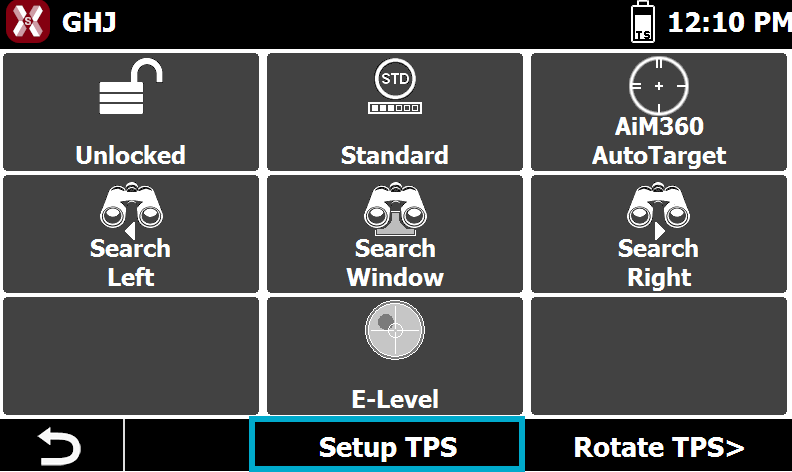
It is possible to access the Instrument parameters pressing Setup TPS from the Control panel.
-
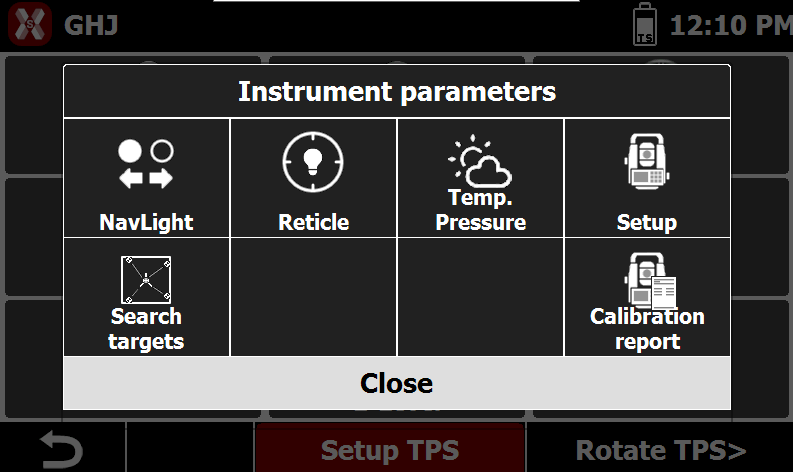
This opens the list of available parameters to set.
Navigation lights
-
Navigation lights can be activated to help operator during the stakeout.
-
To active Navigation lights press NavLight in Instrument parameters page.
Reticle illumination
-
The command Reticle allows to illuminate the telescope reticle to improve the visibility.
-
To active the illumination press Reticle in Instrument parameters page.
Temperature and pressure
-
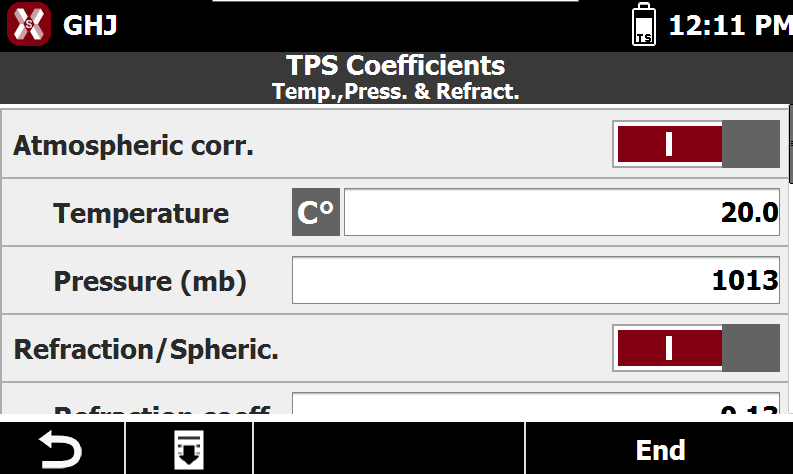
The page Temperature and pressure allows to enter the atmospheric parameters to calculate the PPM to apply to measurements.
-
Atmospheric correction: enables atmospheric correction applied to measurements.
-
Temperature (°C): value for the temperatures. Tap on the unit to change the temperature unit from Celsius to Fahrenheit.
-
Pressure (mb): value for the pressure in millibar.
-
Refraction/Sphericity: refraction correction is applied to measurements.
-
Refraction coeff.: refraction coefficient to be used for calculation.
-
Search fixed targets
-
The function allows to search and map the fix targets. The mapped fixed targets are then excluded when the total station is searching for the prism.
-
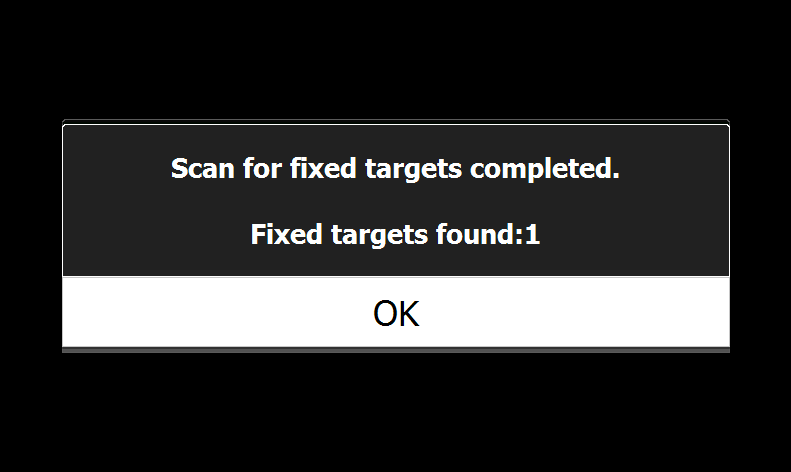
Select Search target and the instrument performs a 360° search to localizate all fixed targets.
-
If a scan is performed and fixed targets are mapped, it is possible to press the button Clear targets to clean the list of targets.
Search window
-
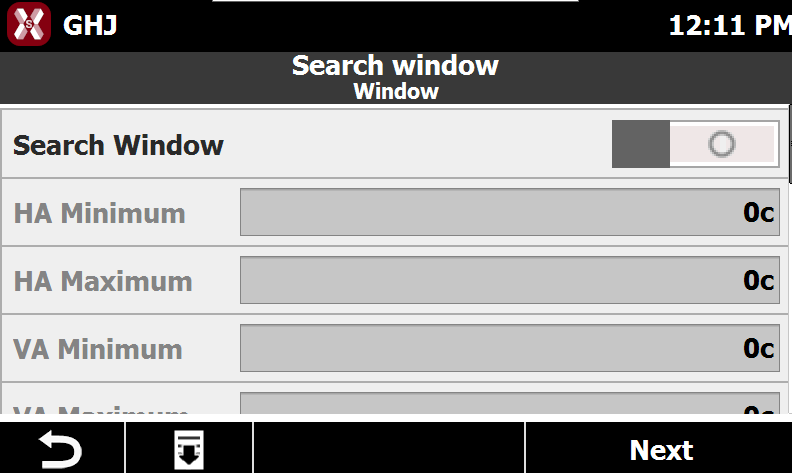
Pressing the Setup page allows to verify and define the search window.
-
The search window allows to define the limit of prism search.
-
Search window: enables prism search only within the defined window.
-
HA minimum: specifies the horizontal angle defining the left limit of the search area.
-
HA maximum: specifies the horizontal angle defining the right limit of the search area.
-
VA minimum: specifies the vertical angle defining the lower limit of the search area.
-
VA maximum: specifies the vertical angle defining the upper limit of the search area.
-
-
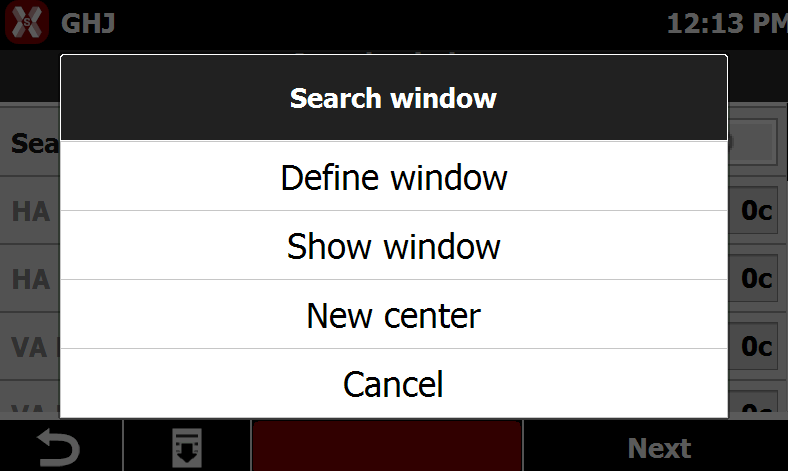
It is also possible to press Tools to perform different operations.
-
Define window: values of the search window can be inserted manually or it’s possible to register them using the total station as pointing instrument. Press Define window to register them aiming with total station.
-
Show window: perform a check of the search window defined.
-
New center: keeping the same window size, allows to change the search window center.
-
-
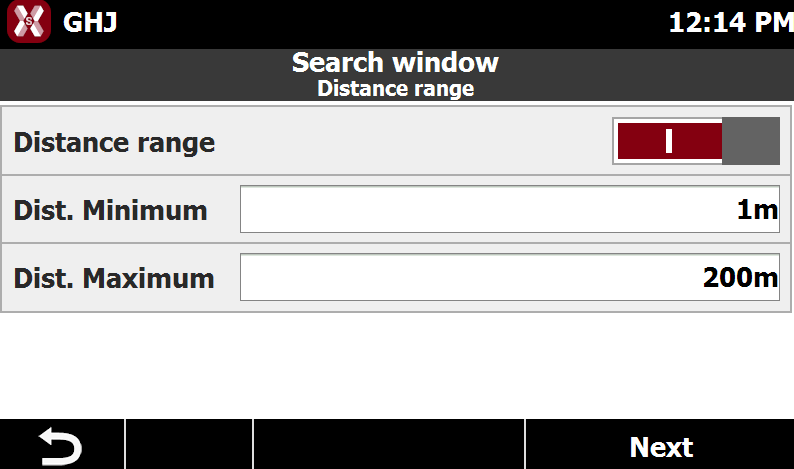
The following page allows to limit the prism search.
-
Distance range: enables limitation of the search within a defined distance range.
-
Distance minimum: specifies the minimum search distance.
-
Distance maximum: specifies the maximum search distance.
-