TPS Basic application

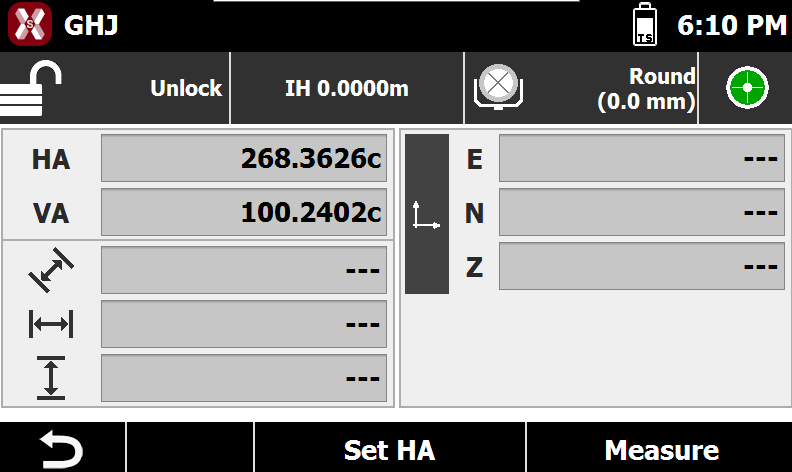
  • TPS Basic is an application that allows to perform some simple measures without saving data.

  • The application is opened automatically when X-PAD is started or pressing TPS icon in the Main Window.
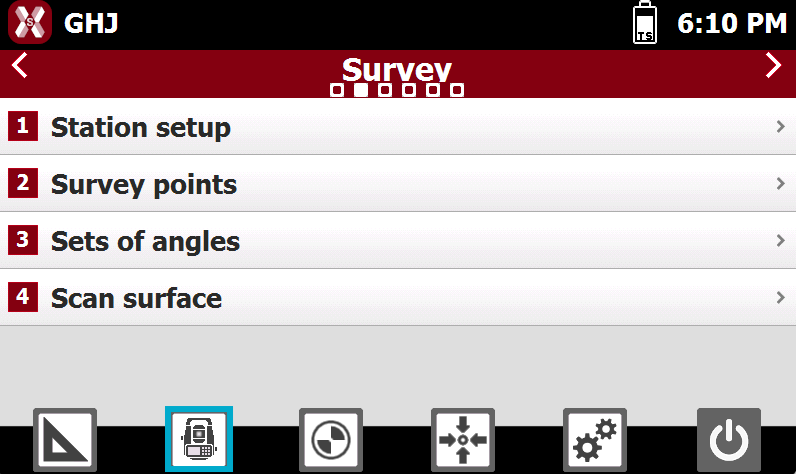
    image-20260727-155042.png
  • TPS Basic do not require a setup.

    image-20260727-155020.png
  • The main commands are:

    • Set HA: sets the horizontal angle of the station.

    • Measure: performs a measure. At the end of the measure the distances measured are reported in corresponding fields.

  • In the upper part of the window a panel allows to access to other functions to control total station.

    image-20260603-152338.png
    • image-20260603-152356.png : visualizes the status of locking of prism. Tap on the panel to open the Control panel.

    • image-20260603-152517.png : the instrument height. Tap to change the height.

    • image-20260603-152537.png : the current target. Tap to open the Target manager.

    • image-20260603-152604.png : the e-level status. Tap to open the electronic level page.

  • After a measure is performed the window display the results.
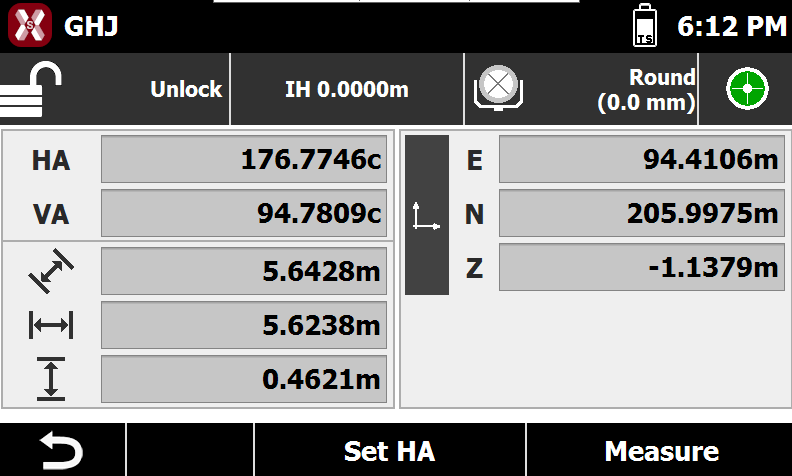
    image-20260727-155158.png
    • HA: the horizontal angle.

    • VA: the vertical angle.

    • image-20260603-152847.png : slope distance.

    • image-20260603-152904.png : horizontal distance.

    • image-20260603-152921.png : vertical distance,

    • E/N/Z: east, north and elevation of measured target. Press image-20260603-153006.png to visualize the delta values.