
-
The Intersection function calculates the coordinates of a point located at the intersection of geometric elements.
-
The reference elements can be defined using different methods, allowing the intersection point to be calculated according to the available survey or design data.
-
This function is commonly used to determine points that cannot be measured directly in the field but can be derived from the known geometry of existing elements. Once the calculation is completed, the resulting point coordinates can be displayed, stored, or used in subsequent stakeout and survey operations.
-
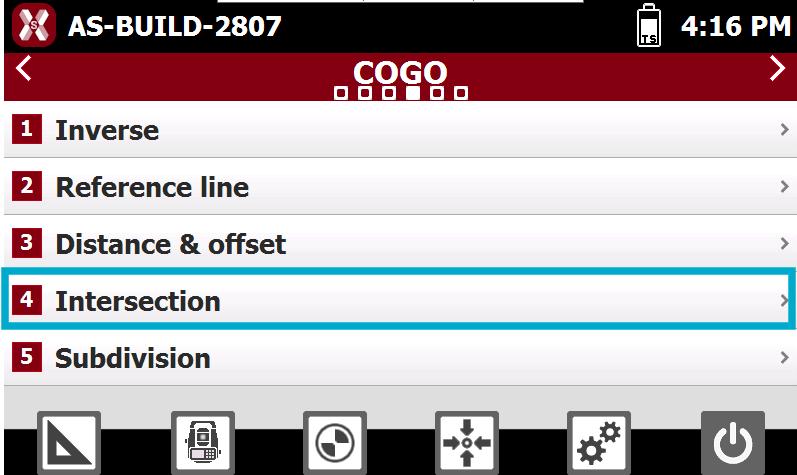
From COGO page select Intersection.
-
Select the method to be used for calculating the intersection point:
-
Double Distance: calculates the intersection point using two distances measured from two reference points.
-
Distance and Azimuth: calculates the intersection point using a distance from one reference point and a direction defined by a straight line passing through a second reference point.
-
Double Azimuth: calculates the intersection point as the intersection of two lines, each defined by a reference point and an azimuth.
-
4 Points: calculates the intersection point as the intersection of two lines, each defined by two reference points.
-
-
Each method uses a different combination of geometric constraints to determine the coordinates of the intersection point, allowing the most suitable calculation approach to be selected according to the available data.
Intersection double distance
-
Calculates the intersection point using two distances measured from two reference points.
-
Requires the enter the following information. The point can be selected from CAD, points list or measured.
-
Point 1: first reference point.
-
Distance 1: distance from first reference point to the calculated intersection point.
-
Point 2: second reference point.
-
Distance 2: distance from second reference point to the calculated intersection point.
-
-
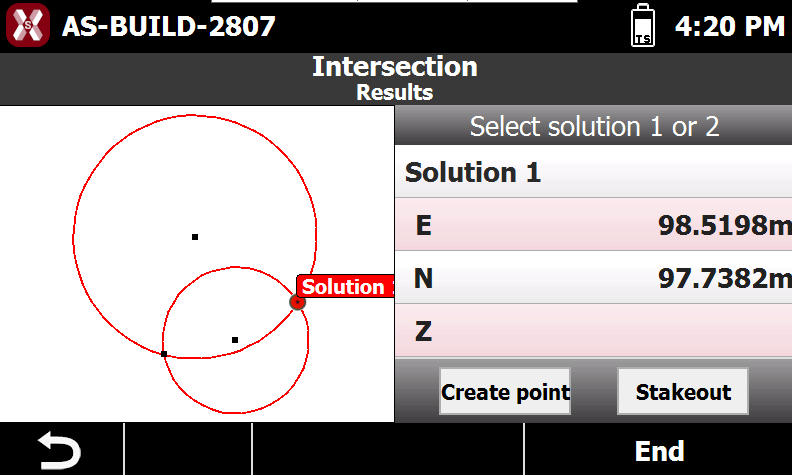
Press Next to proceed with calculation of the position of the point; the two possible solutions are shown: select on the graphic window the desired solution.
-
-
Create Point: creates a new point at the calculated coordinate.
-
Stakeout: starts the stakeout procedure to guide the operator to the calculated coordinate.
-
Distance and azimuth
-
Calculates the intersection point using a distance from one reference point and a direction defined by a straight line passing through a second reference point.
-
Requires the enter the following information. The point can be selected from CAD, points list or measured.
-
Point 1: first reference point.
-
Distance 1: distance from the first reference point to the calculated intersection point.
-
Point 2: second reference point.
-
Azimuth: azimuth of the line passing through the second reference point.
-
Offset: perpendicular distance from the line passing through the reference point.
-
Offset Direction: side on which the offset is applied relative to the reference line, either right or left.
-
-
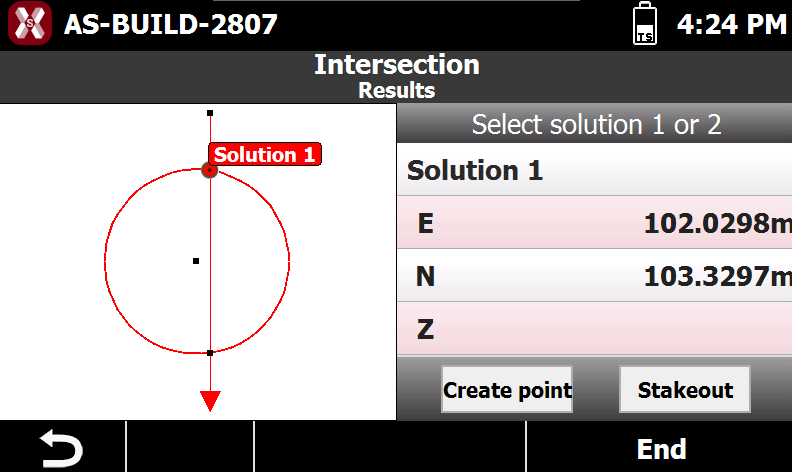
Press Next to proceed with calculation of the position of the point; the two possible solutions are shown: select on the graphic window the desired solution.
-
-
Create Point: creates a new point at the calculated coordinate.
-
Stakeout: starts the stakeout procedure to guide the operator to the calculated coordinate.
-
Double azimuth
-
Calculates the intersection point as the intersection of two lines, each defined by a reference point and an azimuth.
-
Requires the enter the following information. The point can be selected from CAD, points list or measured.
-
Point 1: first reference point.
-
Azimuth 1: azimuth of the line passing through the first reference point.
-
Offset 1: perpendicular distance from the line passing through the reference point.
-
Offset Direction 1: side on which the offset is applied relative to the reference line, either right or left.
-
Point 1: second reference point.
-
Azimuth 2: azimuth of the line passing through the second reference point.
-
Offset 2: perpendicular distance from the line passing through the reference point.
-
Offset Direction 2: side on which the offset is applied relative to the reference line, either right or left.
-
-
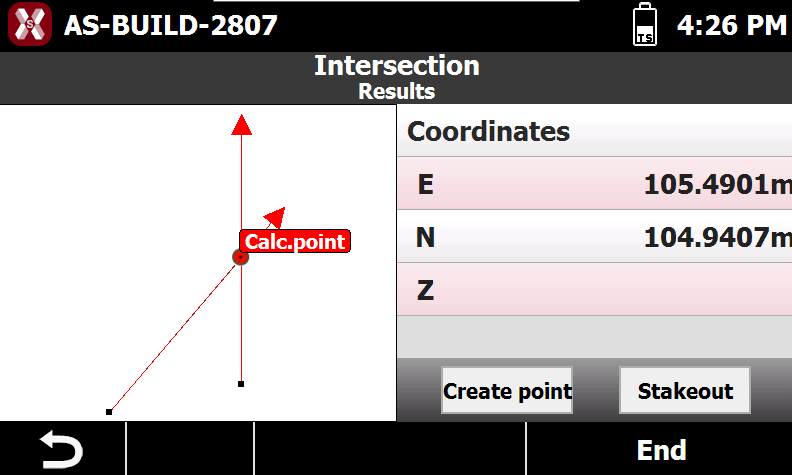
Press Next to proceed with calculation of the position of the point.
-
Create Point: creates a new point at the calculated coordinate.
-
Stakeout: starts the stakeout procedure to guide the operator to the calculated coordinate.
-
4 points
-
Calculates the intersection point as the intersection of two lines, each defined by two reference points.
-
Requires the enter the following information. The point can be selected from CAD, points list or measured.
-
Point 1: first reference point of the first straight line
-
Point 2: second reference point of the first straight line.
-
Offset: offset distance referring to the first straight line passing by the two points.
-
Offset Direction: side on which the offset is applied relative to the reference line, either right or left.
-
Point 3: first reference point of the second straight line
-
Point 4: second reference point of the second straight line.
-
Offset: offset distance referring to the second straight line passing by the two points.
-
Offset Direction: side on which the offset is applied relative to the reference line, either right or left.
-
-
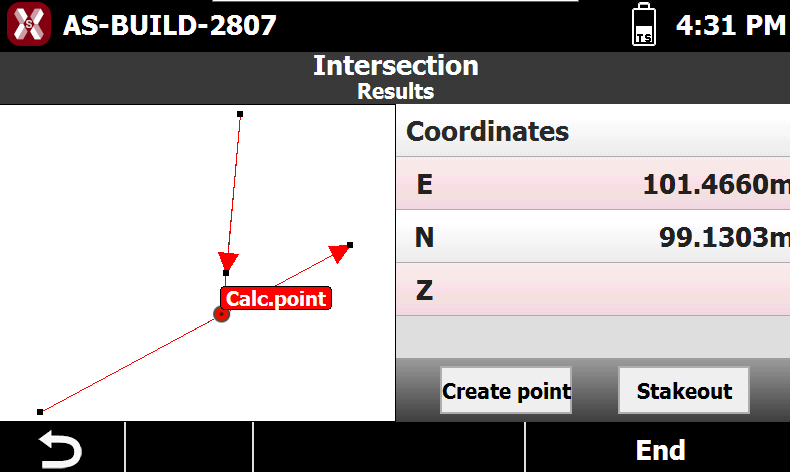
Press Next to proceed with calculation of the position of the point.
-
Create Point: creates a new point at the calculated coordinate.
-
Stakeout: starts the stakeout procedure to guide the operator to the calculated coordinate.
-