
-
The Inverse function calculates distances and geometric relationships between a reference position and a selected reference object.
-
Calculations can be performed from a base point or directly from the current position.
-
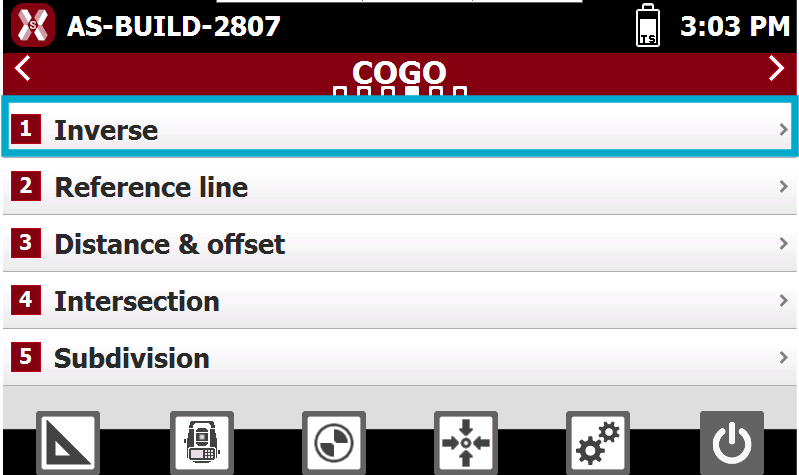
From COGO page select Inverse.
Calculation method
-
Select the reference object against which the calculations will be performed.
-
The following object types are supported:
-
Point: calculates the distance and related information between a base point and a reference point, or between the current receiver position and a reference point.
-
Line (2 Points): calculates the distance and related information between a base point, or the current receiver position, and a line defined by two points.
-
Arc (3 Points): calculates the distance and related information between a base point, or the current receiver position, and an arc defined by three points.
-
Arc (2 Points + Radius): calculates the distance and related information between a base point, or the current receiver position, and an arc defined by two points and a specified radius.
-
Drawing Object: calculates the distance and related information between a base point, or the current receiver position, and a drawing element selected from the graphic view.
-
Inverse to a Point
-
The software calculates the distance and related information between the base point and the selected reference point.
-
Ref point: select from CAD or from point list the reference point. Press > and select Measure to measure a new point.
-
Point 1: reference point; it’s calculated the distance between the base point and the reference point or between current position and the reference point.
-
-
Press Next to start the calculation.
Inverse to a Line (2 Points)
-
The software calculates the distance and related information between the base point and the selected reference line.
-
Ref point: select from CAD or from point list the reference point. Press > and select Measure to measure a new point.
-
Point 1: first point defining the reference line.
-
Point 2: second point defining the reference line.
-
-
Press Next to start the calculation.
Inverse to an Arc (3 Points)
-
The software calculates the distance and related information between the base point and the selected reference arc by 3 points.
-
-
Point 1: first point defining the reference arc.
-
Point 2: second point defining the reference arc.
-
Point 3: third point defining the reference arc.
-
-
Press Next to start the calculation.
Inverse to an Arc (2 Points + Radius)
-
The software calculates the distance and related information between the base point and the selected reference arc by 2 points and radius.
-
Point 1: starting point of the reference arc.
-
Point 2: ending point of the reference arc.
-
Radius: radius of the reference arc.
-
Clockwise Arc: defines the direction of the reference arc.
-
-
Press Next to start the calculation.
Inverse to a Drawing Object
-
The software calculates the distance and related information between the base point and the selected CAD drawing object.
-
Select the reference drawing element directly from the graphic view.
-
Press Next to start the calculation.
Calculation result
-
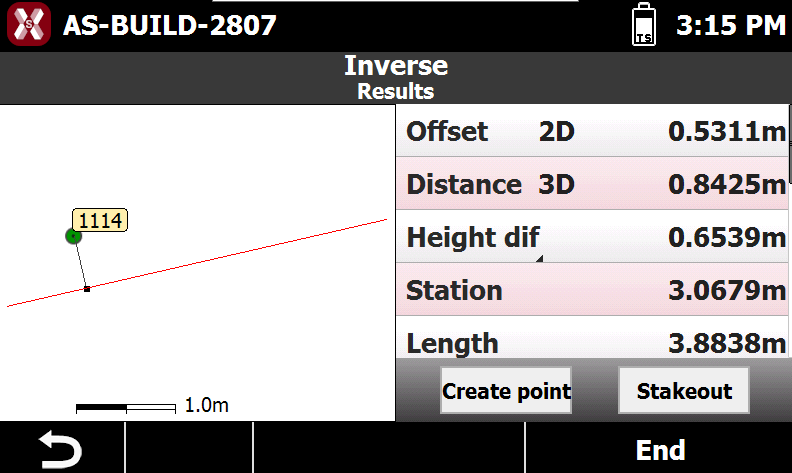
Software shows the distance and other values calculated.
-
Create Point: creates a new point at the calculated projection of the base point on the reference element.
-
Stakeout: starts the stakeout procedure to guide the operator to the calculated projection of the base point on the reference element.
-