
-
Editing commands allow to modify the drawing and to create new objects starting from existing ones.
-
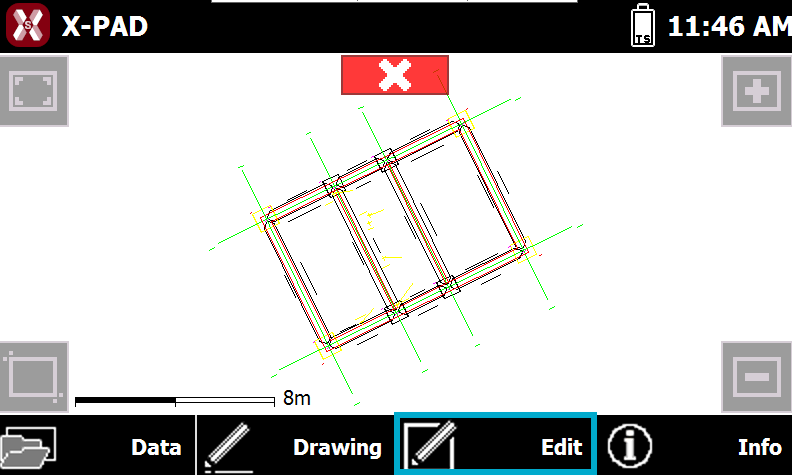
To access the editing commands press Edit.
-
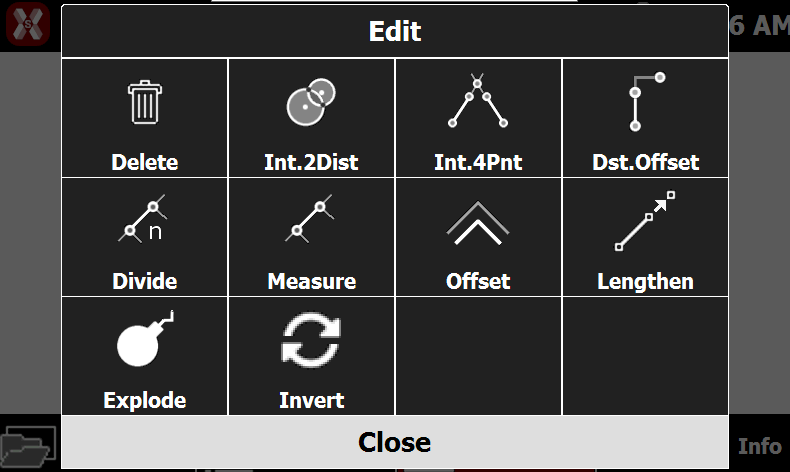
This opens a table with the available editing functions.
-
Delete: select the objects in CAD to delete them.
-
Intersection 2 distances: calculates the position of a new topographic point located at a certain distance from two reference points. The software requires to select the first reference point and the distance, then the second reference point and the distance from the second reference point. Select the correct solution from the two proposed solutions.
-
Intersection 4 points: calculates the position of a new topographic point that is on the intersection of two straight lines. The software requires to select two points on first reference line and two points on the second reference line. Confirm the creation of the point.
-
Distance and offset: calculates position of a new topographic point referring to a reference object. The software requires to select a reference object and enter the distance along the object and the left/right offset.
-
Divide: allows to create new points dividing the selected object in a defined number of parts.
-
Measure: allows to create new points dividing the selected object in a number of parts distanced by the entered distance.
-
Offset: allows to create a new object parallel to reference object at a defined distance.
-
Lengthen: allows to extend a line, a polyline or an arc of a defined length. Besides an object it’s possible to indicate two points establishing direction toward which creating the new point.
-
Explode: allows to transform every selected polyline in the base element composing it: lines and circles. The original polyline is deleted and substituted by its base elements.
-
Invert: inverts a polyline direction.
-