
-
The Road stakeout function allows to stakeout road axis selecting the reference axis, specifing the chainage and the offset.
-
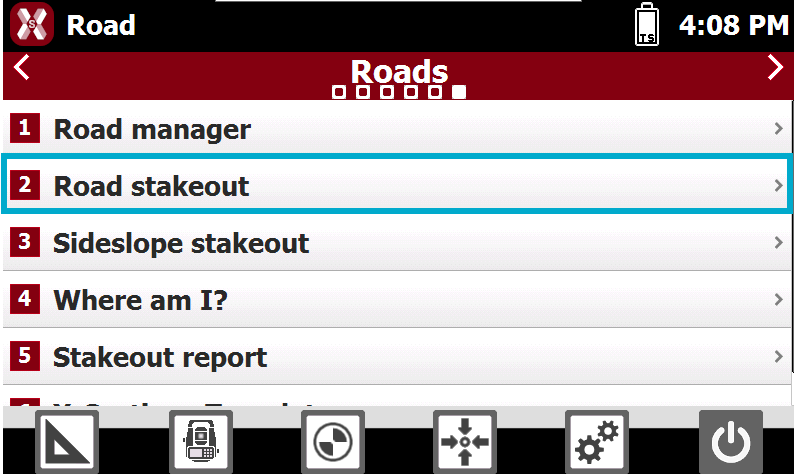
From the Roads page select Road stakeout.
-
Select the road to stakeout and press Accept.
-
The software guides to select the station and offset to stakeout on the road design.
Station and interval
-
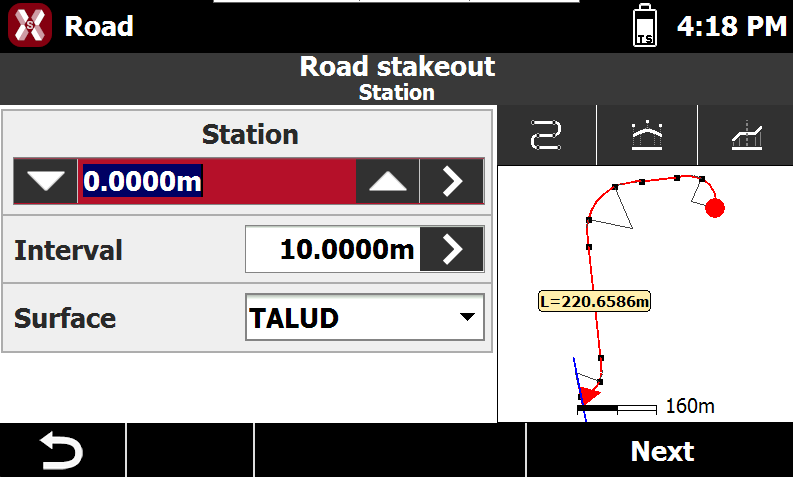
The page allows to define the chainage for the road stakeout.
-
Station: the station to stakeout. Tap the icons to change the station of the defined Interval. Enter the station or tap on > to define the station using different methods:
-
Measure: measure using the current instrument to calculate the station at the measured position.
-
List: obtains the station from the list of available cross sections and change of road geometry (beginning of a curve, ending of a curve, etc.).
-
-
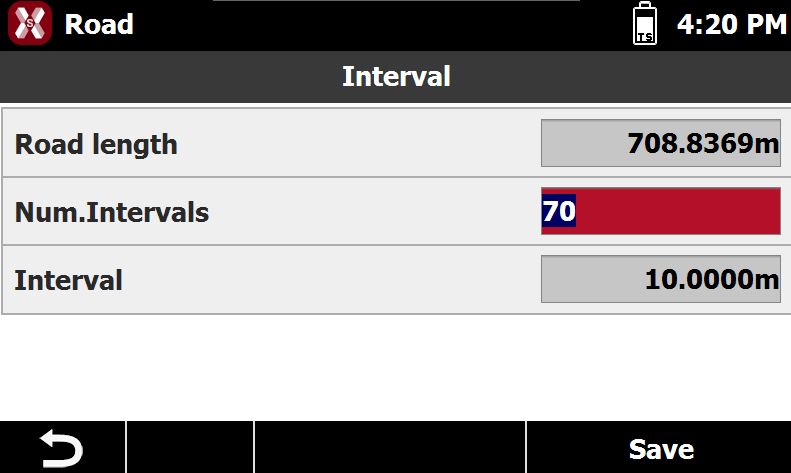
Interval: the interval to calculate the following stations. Tap on > to calculate the interval entering the number of segments the road has to be divided.
-
Surface: if the road design has multiple layers, allows to choose the layer to stakeout.
-
-
On the right panel it is available a preview of the selected station.
-

-

-

-
-
Press Next.
Offset
-
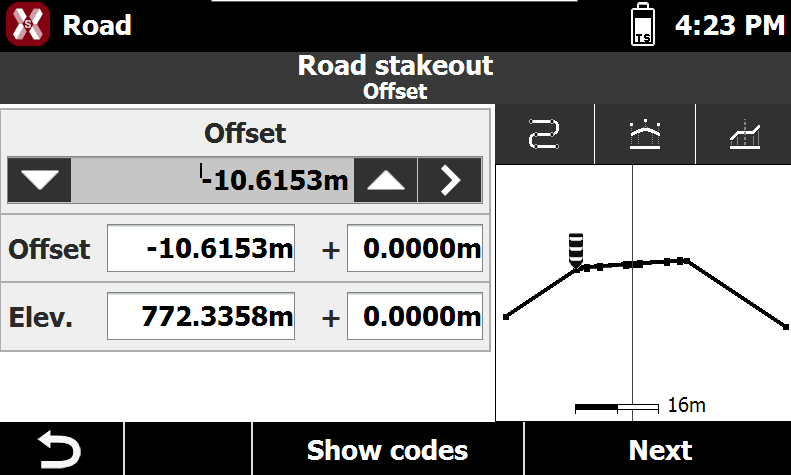
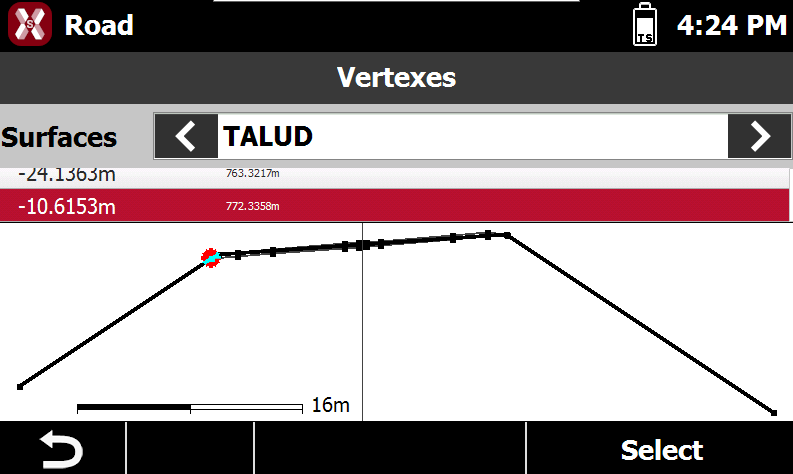
The following page allows to select the vertex of the cross section to stakeout.
-
Tap on


-
Tap on > to select the vertex from the cross section view, selecting also a different layer.
-
Or enter manually the values of offset and elevation.
-
Offset: the horizontal distance from the centerline. A negative value is on the left side of the cross section.
-
Elevation: the elevation of the point to stakeout.
-
-
Press Next to stakeout the point.
Stakeout the chainage and offset
Refer to Stakeout for more information on stakeout interface and procedures.
-
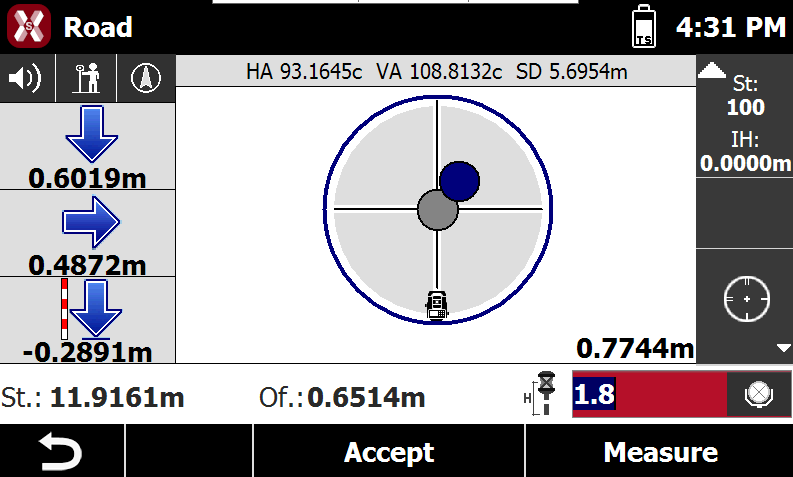
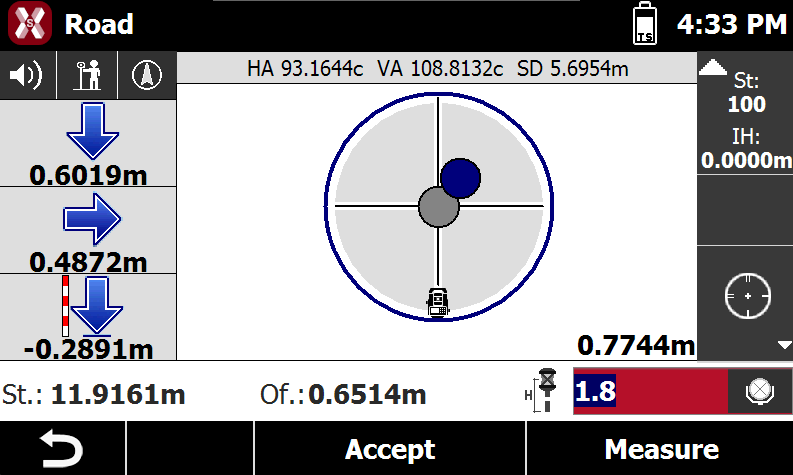
The commands to stakeout are very similar to the standard point stakeout.
-
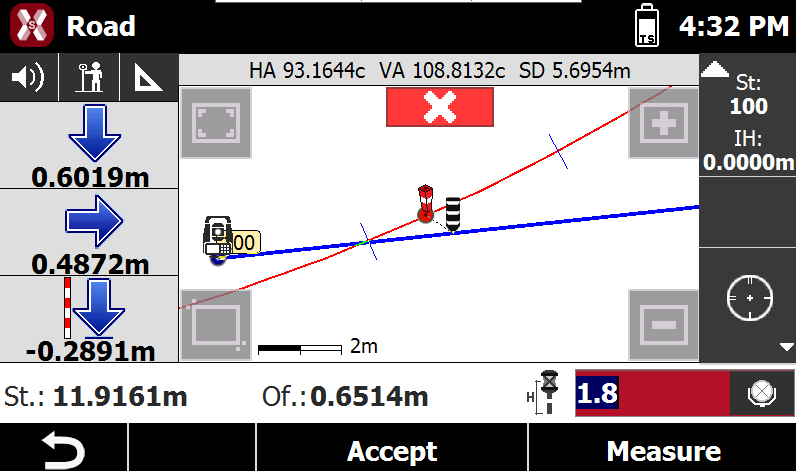
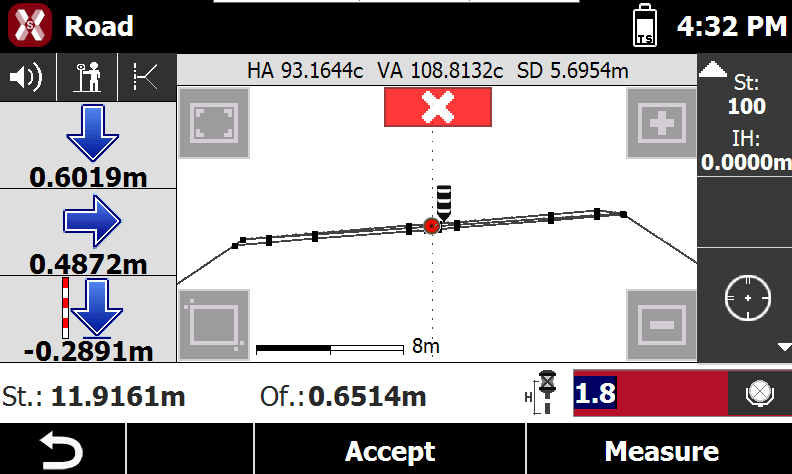
The left bar shows the indications to stakeout the point using the selected Reference for stakeout.
-
The bottom bar shows information on the position on the road design:
-
St: current station.
-
Of: current offset.
-
-
Tap on

-
CAD: shows the CAD view.
-
Cross section: shows the cross sections view.
-
Compass: shows the compass view.
-
-
Press Measure and Accept to save the stakeout measure.
-
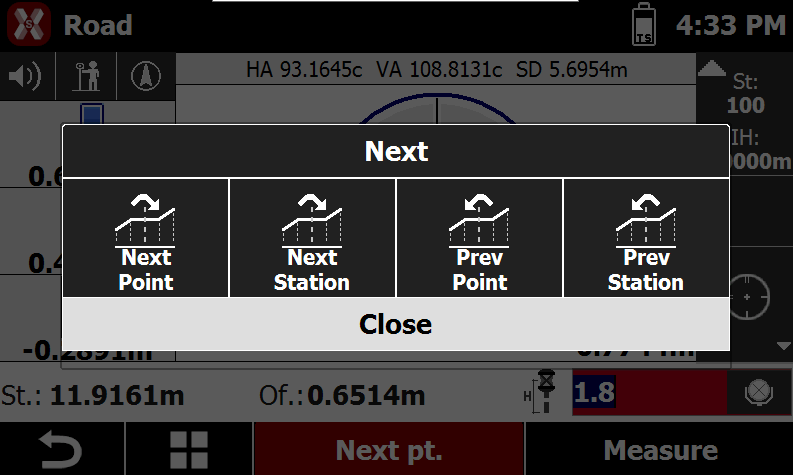
Press Next to select the next point to stakeout.
-
Next point: selects the next vertex on the cross section at the same station.
-
Next station: selects the next station and use the same vertex.
-
Previous point: selects the previous vertex on the cross section at the same station.
-
Previous station: selects the previous station and use the same vertex.
-