
-
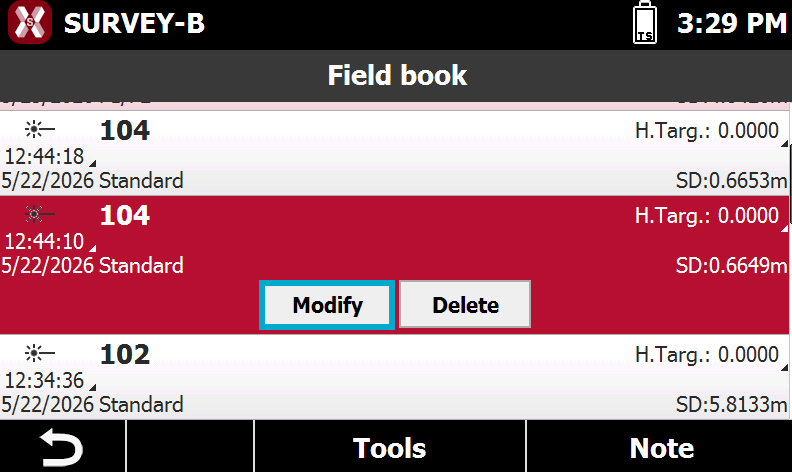
Select measure on the table and select Modify from the appearing menu.
-
In the different pages are reported all data of the measure but only some of them are editable.
Point
-
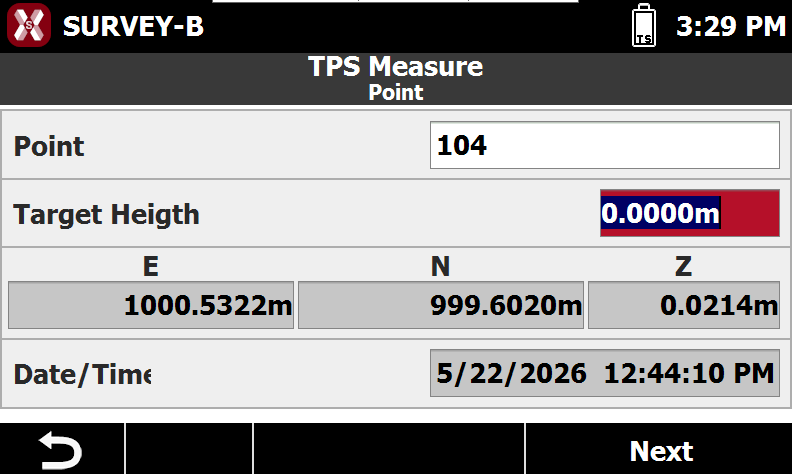
The Point page visualizes the measured coordinate.
-
Point: name of the measured point.
-
Target height: height of the target.
-
ENZ: point coordinate in east, north and elevation.
-
Date/Time: date and time when the measurement was performed.
-
Code and description
-
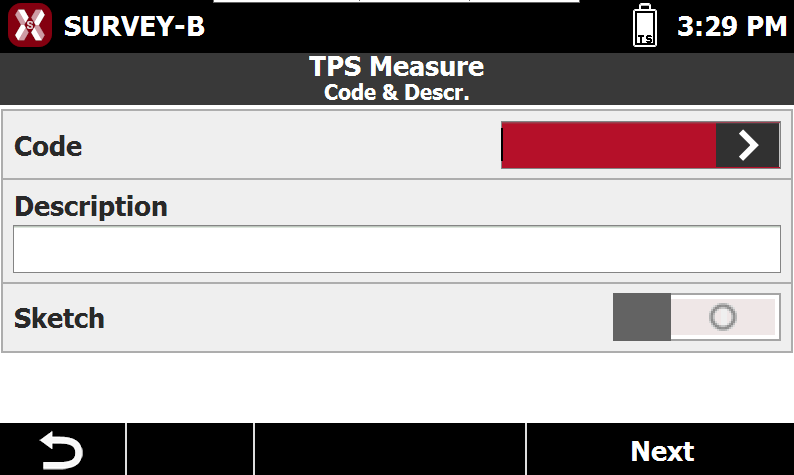
The page Code and description defines the code and description.
-
Code: displays the survey code associated with the point. Use the button to open the code library and select a code from the list.
-
Description: displays an extended description of the point.
-
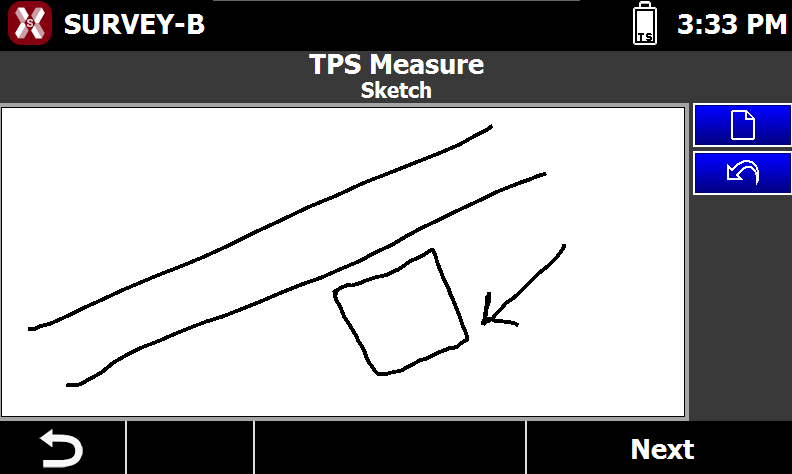
Sketch: enables the sketch page where it is possible to assign a sketch to the point.
-
Measure data
-
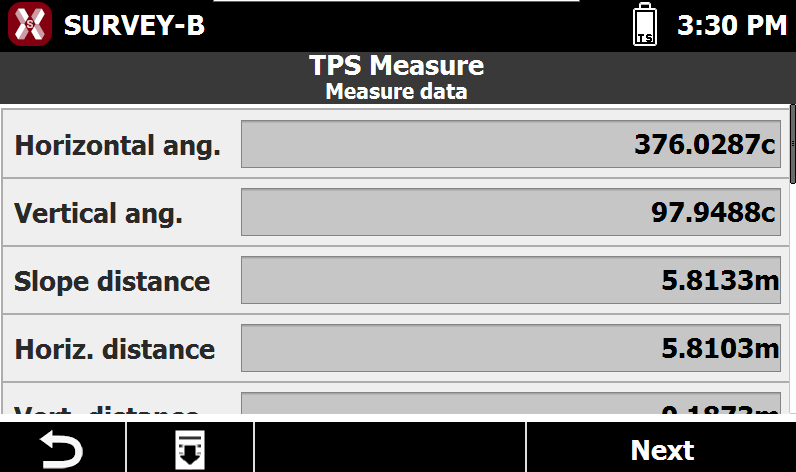
The page Measure data shows the raw data measurements.
-
Horizontal angle: measured horizontal angle.
-
Vertical angle: measured vertical angle.
-
Slope distance: measured slope distance to the target.
-
Horizontal distance: measured horizontal distance to the target.
-
Vertical distance: measured vertical distance to the target.
-
Target type: type of target used for the measurement.
-
PPM: value of the PPM applied to the measurement.
-
Aim mode: specifies how target was locked and measured.
-
F1/F2 data
-
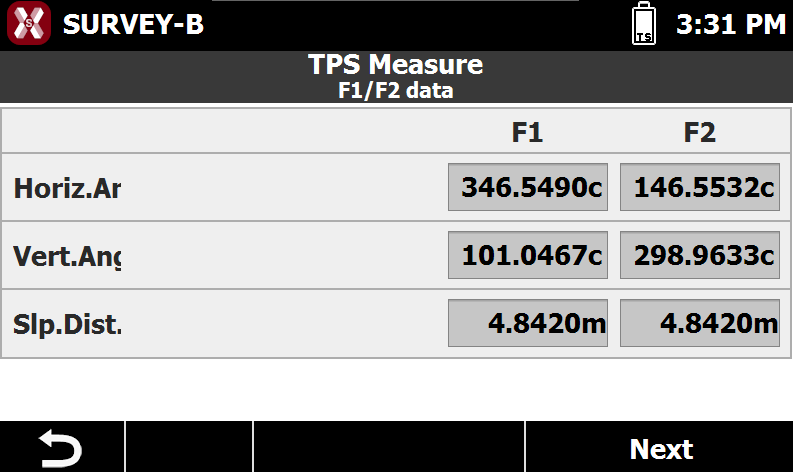
This page is available if the measurement is a F1/F2 measurement.
-
Horizontal angle: measured horizontal angle in face I and face II.
-
Vertical angle: measured vertical angle in face I and face II.
-
Sloped distance: measured slope distance to the target in face I and face II.
-
Offset distance
-
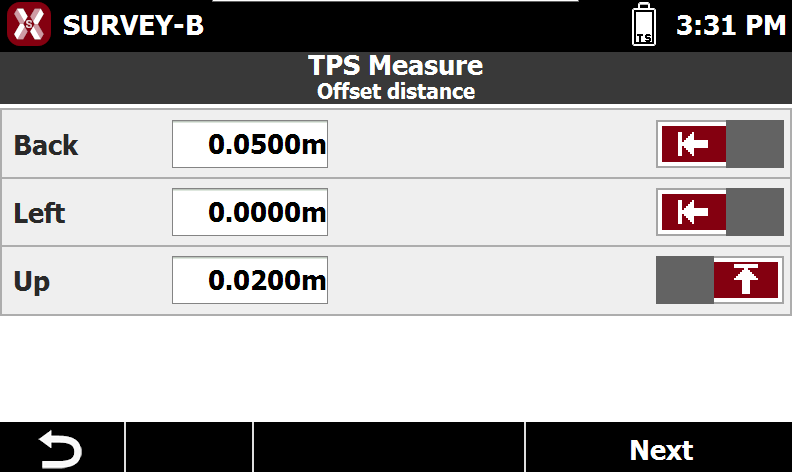
This page is available if the measurement is a measurement with offset distance.
-
The page visualizes the offset used. It is possible to edit the offsets.
-
Back/forward: the distance offset applied in back and forward direction.
-
Left/right: the distance offset applied left and right.
-
Up/down: the distance offset applied up and down.
-
Offset HA/VA
-
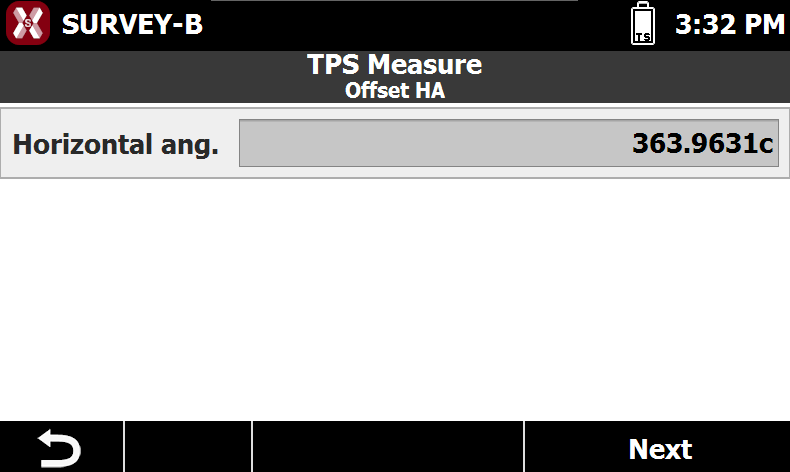
This page is available if the measurement is a measurement with an angular offset.
-
Horizontal angle/vertical angle: the field visualizes the offset angle.
-
Sketch
-
The page Sketch allows to draw a sketch of the point position.
-
Use the pen to draw a sketch.
-

-

-
Station
-
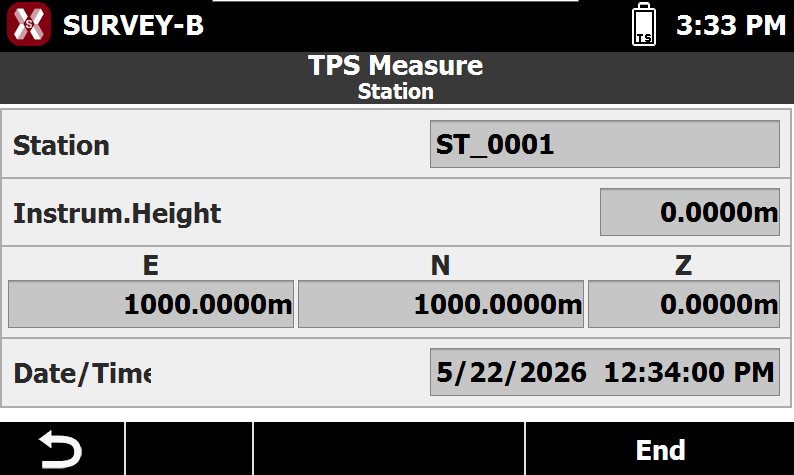
The page Station visualizes the station coordinate and information from where the measurement was taken.
-
Station: the station name.
-
Instrument height: the height of the instrument from ground point.
-
ENZ: station coordinates in east, north and elevation.
-
Date/Time: date and time when the stationing was performed.
-