
The information contained in this chapter covers the standard first steps for using the software. For detailed descriptions of all features, advanced workflows, configuration options, and reference information, refer to the complete User Manual. The full manual provides comprehensive documentation for all functions and capabilities available in the software.
-
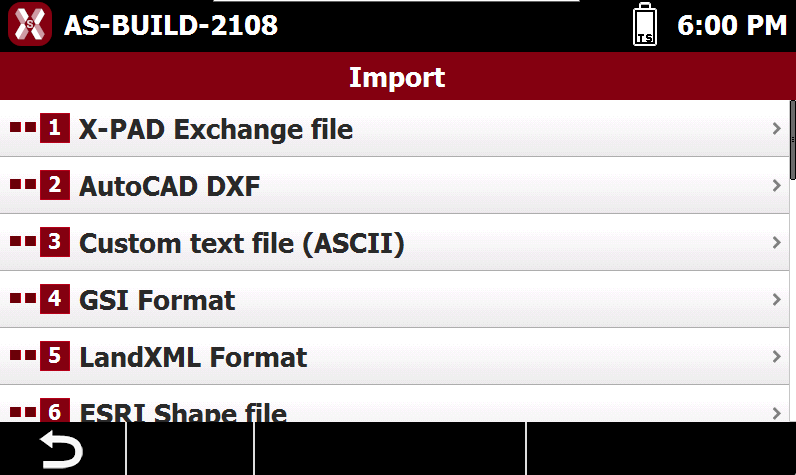
X-PAD allows to load external file from different formats, for example DXF, LandXML and much more.
-
Files can be loaded in the software using two different methods:
-
Import file: the entities in the file are imported in the job. This means that points, drawing, etc.. are part of the job data.
-
External reference: a file can be loaded as external reference. This means that entities of the file are not part of the job, and the file can be turned off/on easily.
-
Import a file
-
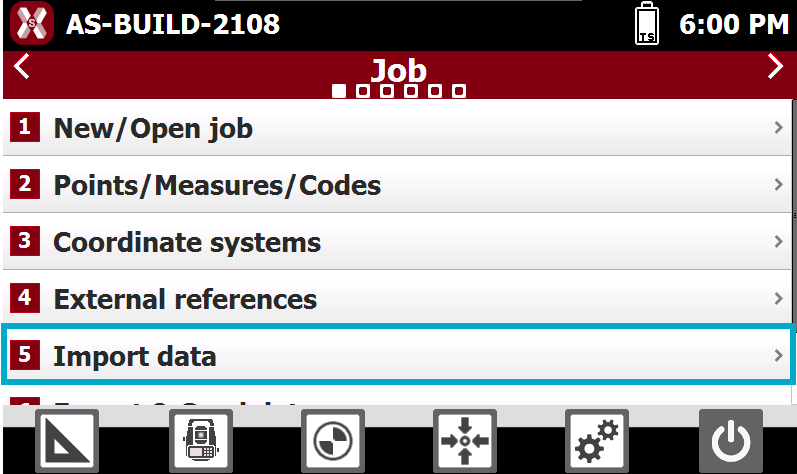
To import a file open the Job page.
-
Select Import data.
-
Select the format of the file to import.
-
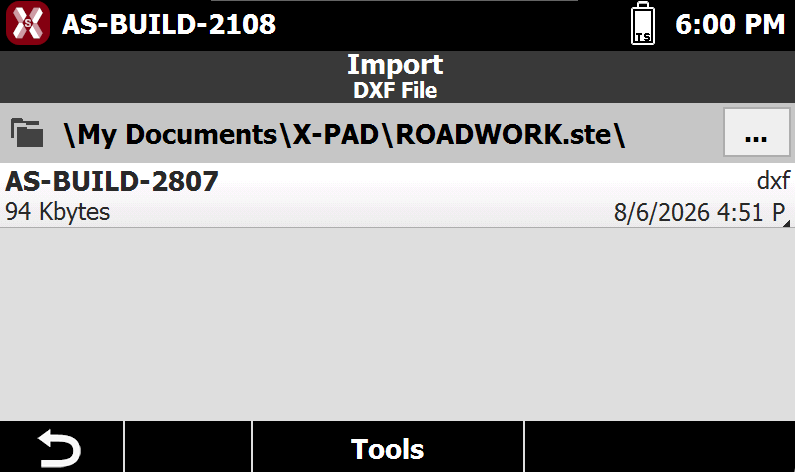
It is possible to select a file from internal memory, USB pen drive or SD card, depending on the total station.
-
Select the file in the current folder or press

-
After the file has been selected, depending on the selected format, there are different options. See Import a file for more information.
-
Press Import to finalize the data import. The entities of the file (points, drawing, surface, etc…) are imported in the current job.
To visualize imported data it is possible to open the software CAD or open the list of topographic points.
External reference
-
External references are connections that are created between the current job and other jobs of X-PAD or other data files.
-
Instead of importing data to the current job, it is possible to manage the reference to the data and load it temporarily when needed. When opening the main job, the data can be loaded from the linked files.
-
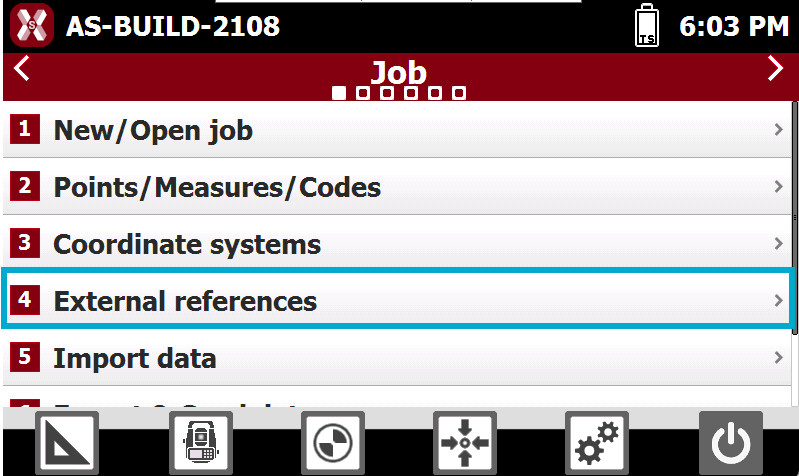
To load an external reference select External references from the Job page.
-
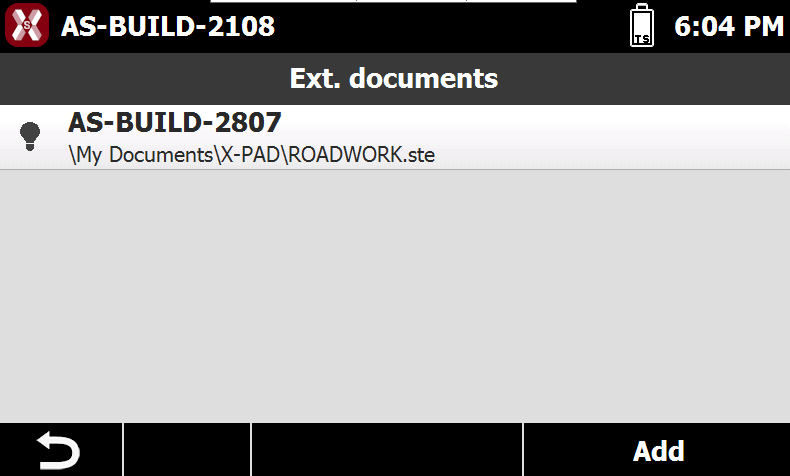
The page lists the loaded external references.
-
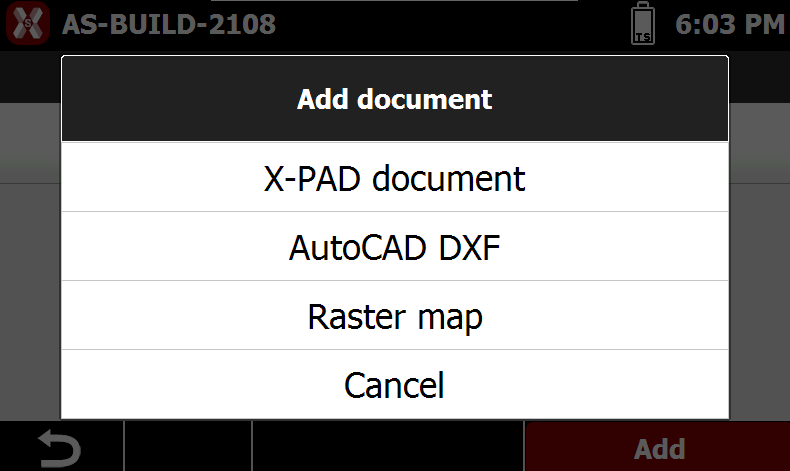
Press Add to add a new external reference. X-PAD support loading of external reference in different formats.
-
It is possible to select a file from internal memory, USB pen drive or SD card, depending on the total station.
-
Select the file in the current folder or press
-
After the file has been selected, depending on the selected format, there are different options. See External reference for more information.
-
Press Accept to finalize the data loading.
-
The file is linked to the current job.
-
Press
